
Why your dashboard or P&L shows $0
You connected a bank or imported your books, and the dashboard or P&L looks wrong. Either Revenue and Expenses show $0, or a large Uncategorized line is sitting on the report. Those are different situations.
If you see Uncategorized, that is not $0
That money is already in your books.
- A new bank row normally posts to Uncategorized Income or Uncategorized Expense the moment it arrives. A few rows wait outside your books instead: one on hold as a possible duplicate of books you imported, one dated in a closed period, a payment to a credit card, and a row on a loan account.
- When you review it, BooksGPT moves it to the account you pick. It does not add it a second time.
The chip N not reviewed sits next to the account name. Click the chip to open those rows. There is no separate Review link.
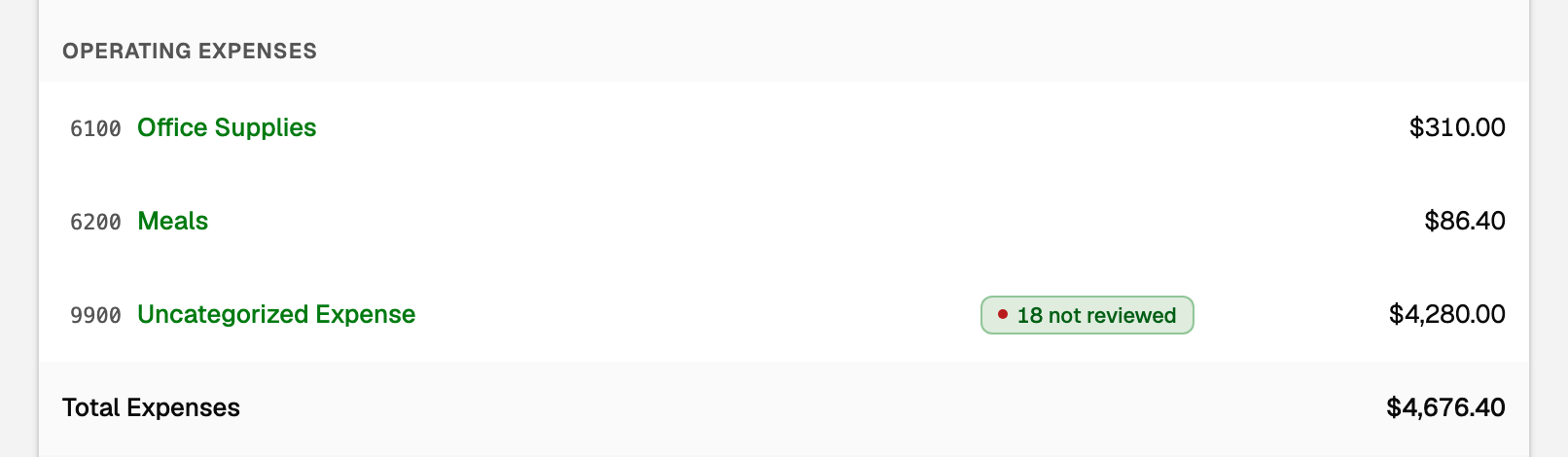
What the chip opens, the 500-row cap, and how the P&L chart follows the period: see Why a line on my P&L says "not reviewed".
Banking says the same thing. Open All pages, then under Daily work click Banking. Click an account's difference, and the popover lists Waiting to be reviewed, then "N transactions in Uncategorized until you file them."
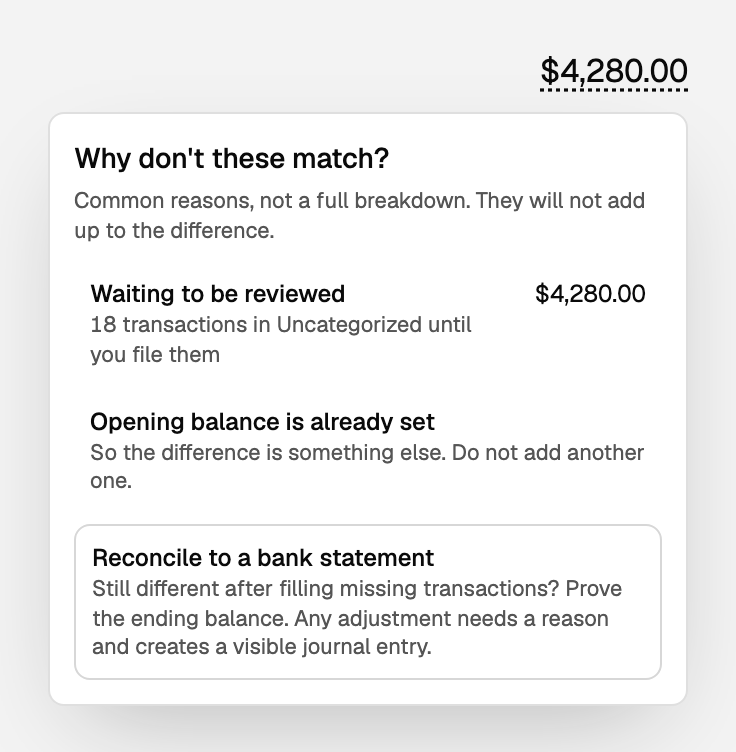
File them to the right account
- Open All pages in the left sidebar, then under Daily work click Review inbox. Under Ready to post, click Approve & post all N. For rows already in Uncategorized, this moves the money to the category already picked. A row that was not in your books yet is posted to that category.
- Or open Transactions and choose To review. When rows on the page were filed by one of your categorization rules, a banner says N auto-categorized transactions ready to confirm. Click Confirm all to file those rows. It counts only the rule-filed rows on the page. A row on hold as a possible duplicate is never in it; the page names those in a line of their own.
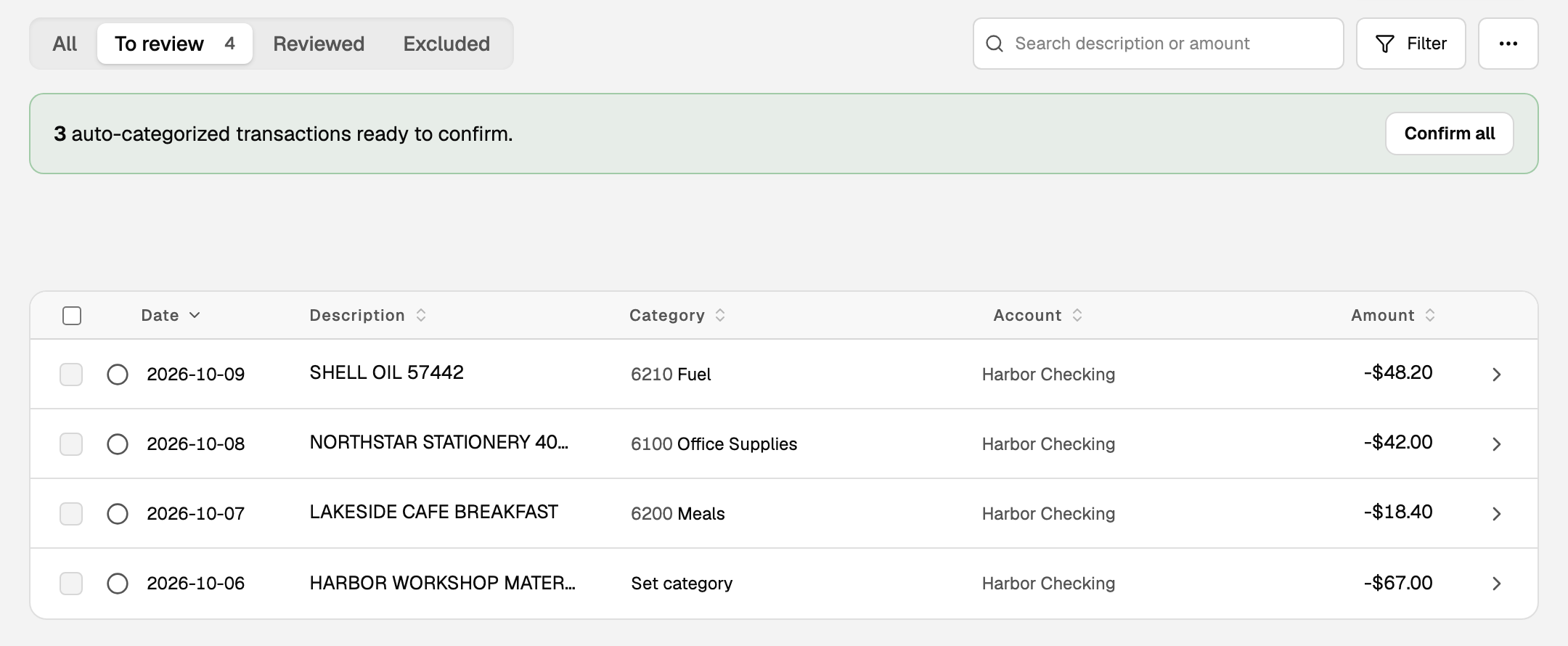
- Or pick a row's category, then click its empty circle (Mark reviewed) to file it. To undo it, click the row's green check and choose Re-open. Keep leaves it filed.
The To review filter shows everything still waiting. Point at a row's empty circle and its tip says marking it reviewed moves it out of Uncategorized on your reports.
See "Review the inbox and file Uncategorized transactions".
If Revenue and Expenses really are $0
Unreviewed bank rows would show as Uncategorized, not as zero. $0 usually means one of these:
- The workspace still shows the Sample data stamp. Connect a bank or import your books to see yours.
- Nothing happened in the period you picked. Change the dates on Profit & loss.
- Everything in that period is a transfer between your own accounts, so there is no income or expense to show.
- Cash on the dashboard still comes from connected bank balances, so it can look fine while the P&L period is empty.
- Cash itself shows $0 when every bank you connected was later disconnected or replaced. The Cash position chart says No bank connected. Reconnect a bank to bring both back. Your books are unchanged.
Unpaired transfers look huge
Pair them, and both leave Uncategorized. See "Transfers, credit-card payments, and owner draws".
Updated on: 19/10/2026
Thank you!