
AI credits: what they are and what spends them
Credits are what the AI assistants spend. They apply to the Free and BooksGPT+ plans.
Open All pages in the left sidebar, then under Plan click AI credits.
What spends a credit
- Asking Copilot a question about your books.
- Asking Tax-GPT.
What never spends a credit
- Categorizing transactions. That always runs free.
- Bank feeds, imports, invoices, bills, reports and reconciliation. None of them are AI-metered.
Your balance
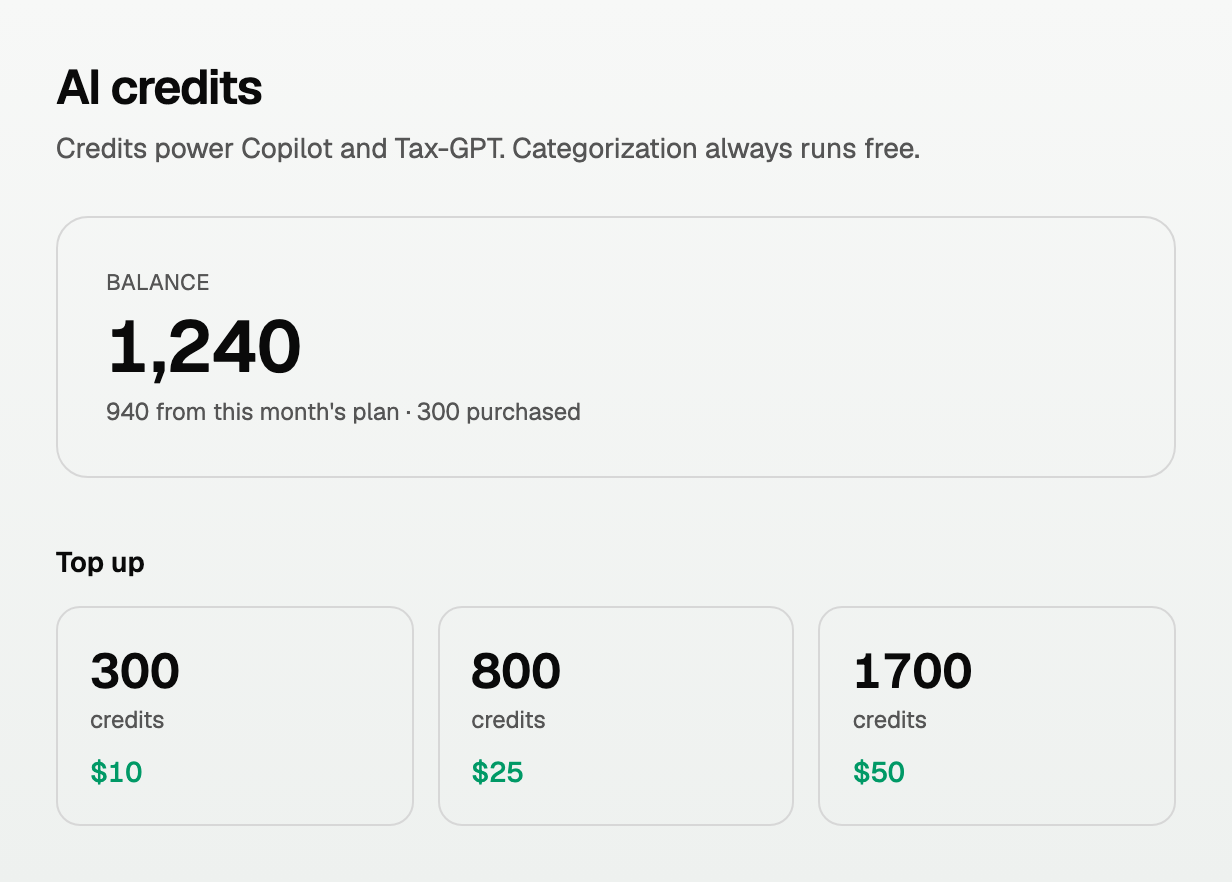
The big number is what you have left. Below it, the split:
- Credits from this month's plan, which reset at the start of each month. They do not roll over.
- Purchased credits, which do not expire.
Top up
If you run out before the month ends, buy a pack under Top up.
- Three sizes are offered. The larger packs give you more credits per dollar.
- Checkout is handled by Stripe, and the credits land as soon as it completes.
- Your monthly allowance is always spent first, so a top-up is only touched once this month's credits are gone.
Where they went
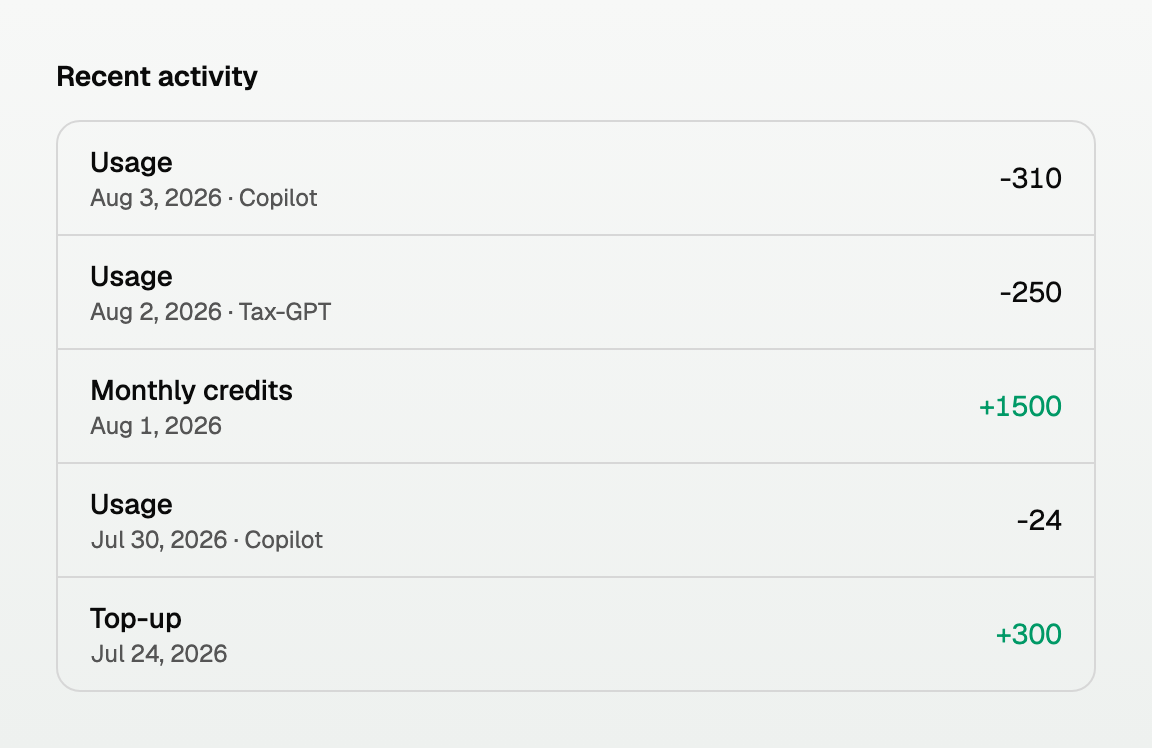
Recent activity lists every change to your balance, with the date and whether it was Copilot or Tax-GPT.
Good to know
- A longer question about more data costs more than a short one.
- Running low? A shorter, more specific question is usually cheaper and gives a better answer.
Updated on: 12/09/2026
Thank you!