
Cancel a trial or monthly plan
Click Settings at the bottom of the sidebar, then find Plan & billing.
If you started a 30-day trial with your card
This trial ends with one charge for lifetime access. If you cancel, you keep using BooksGPT for the rest of the trial and you are not charged. When the trial ends, your books stay saved and become read-only until you choose a plan.
On the 7-day free trial of a monthly or yearly plan, follow "If you pay monthly or yearly" below instead. Cancelling during that trial means you are not charged.
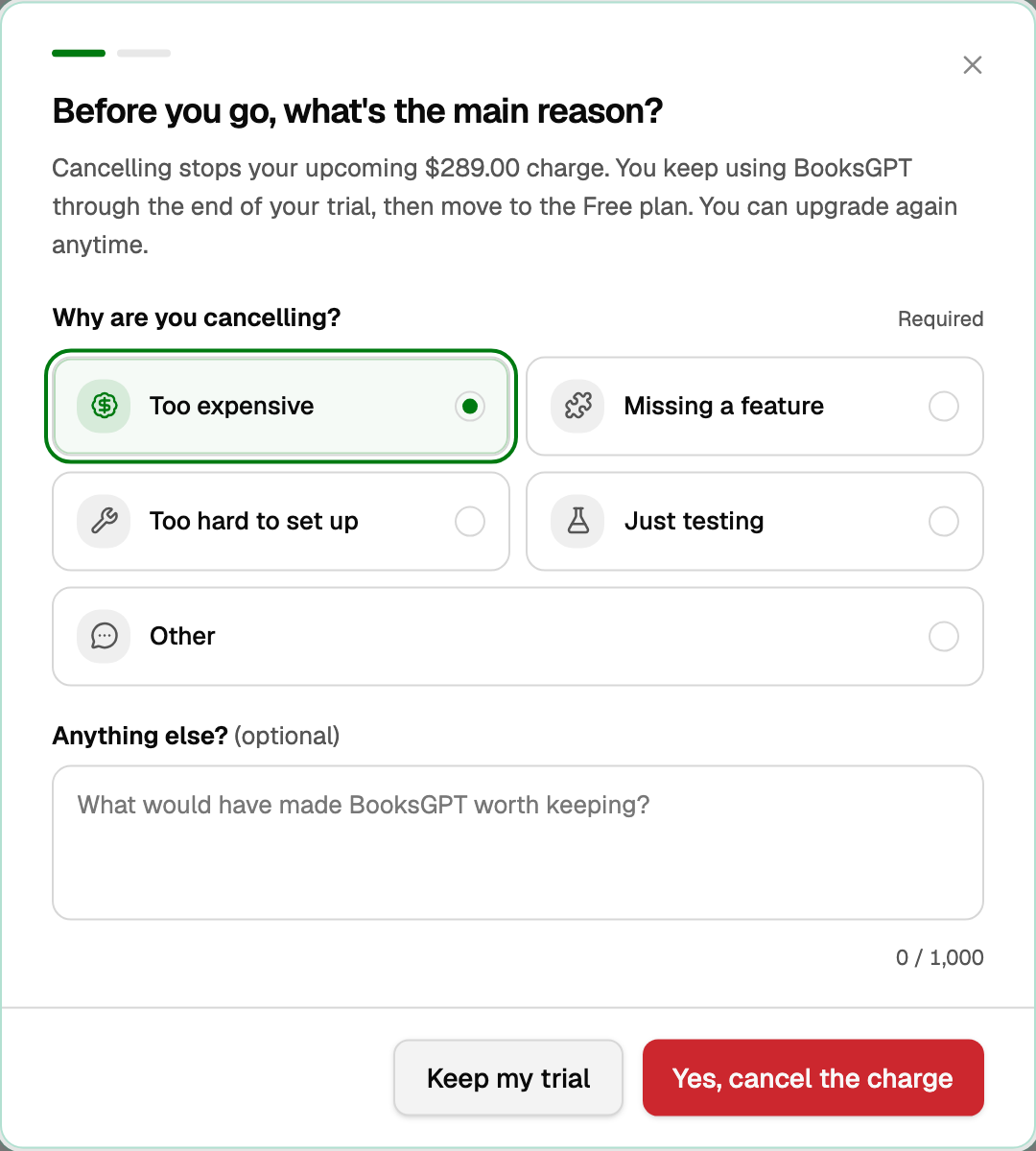
- Click Cancel trial / stop the charge.
- The dialog asks Before you go, what's the main reason? Under Why are you cancelling?, choose one. It is required: Too expensive, Missing a feature, Too hard to set up, Just testing, or Other.
- Under Anything else?, add a note if you want. The note is optional.
- Click Yes, cancel the charge, or Keep my trial to leave it as is.
If you pay monthly or yearly
The badge reads Business · Monthly or Business · Yearly (or Solo, Practice, Firm).
- Click Cancel subscription.
- Choose one required reason under Why are you cancelling? The choices are the same five. A note under Anything else? is optional.
- On a monthly Solo, Business, or Practice plan, the button may say Continue, with One more step after this. beside it. The next screen offers a yearly price. No thanks, cancel my subscription finishes cancelling. Just testing, a yearly plan, and Firm skip that screen.
- Otherwise click Confirm cancellation, or Keep my plan to leave it as is.
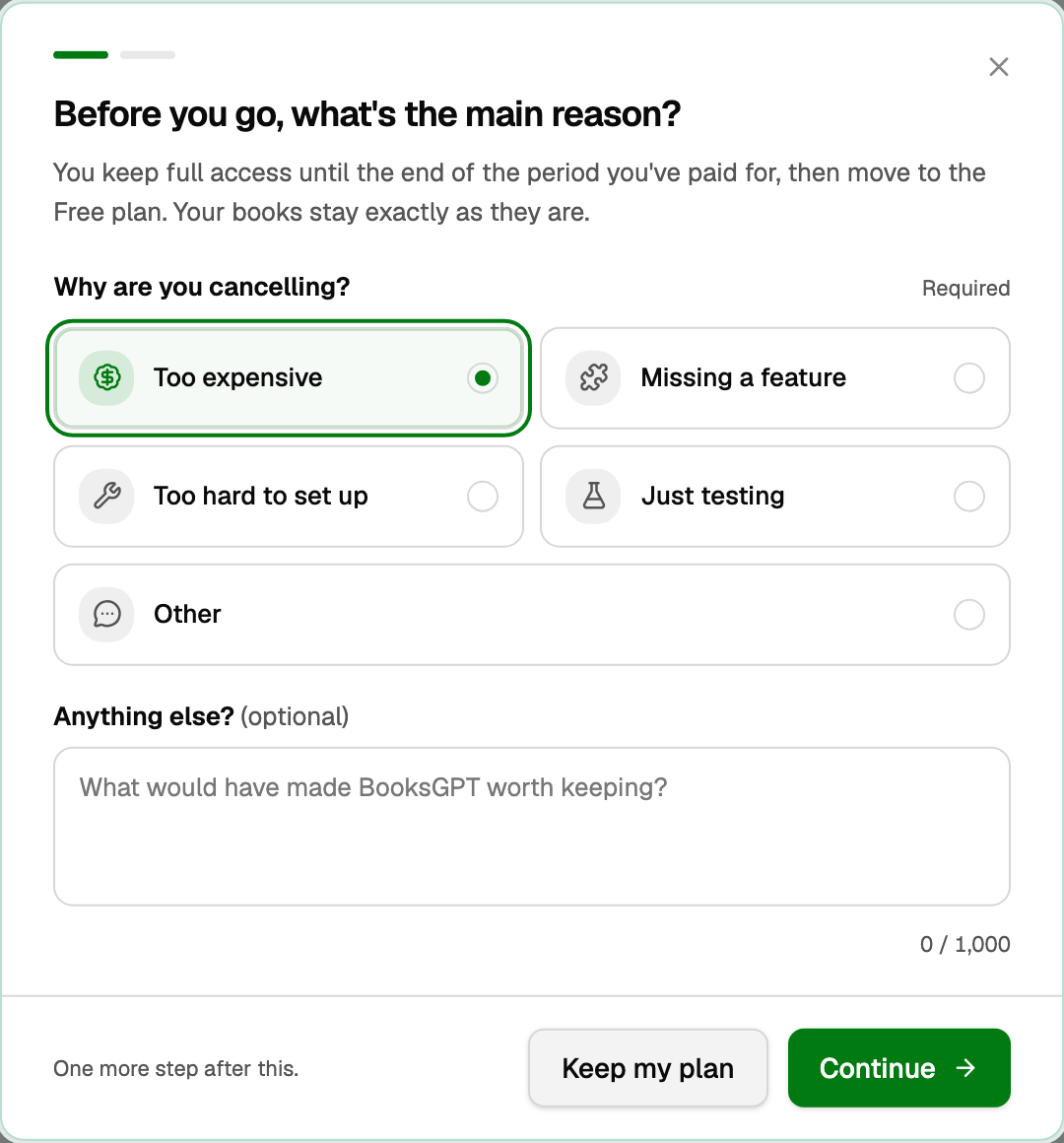
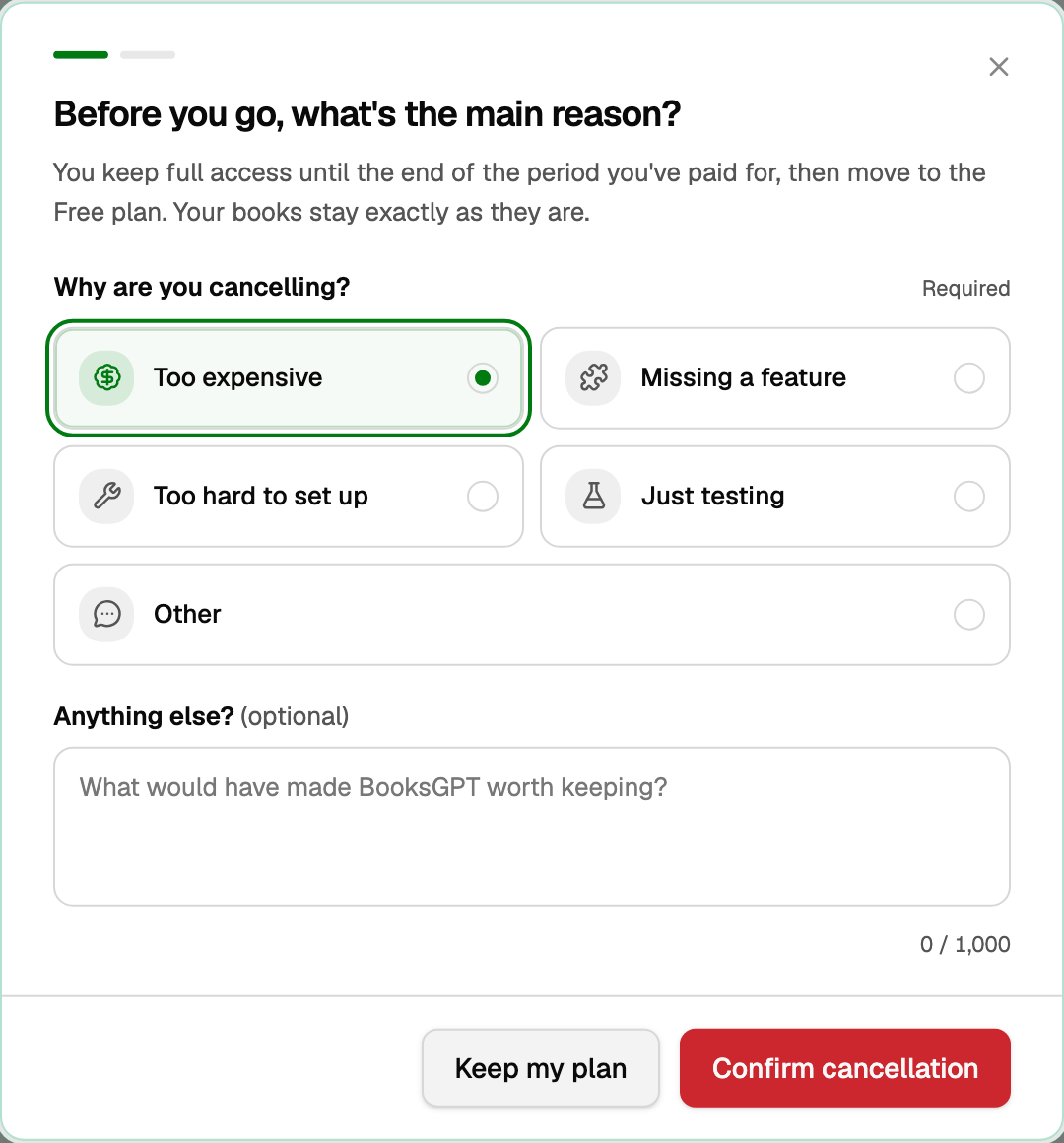
You keep access through the period you already paid for, then move to the Free plan. Your books stay as they are. If you added Business Max, it ends with your plan.
How to switch between monthly and yearly is in "Pay monthly or yearly".
If you added Business Max
Business Max, the add-on for projects and job costing, is billed monthly on its own, beside a Solo or Business plan, lifetime included.
- On Plan & billing, click Cancel Business Max on its row.
- Click Cancel Business Max again to confirm, or Keep it.
It runs to the end of the month you paid for, then ends. If its row says Payment failed, cancelling ends it right away. Either way your projects and job cost reports stay, read-only.
If you already bought lifetime
Lifetime never renews, so the plan itself has nothing to cancel. Business Max, if you added it, is cancelled as above.
See "Pay monthly or yearly".
Good to know
- Asking Copilot to cancel does not cancel. It hands you to a person. See "Copilot: the basics".
- To change the card on file, stay on Plan & billing and use Payment method. You do not email support for that. See "Add or change your payment method".
- Free still lets you import. Live bank sync and the full AI accountant need a paid plan.
- What each plan includes is in "What counts as a bank connection, and what each plan includes".
- Need a refund on a lifetime purchase? Email support@booksgpt.ai within 30 days.
Updated on: 18/10/2026
Thank you!