
Close the books for a month or year
Closing a period locks it. Everything dated on or before the close date becomes read-only, so a stray edit can never change a month you already reported.
Before you close
- Every transaction reviewed. Open All pages in the left sidebar, then under Daily work click Transactions and check the To review filter is empty.
- Every bank and card reconciled to its statement, under Accounting then Reconcile.
- Reports read right. Check Profit & loss and Balance sheet under Reports.
Close it
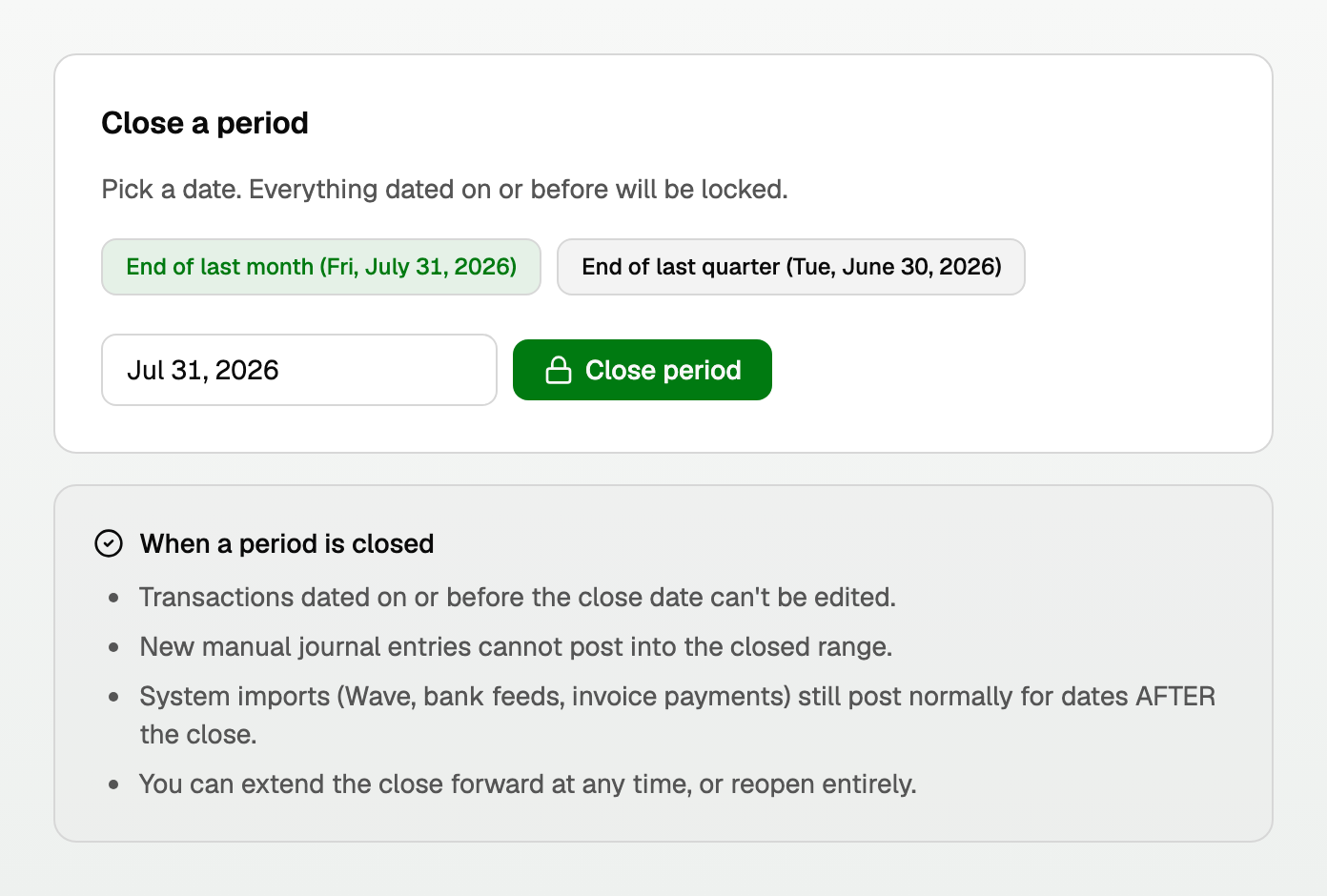
- Open All pages, then under Accounting click Period close.
- Click End of last month or End of last quarter, or pick any date.
- Click Close period.
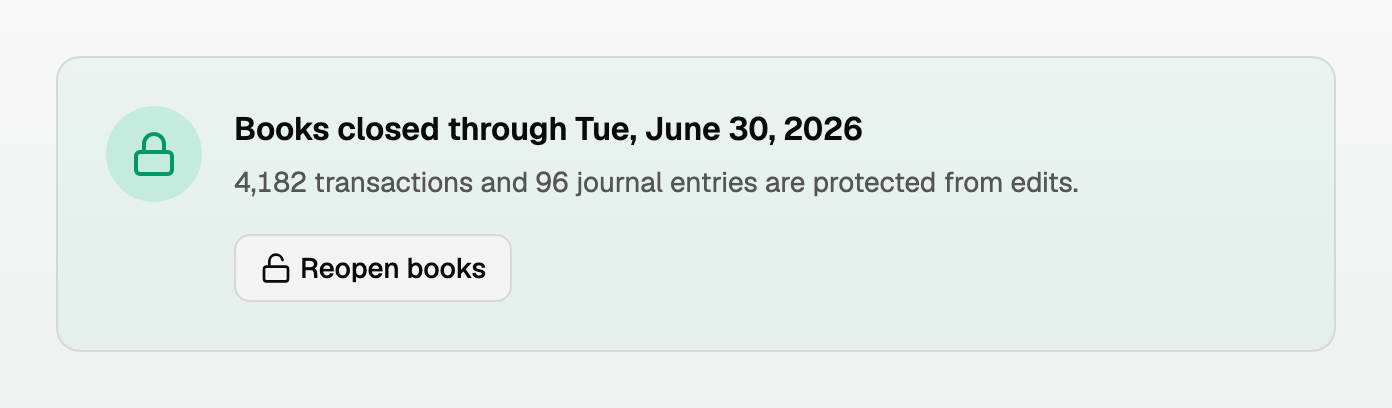
The page then confirms the date and how much is protected.
What a closed period does
- Transactions dated on or before the close date cannot be edited.
- Approving a transaction dated inside the closed period, or reopening one you already approved, is refused. The message names the close date.
- New manual journal entries cannot post into the closed range.
- Bank feeds, imports, and invoice payments still post normally for dates after the close.
- You can extend the close forward at any time, or reopen entirely.
Transactions that are not in your books yet
Some transactions wait for review without being in your books at all. You can still exclude one of those inside a closed period, because that changes no closed balance.
- The common case is a bank transaction on the On hold tab of Review inbox, tagged Possible duplicate of books you imported. Click Exclude beside Post anyway…. The row then reads Excluded, and Undo puts it back in review.
- Post anyway… on that row says the books are closed through your close date, so it can't be posted.
- On Transactions, open the transaction. The note at the top says it isn't in your books and offers Exclude from books.
Closing a year
There is one close date per workspace, so a year-end close is the same action with 31 December as the date.
- BooksGPT rolls your profit into Retained Earnings for you. There is no year-end journal entry to post by hand.
- Close month by month through the year, then extend to 31 December once the year is reviewed.
- Your fiscal year start comes from workspace settings, so a non-calendar year works the same way.
Reopening
Click Reopen books and confirm. Past transactions become editable again.
Good to know
- The close date can be extended forward but not moved back. To pull it back, reopen and close again at the earlier date.
- You cannot close a date in the future.
- Closing does not stop new work. It only protects what is behind the line.
Updated on: 16/10/2026
Thank you!