
Set up contractors so your 1099s work
A contractor in BooksGPT is a vendor you have marked for 1099 tracking.
Open All pages in the left sidebar, then under Payroll click Contractors.
Add a contractor
- Click Add contractor.
- Enter their Name, and their email if you have it.
- Click Add contractor.
That is deliberately all it asks. The W-9 details come from them, on their schedule, and the drawer opens straight after so you can fill them in whenever they arrive.
Record the W-9
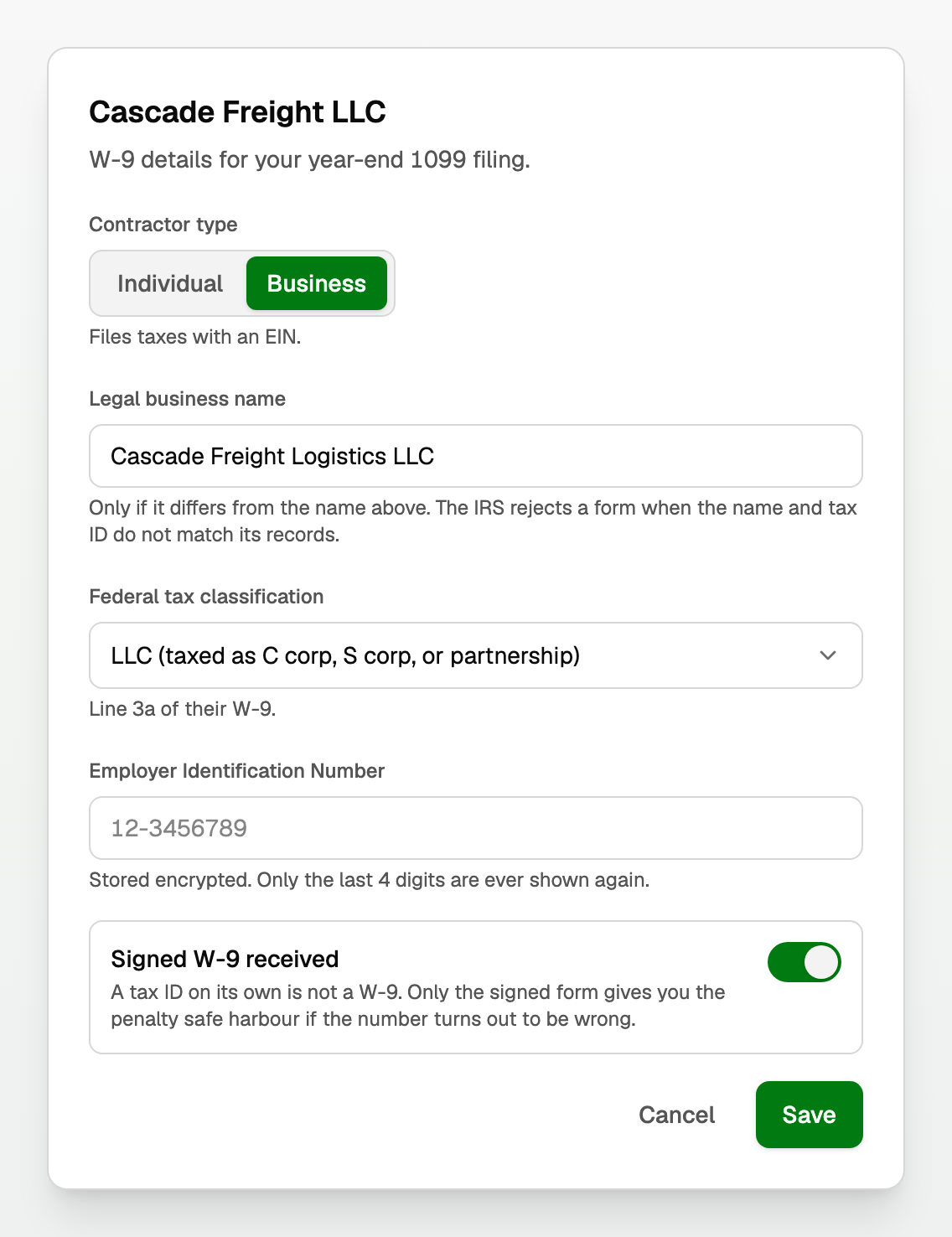
Click a contractor to open their W-9 details.
- Set Contractor type. Individual files with a Social Security number, Business files with an EIN. This one choice changes every field below it.
- Fill in the Legal name only if it differs from the name you use. The IRS rejects a form when the name and tax ID do not match its records.
- For a business, pick the Federal tax classification from line 3a of their W-9.
- Enter the tax ID. It is stored encrypted and only the last four digits are ever shown again.
- Turn on Signed W-9 received once you actually have the signed form.
Check what is missing
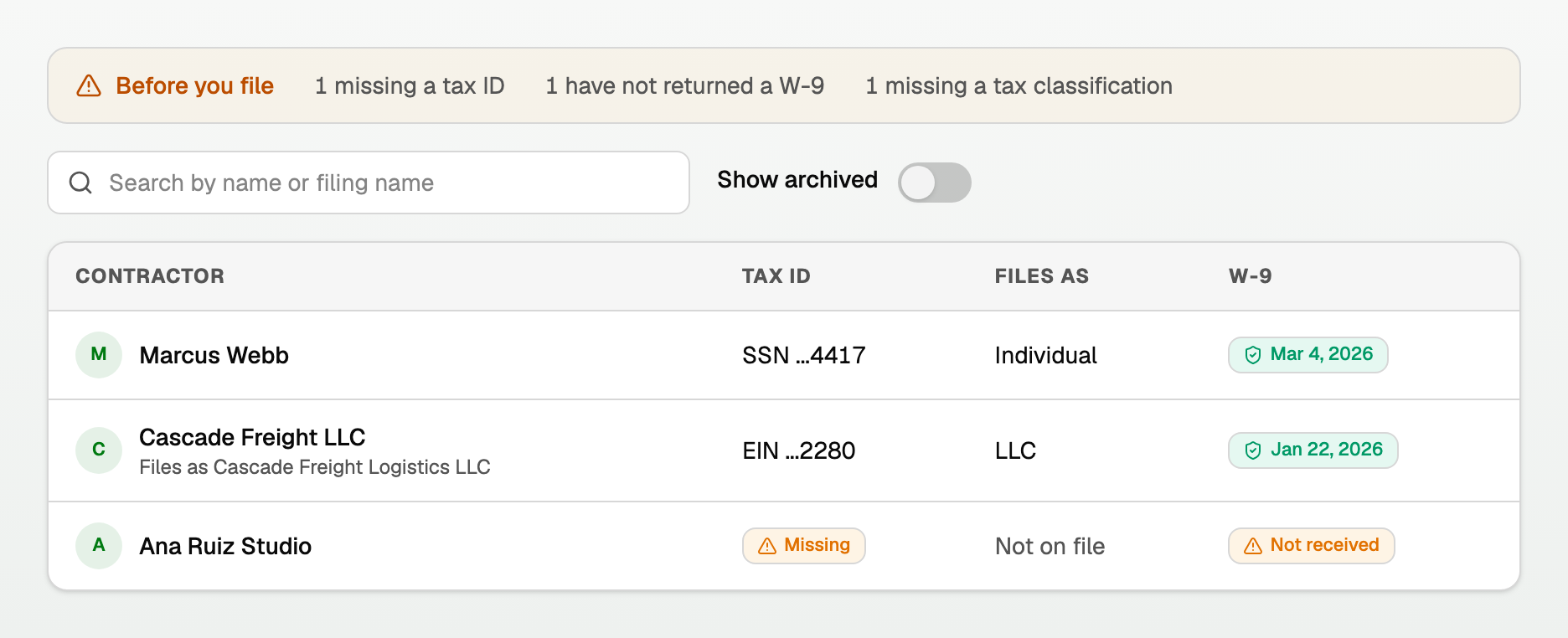
When something is incomplete a Before you file bar appears at the top, counting who is missing a tax ID, a W-9, or a classification.
Good to know
- Corporations are usually not 1099-NEC reportable, but payments to attorneys and to medical providers are reportable even when incorporated. BooksGPT flags it rather than dropping them.
- A contractor archived mid-year was still paid, so turn on Show archived before filing.
- Everything here also appears under Vendors. It is the same record.
- Open 1099 worksheet takes you to the amounts. BooksGPT prepares the worksheet; it does not file for you.
Updated on: 12/09/2026
Thank you!