
File your 1099-NEC
BooksGPT adds up what you paid each contractor and shows who needs a 1099. You or your CPA file from it.
1. Mark your contractors
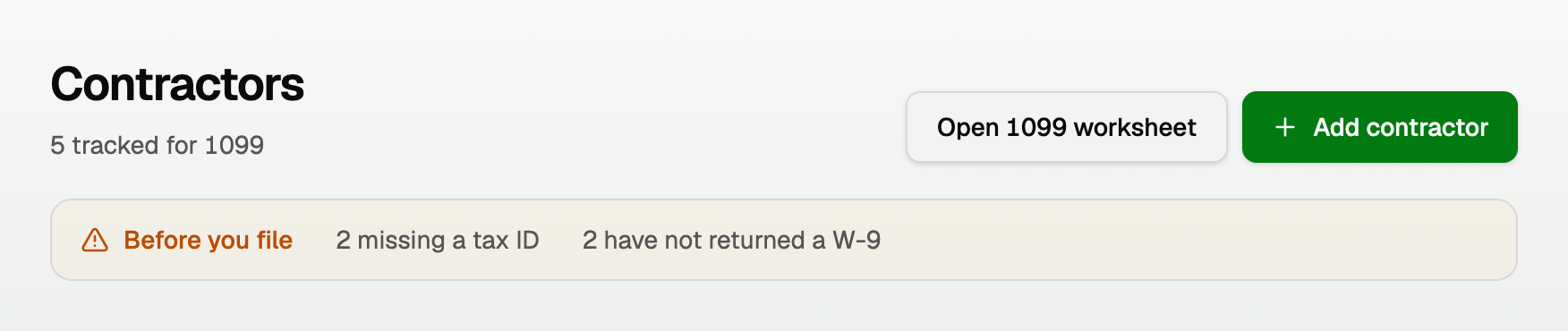
- Open All pages in the left sidebar, then under Payroll click Contractors.
- Click Add contractor, or turn on 1099 tracking for a vendor you already have.
- Enter their W-9 details: legal name, tax classification, and tax ID.
2. Open the worksheet
- Open All pages, then under Reports click 1099s.
- Pick the tax year at the top right. In January to March we default to last year, which is the one you are filing.
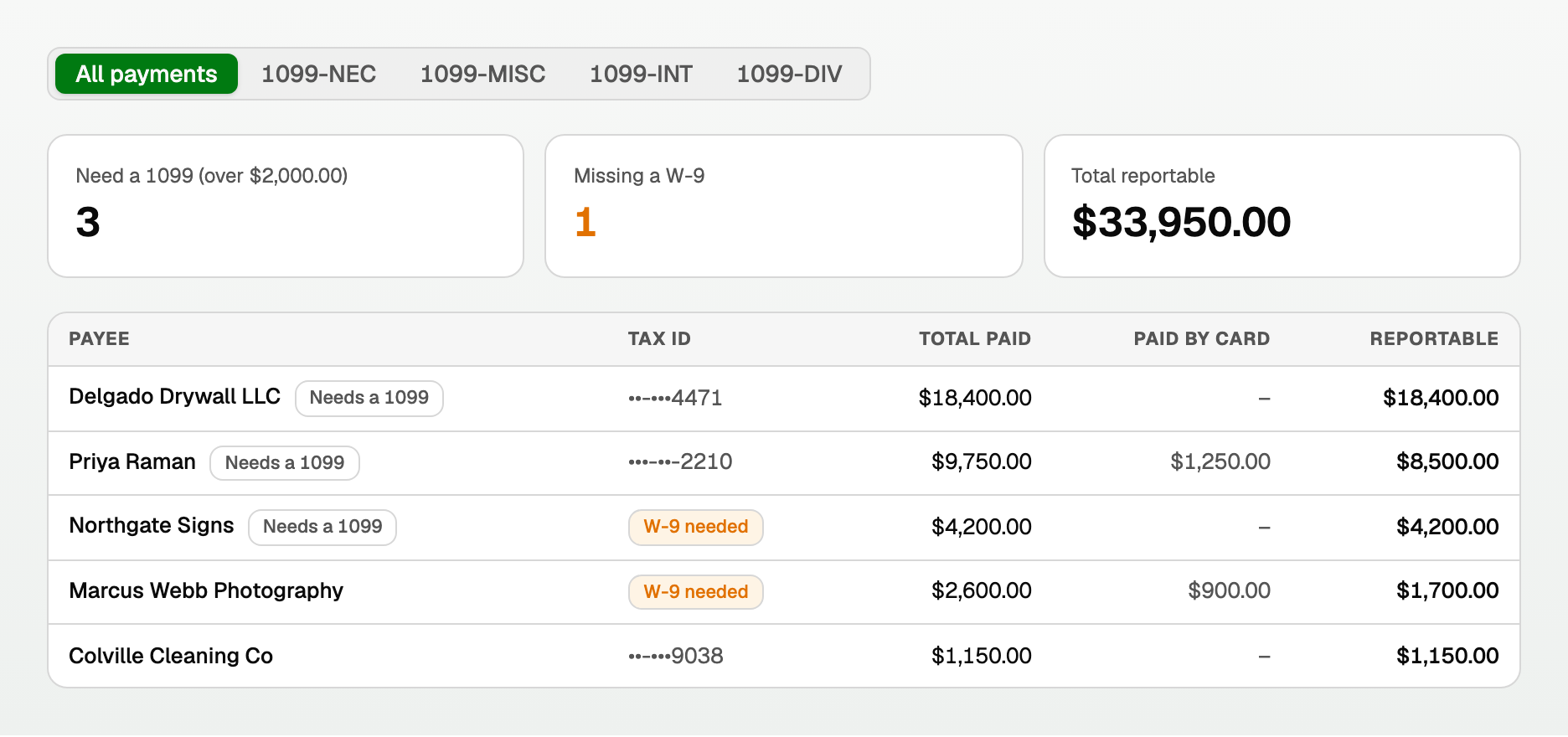
Read it like this
- Total paid is every dollar of cash that reached them.
- Paid by card is subtracted. Your card processor reports those on a 1099-K, so including them would report the vendor twice.
- Reportable is what is left, and what your CPA starts from.
- Needs a 1099 appears once the reportable total passes the threshold.
- The column headings stay at the top while you scroll a long list. If the worksheet is wider than your screen, it scrolls sideways and Payee stays on the left.
3. Know this year's threshold
- Payments made through 2025: $600.
- Payments made in 2026 and after: $2,000. The One Big Beautiful Bill Act raised it.
4. Export and file
- Click Export, then pick Excel (.xlsx) or CSV (.csv) for your own records or your CPA. Same columns either way.
- On a single form view, the same menu also has Export for tax1099, formatted for the filing service. That item stays CSV. It is a machine format, not a spreadsheet.
Things to check before you file
- Marking a vendor for 1099 tracking makes them eligible, not automatically reportable. Take out anything paid for goods or a reimbursement.
- Corporations are generally not reportable, with two exceptions that are: attorneys and medical or health-care providers.
- Click any box amount to enter a signed adjustment with a note. Adjustments carry into the exports.
- Use Box mapping to tell us which accounts belong in which box. Anything unmapped is shown as unclassified rather than quietly filed in the wrong place.
We do 1099-NEC, MISC, INT, and DIV. We never produce a 1099-K, because that is a form your payment processor files, not you.
Updated on: 24/09/2026
Thank you!