
Delete a client workspace
Archive is the usual choice. Delete is for a company you are finished with entirely. Start over is the middle button: it clears the books and keeps the workspace. See "Redo or undo an import" if that is what you meant.
Open All pages in the left sidebar, then click Settings and Workspace. Select Data on the Details / Data switch. Workspace lifecycle is on that page, under Download everything.
On a phone, use Settings section to choose Workspace, then select Data.
Archive first, unless you are finished for good
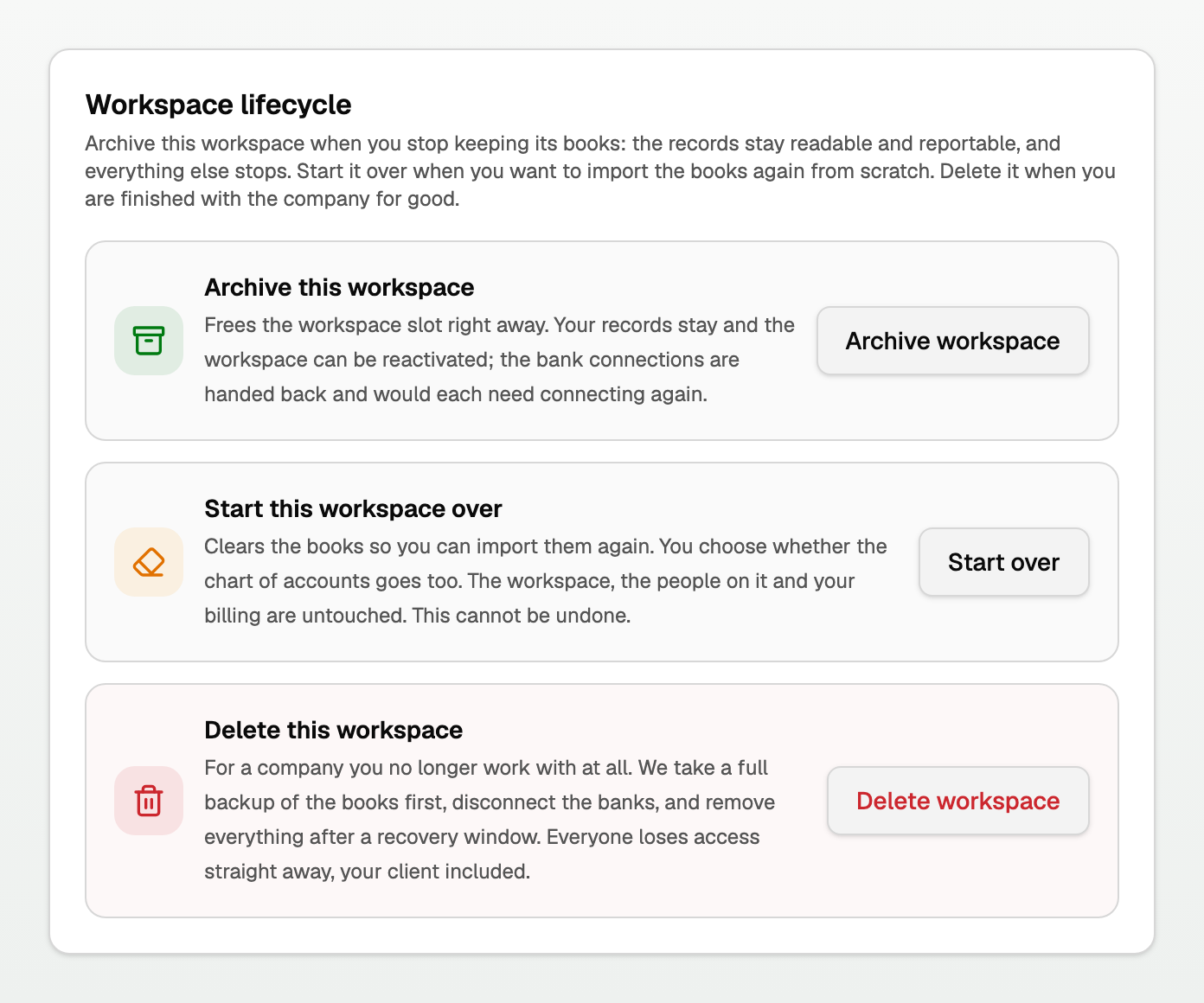
- Archive this workspace keeps the records readable and reportable. Your client keeps access to their own books.
- Start over clears the books so you can import again. The people and the billing stay. There is no undo.
- Delete this workspace removes everything after a recovery window. Everyone loses access immediately, your client included.
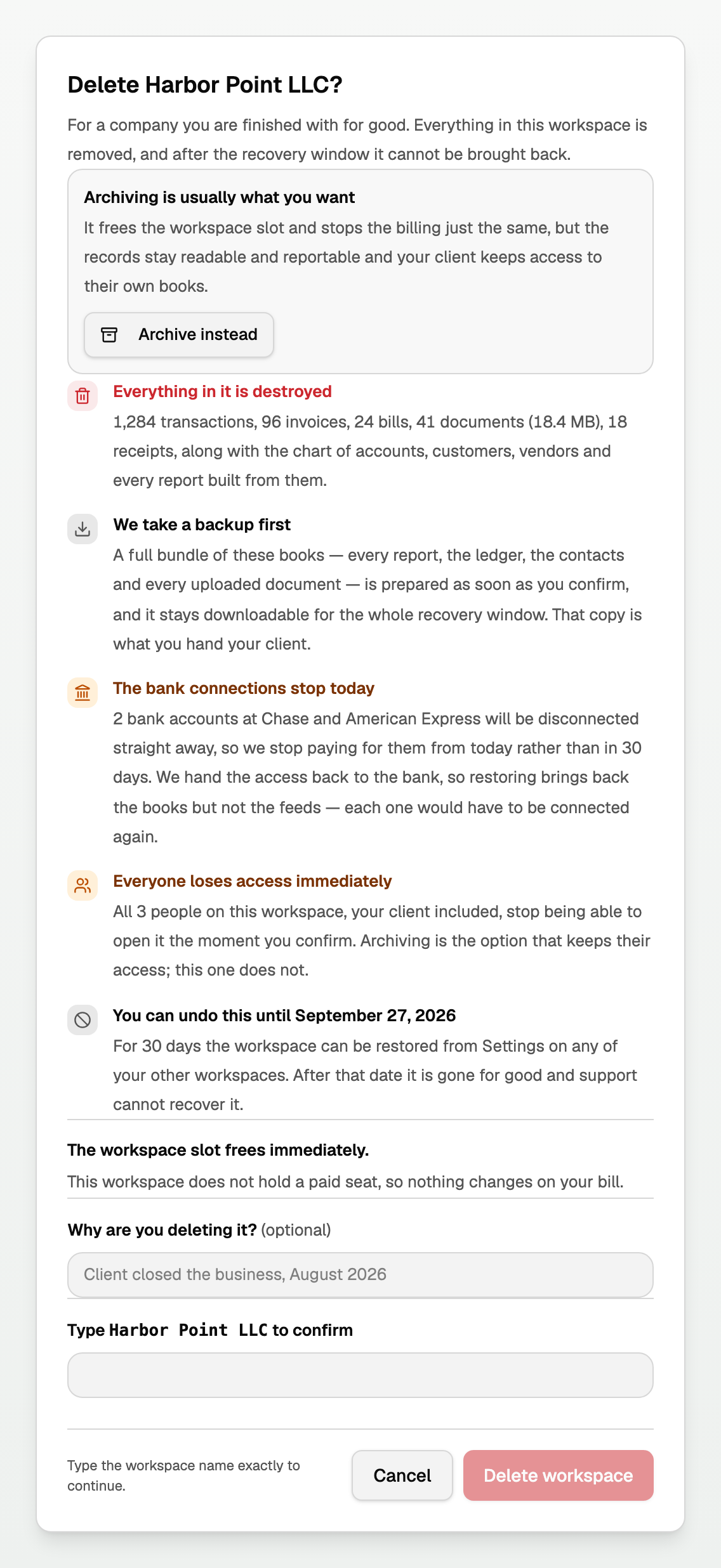
The delete dialog says Archiving is usually what you want and offers Archive instead. Use that if you are not sure.
See "Archive a client workspace" if you want the records kept. See "Archive, start over, or delete a workspace" if you are choosing between the three.
What happens when you delete
- Click Delete workspace.
- Read the facts. The dialog names the real counts in the workspace, not "all your data".
- Type the workspace name to confirm, then click Delete workspace.
What that click does:
- We take a backup first. A full bundle of the books is prepared as soon as you confirm. BooksGPT emails you when that copy is ready. It stays downloadable for the whole recovery window. That copy is what you hand your client.
- Everyone loses access immediately, your client included. Archive is the option that keeps their access.
- The bank connections stop today. Restoring is data recovery: the books come back, not the feeds. Each feed has to be connected again.
- The workspace slot frees immediately. If this workspace held a paid extra-workspace seat, the dialog names that charge.
- You have 30 days to undo. After that date it is gone for good and support cannot recover it.
Undo from another workspace you still own
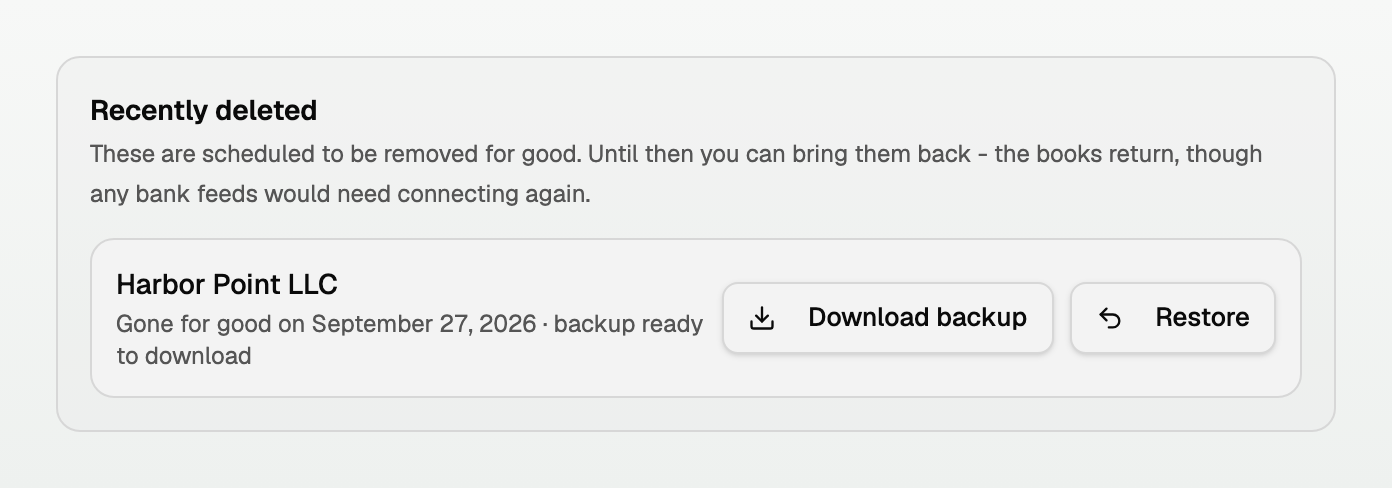
The deleted company leaves the switcher. On any other workspace you own, open Settings and Workspace, then select Data. Recently deleted is on that page.
On a phone, use Settings section to choose Workspace, then select Data.
- Gone for good on names the last day you can still undo.
- backup ready to download means the bundle is there. Click Download backup.
- Click Restore to bring the books back. That is data recovery. Any bank feeds have to be connected again.
Updated on: 01/10/2026
Thank you!