
Archive a client workspace
Archive when you stop keeping a client's books. The records stay. Start over and Delete are the other two buttons, and they are not the same thing.
Open All pages in the left sidebar, then click Settings and Workspace. The page opens on Details. Select Data. Workspace lifecycle is on that view.
On a phone:
- Open the menu and tap Settings.
- Under Settings section, choose Workspace.
- Tap Data. Details and Data fill the width of the screen.
- The cards stack. Each button sits under its description.
Archive, not delete
- Archive keeps the records readable and reportable, and keeps the client's access.
- Start over clears the books so you can import again. The workspace stays. There is no undo. See "Redo or undo an import".
- Delete removes everything after a recovery window, and everyone loses access immediately.
See "Delete a client workspace" if you are finished with the company for good. See "Archive, start over, or delete a workspace" if you are choosing between the three.
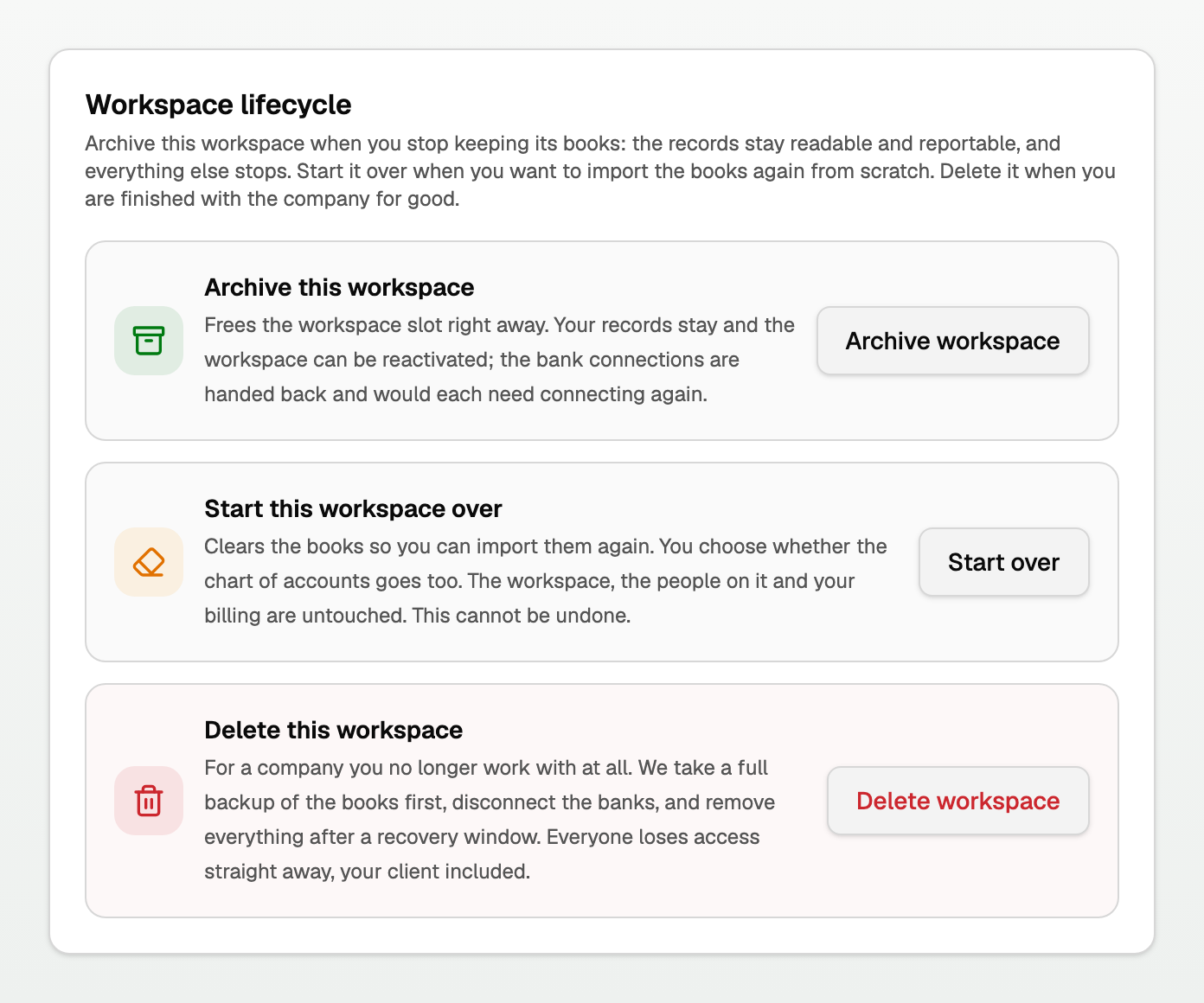
Archive this workspace
- Click Archive workspace.
- Read the facts, especially that the bank connections stop for good.
- Tick I understand the bank connections cannot be restored.
- Click Archive workspace.
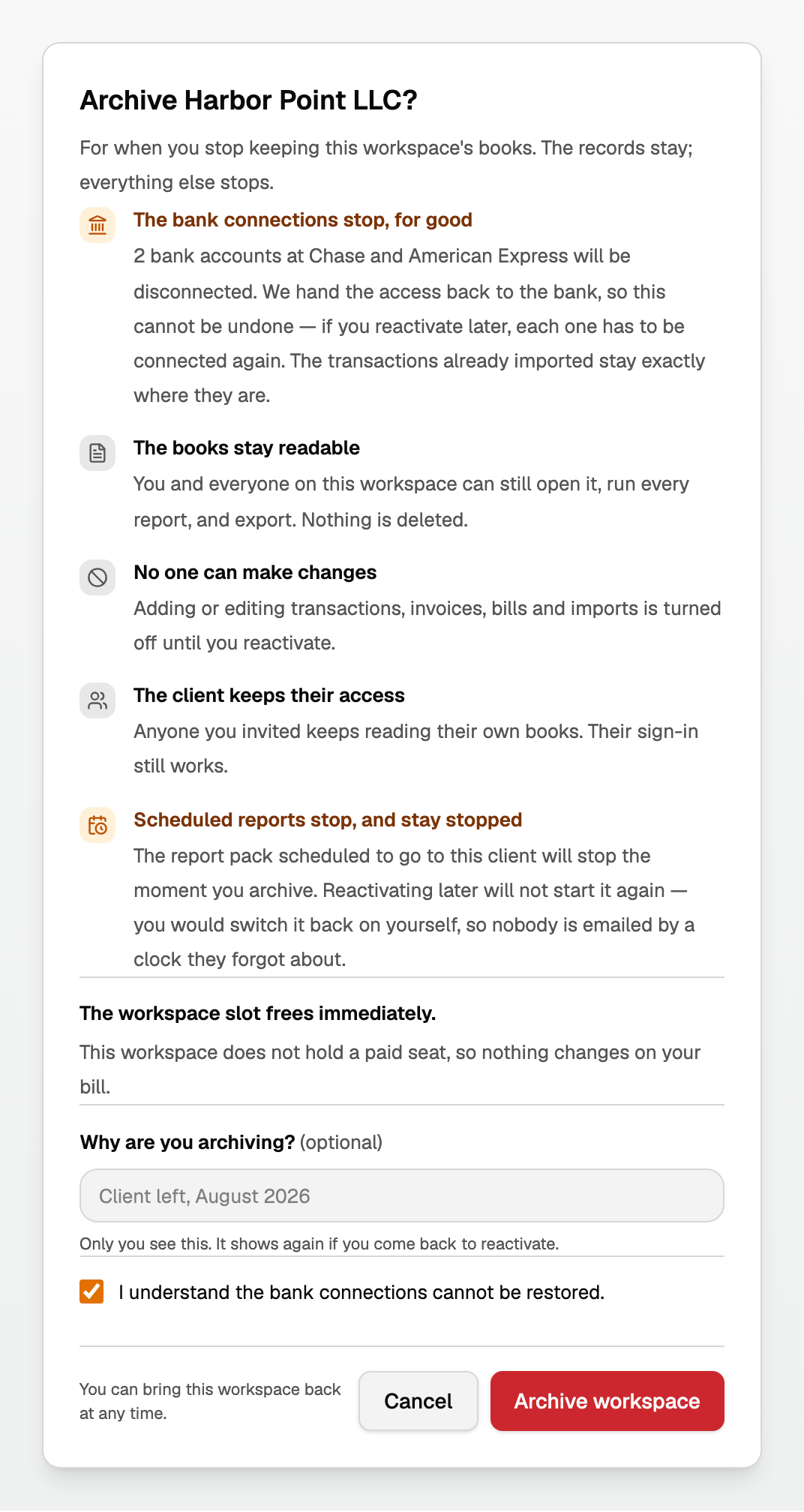
What that does:
- The books stay readable. You can still open the workspace, run every report, and export. Nothing is deleted.
- No one can make changes until you reactivate.
- The client keeps their access. Anyone you invited keeps reading their own books. Their sign-in still works.
- The bank connections stop, for good. Reactivating restores editing. Each feed has to be connected again. Transactions already imported stay where they are.
- Scheduled reports stop, and stay stopped. Reactivating does not start them again. You would switch them back on yourself.
- The workspace slot frees immediately. If this workspace held a paid extra-workspace seat, the dialog names that charge.
Bring it back
On the archived workspace, open Settings, stay on Workspace, and select Data. Workspace lifecycle shows Archived on the date, with Reactivate workspace.
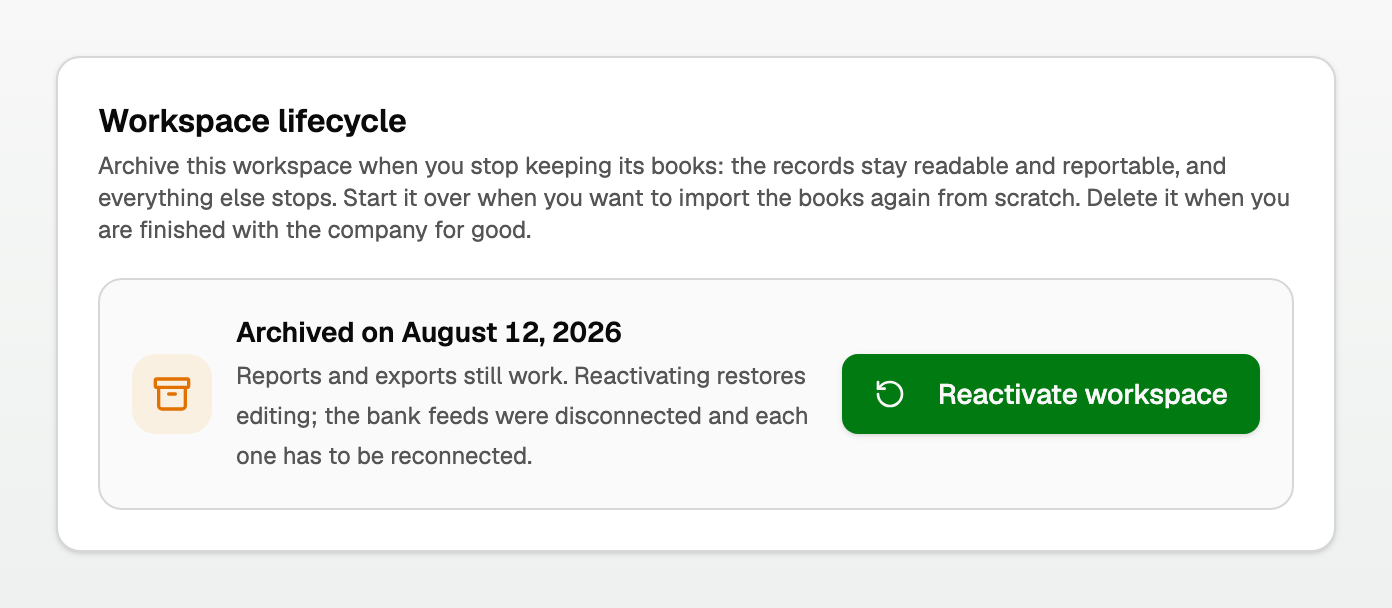
Reports and exports still work. Reactivating restores editing. The bank feeds were disconnected and each one has to be reconnected.
On a phone, Reactivate workspace sits under the archived date. Settings section is still how you reach Workspace before you tap Data.
Delete this workspace is still on this view if you later decide to remove the company. See "Delete a client workspace".
Updated on: 01/10/2026
Thank you!