
Group payments into one bank deposit
Banks often combine several payments into one deposit. Receive those payments into Undeposited Funds, then group them to match the deposit your bank made.
Open All pages in the left sidebar, then under Sales click Bank deposits.
Hold the payments first
When you record an invoice payment, set Deposit to to Undeposited Funds instead of a bank account. That means:
- The invoice balance is reduced straight away. It is marked paid when the remaining balance reaches zero.
- The money is booked as received but not yet in the bank, which is exactly true while the cheque is in your pocket.
- The payment waits here until you group it into a deposit.
Record the deposit
- On the Undeposited tab, tick every payment that went in on the same slip.
- Choose the account to Deposit to and set the Deposit date.
- Add a Reference no. if your slip has one.
- Check the running total matches the deposit your bank shows.
- Click Record deposit.
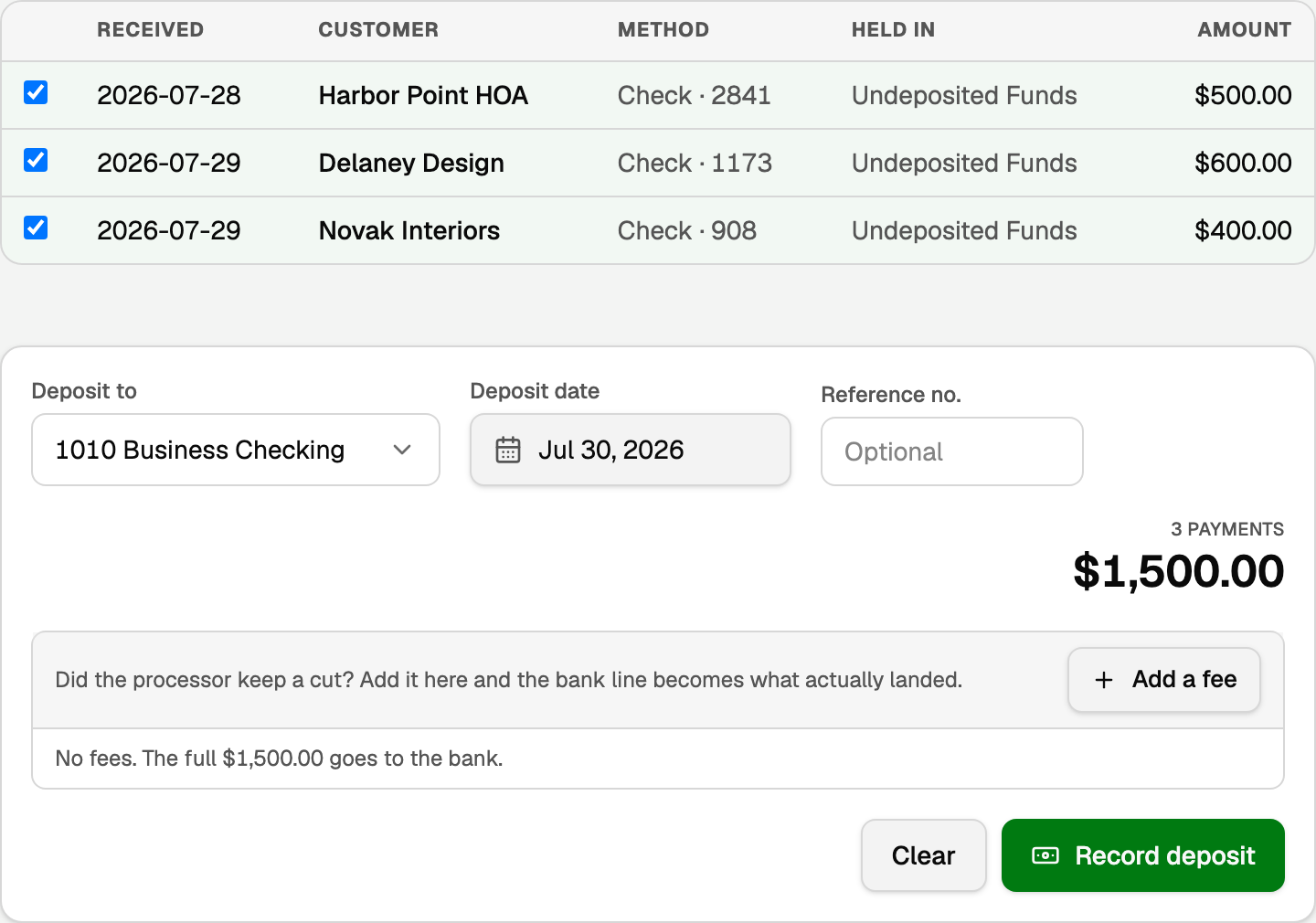
This moves the money from Undeposited Funds into your bank account as one entry.
Match it to the bank feed
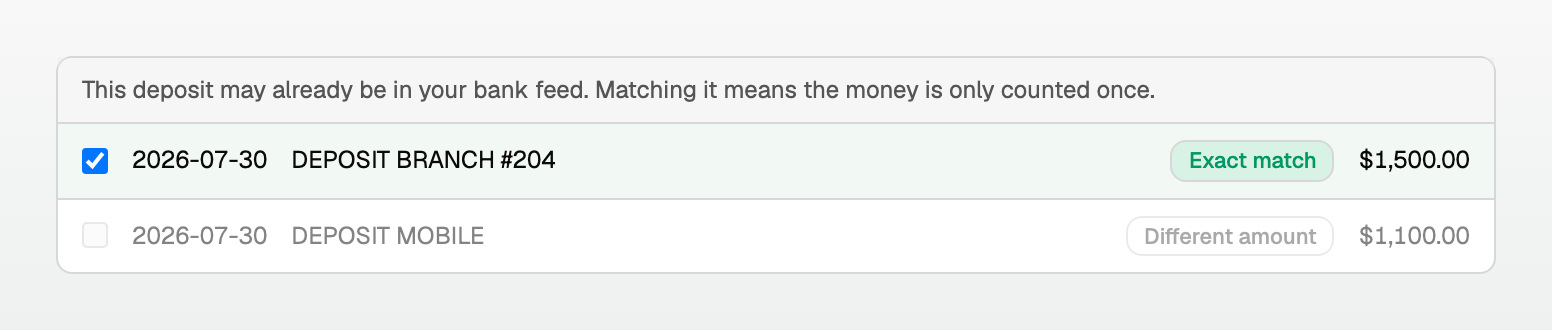
If the matching line is already in your feed, BooksGPT offers it under the total. Pick the one tagged Exact match and the button becomes Record and match.
If the processor keeps a cut
If a processor deducts a fee, add it to the deposit so the bank amount reflects what actually landed:
- Tick the payments that were in the payout.
- Click Add a fee.
- Pick the Fee account, add a note if it helps, and enter the amount the processor kept.
- The summary now shows the payments, Less fees, and Into the bank. Check that last number against the payout.
If the fee account picker is blank, pick the account the fees belong on; the form refuses to save until every fee has one.
Good to know
- The bank amount must match the deposit after fees exactly. A near miss is shown for context but cannot be selected.
- The Deposits tab lists everything you have recorded, and a deposit with fees says net of the fee amount. Undo reverses one and puts the payments back in the undeposited list.
- A fee posts to the expense account you pick, so it lands in your P&L as a processing cost instead of quietly shrinking the deposit.
Updated on: 16/10/2026
Thank you!