
Post an adjusting journal entry
A journal entry moves an amount from one account to another. Every entry has at least one debit and one credit, and the debits must equal the credits. That's double-entry bookkeeping, and it keeps your books in balance.
You don't need one for everyday work. When you categorize a bank transaction or send an invoice, BooksGPT writes the entry for you. You post one by hand for the adjustments no bank feed ever sees: depreciation, wages you owe but haven't paid yet, a prepaid expense used up, or a correction from your accountant.
When not to use a journal entry
- A bank or card transaction: categorize it in Review inbox. An entry to checking would count the money again when the bank reports it.
- An invoice, bill or payment: record it on the invoice or bill, so balances owed stay right.
- A transfer, card payment or owner draw: see Transfers, credit-card payments, and owner draws.
- An account's starting balance: see Set an account's opening balance.
- A loan payment: see How to record a loan in BooksGPT, which also shows how to record its interest.
Post an entry
- Open All pages in the left sidebar, then under Accounting click Journal entries.
- Click New entry. On a computer, you can also click + (Create) at the top of any page, then Journal entry.
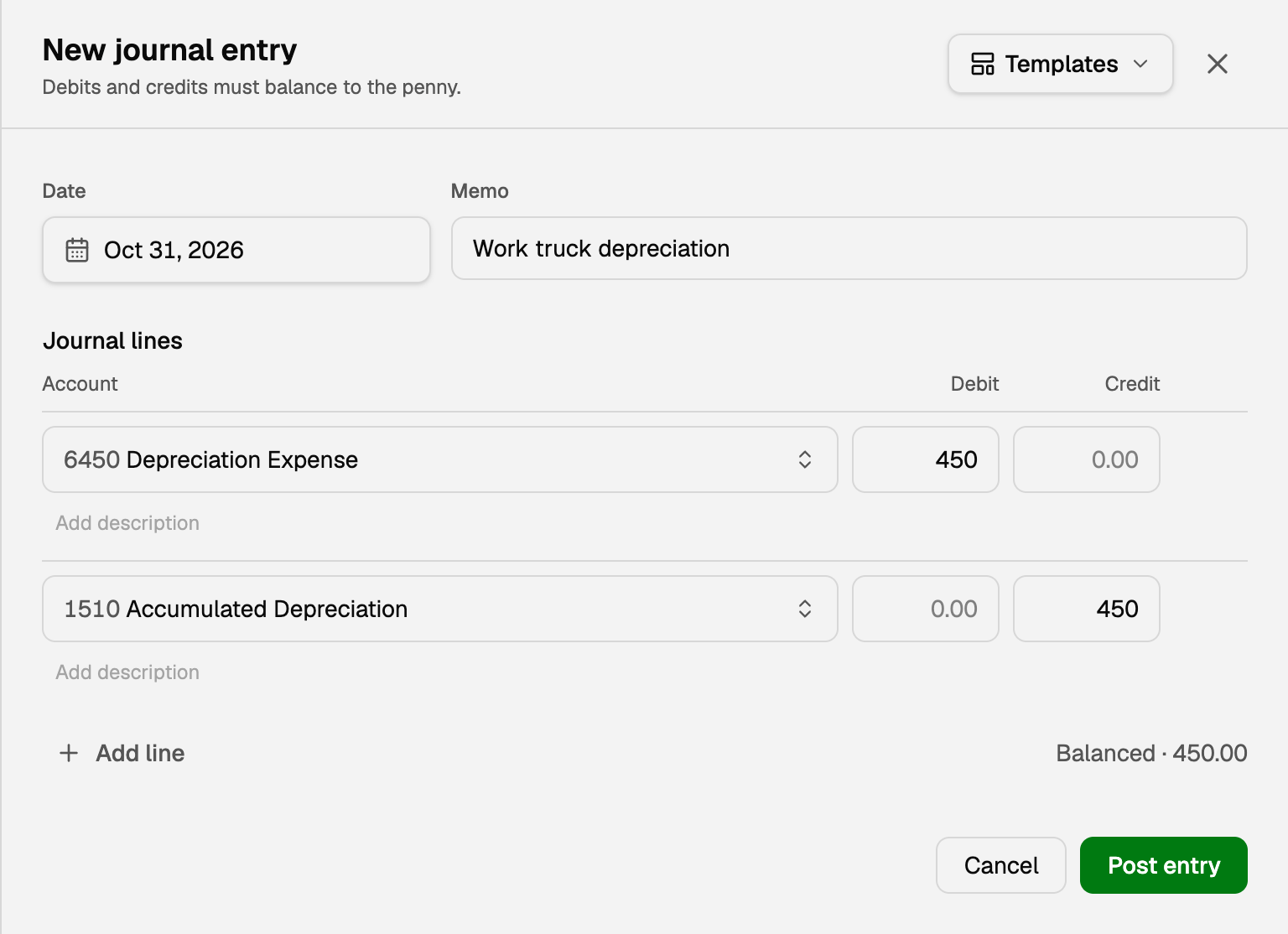
- Set the Date the adjustment belongs to, often the last day of the month.
- Write a Memo that says why, such as "Work truck depreciation".
- On one line, pick an account and type the amount under Debit. On the next, pick the other account and type the same amount under Credit. Add line adds more.
- Check that the note under the lines reads Balanced, not Difference.
- Click Post entry.
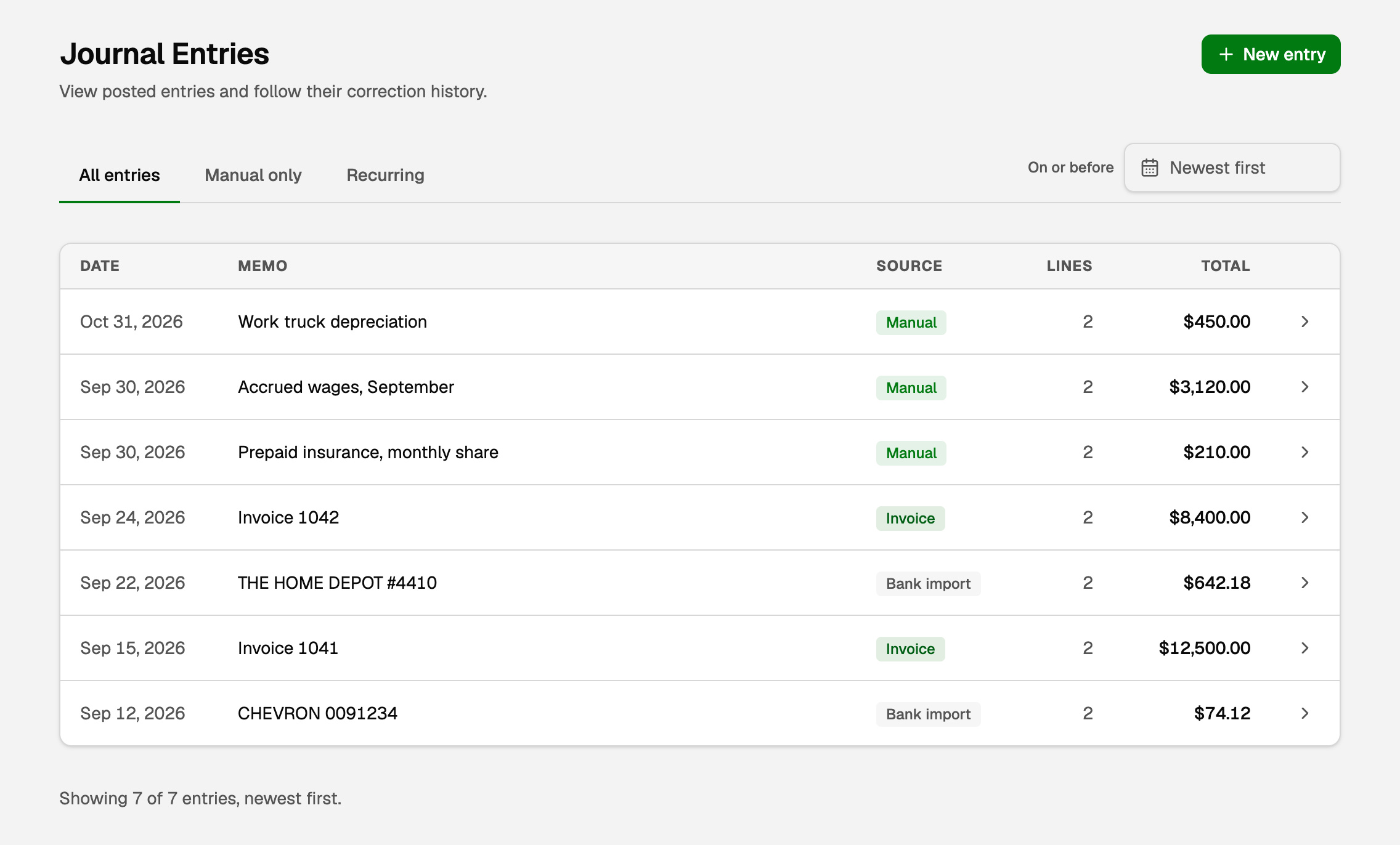
The entry joins the list, tagged Manual.
What it does to your books
In the picture, a builder records a month of depreciation on its truck:
- The debit to Depreciation Expense adds $450 of cost to the profit and loss.
- The credit to Accumulated Depreciation lowers the truck's value on the balance sheet by $450.
A rule of thumb for picking the side: a debit raises an asset or an expense, and a credit raises a liability, equity or income.
Correct an entry
Use this when a posted entry has the wrong account, amount, date or memo.
- Click the entry in the list, then Correct entry.
- Fix the Entry date, memo, accounts or amounts, or add or remove lines. They must still balance.
- Fill in Reason for change.
- Click Review changes, check what changed, then click Post correction.
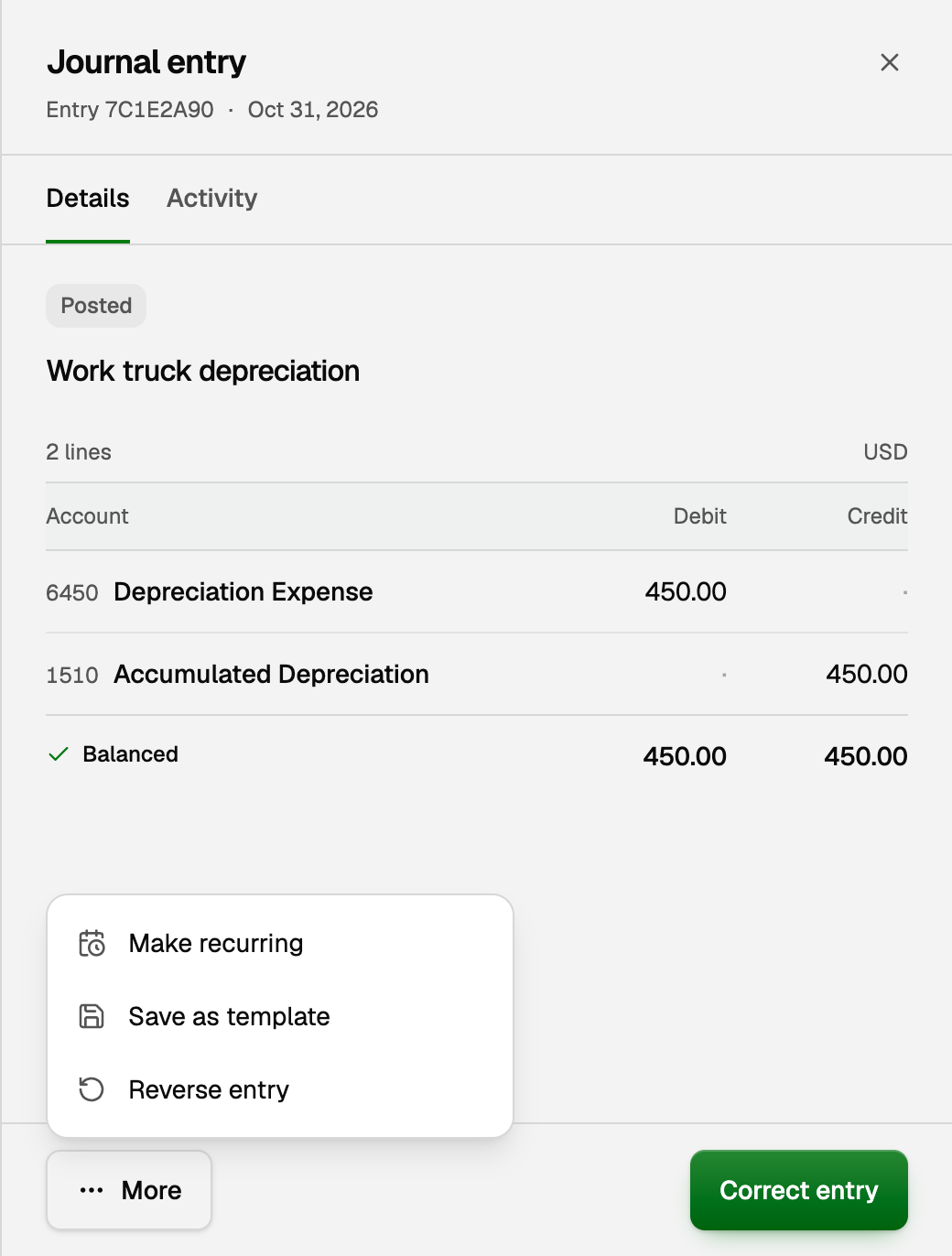
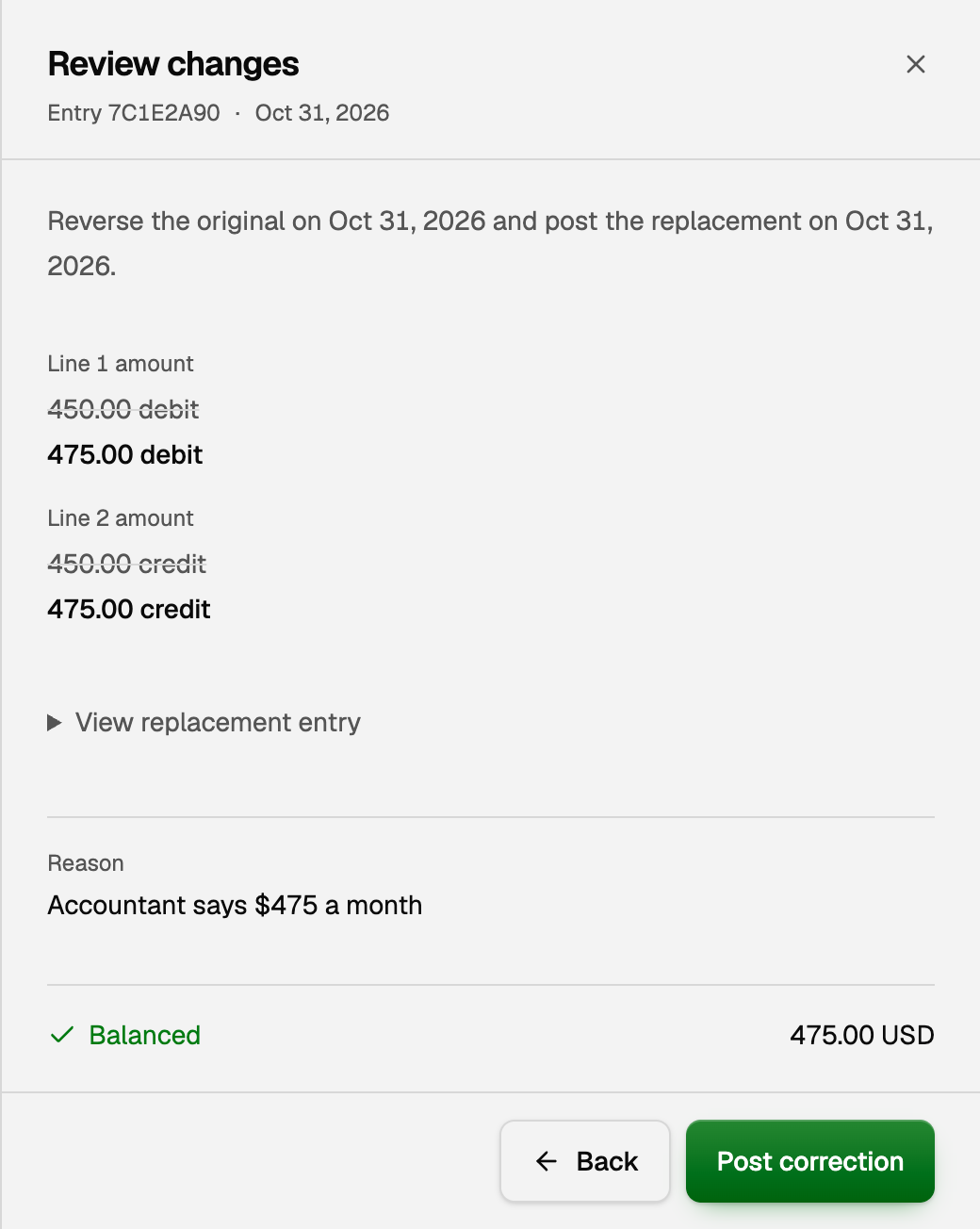
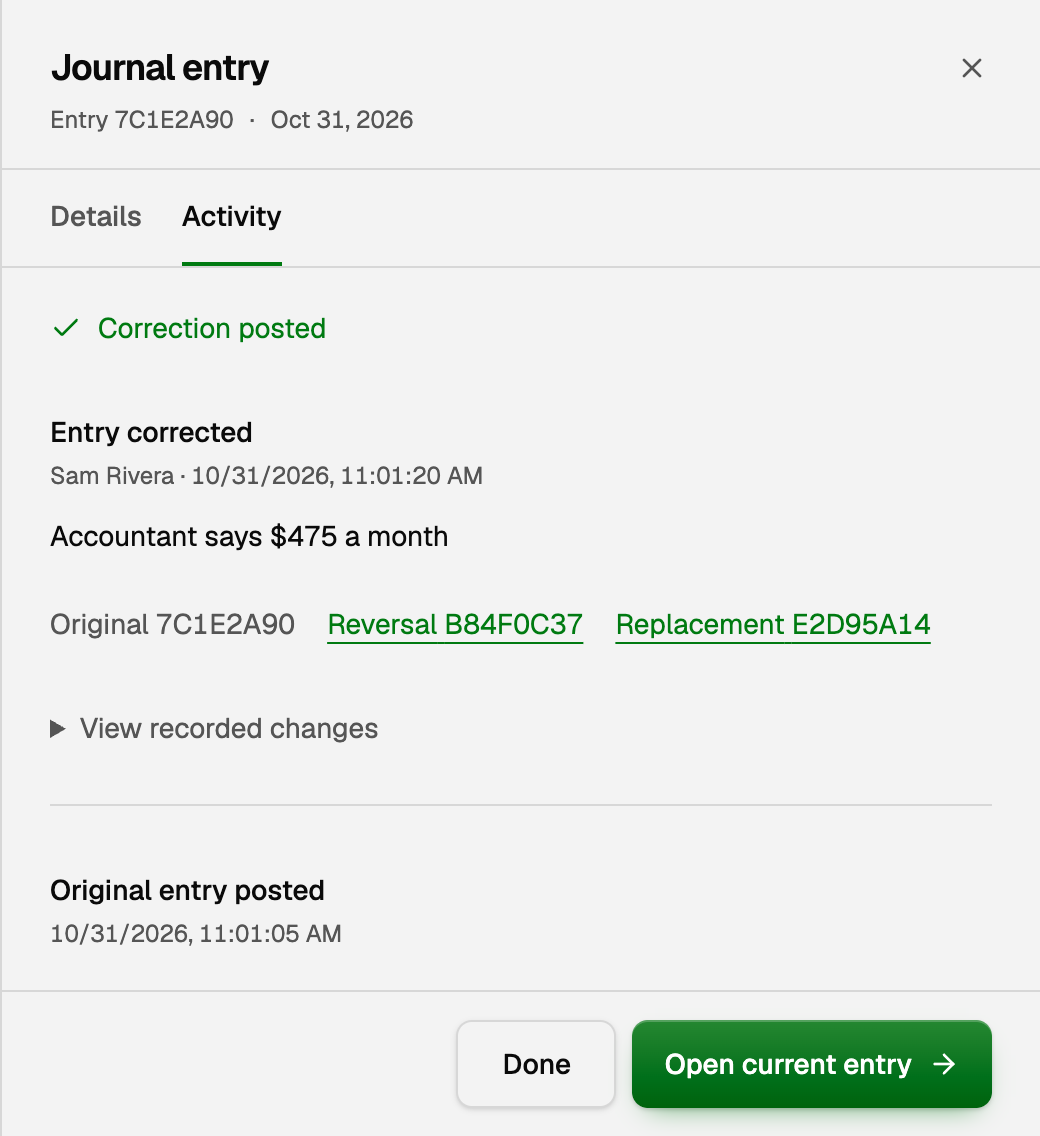
A correction never changes the posted entry. It keeps the original, posts a reversal that cancels it on its own date, and posts a replacement with your fix. Your reports count only the corrected amounts.
The Activity tab then shows who changed it, when and why, linking the Original, Reversal and Replacement. To change it again, click Open current entry and correct that one.
Reverse an entry
To cancel an entry without replacing it:
- Open the entry, click More, then Reverse entry.
- Pick a Posting date and fill in Reason for change.
- Click Review changes, then Post reversal.
The Posting date starts as today. Pick the original's own date to take the entry out of that month. A later date leaves that month as it was, and is the only choice once it's closed.
The reversal is an equal and opposite entry, so from its date on, the two cancel out. The original stays on record, tagged Reversed. To bring it back, open it, click Create replacement and pick its date.
In a closed period, the pane offers Adjust in open period instead of Correct entry: the change posts on an open date, and the closed month stays as reported. See Close the books for a month or year.
Post the same entry every month
- Open a posted entry, click More, then Make recurring. Or click the Recurring tab, then New recurring entry.
- Check the Name and the lines, and pick how often it Repeats.
- Pick when it Starts on, which also sets the day it posts, and when it Ends. The line under Starts on lists the next dates it will post. If one is a date you already posted by hand, start later, or it posts twice.
- Click Create recurring entry.
Each one posts on its date as an ordinary Manual entry. Setting one up or resuming one never posts today or an earlier date. To Edit, Pause, Resume or Delete one, click the three dots on its row. Deleting keeps what it already posted.
If it pays from a bank or card account, such as rent, match its bank payment in Review inbox the first time, so the money counts once. BooksGPT matches the next ones itself.
Reuse an entry as a template
A template is a saved entry you start new ones from, such as a daily sales summary. It never posts by itself.
- Save one: in a new entry, click Templates, then Save as template…, or click More on a posted entry. Untick Keep amounts to type fresh amounts each time.
- Use one: in a new entry, click Templates and pick it under Use a template. Check the date and amounts, then click Post entry.
Copilot can draft an entry or a recurring entry, and save a template. An entry posts when you click Approve on its card or answer yes to Copilot's question. See Approve, undo, or ask Copilot for a change.
If something goes wrong
- The entry won't post. Fix what the message under the lines says. Debits must equal credits, every line needs an account, and the date can't be in a closed period.
- There's no Correct entry button. The pane says why. An entry from a transaction, invoice, bill or payment is changed there, through the pane's link. An imported entry can't be changed, so post a new entry that adjusts it. Unmatch an entry matched to a bank transaction, untick one in an open reconciliation, or undo the finished reconciliation that holds it.
- A recurring entry says Needs attention. It stopped and says why under its name. Fix that, then click the three dots and Resume. Post any missed dates by hand.
Updated on: 16/10/2026
Thank you!