
Open an account register
A register is one account's own list: every amount that went in or out of it, newest first, with the balance after each line. It is the same idea as a checkbook register, and it works for any account, not only a bank. Open one when you want to see how an account got to its balance, or to check it line by line against a statement.
A long register loads more lines as you scroll.
Open it
- Open All pages in the left sidebar, then click Accounting and Chart of accounts.
- Click anywhere on an account row.
Reading the register
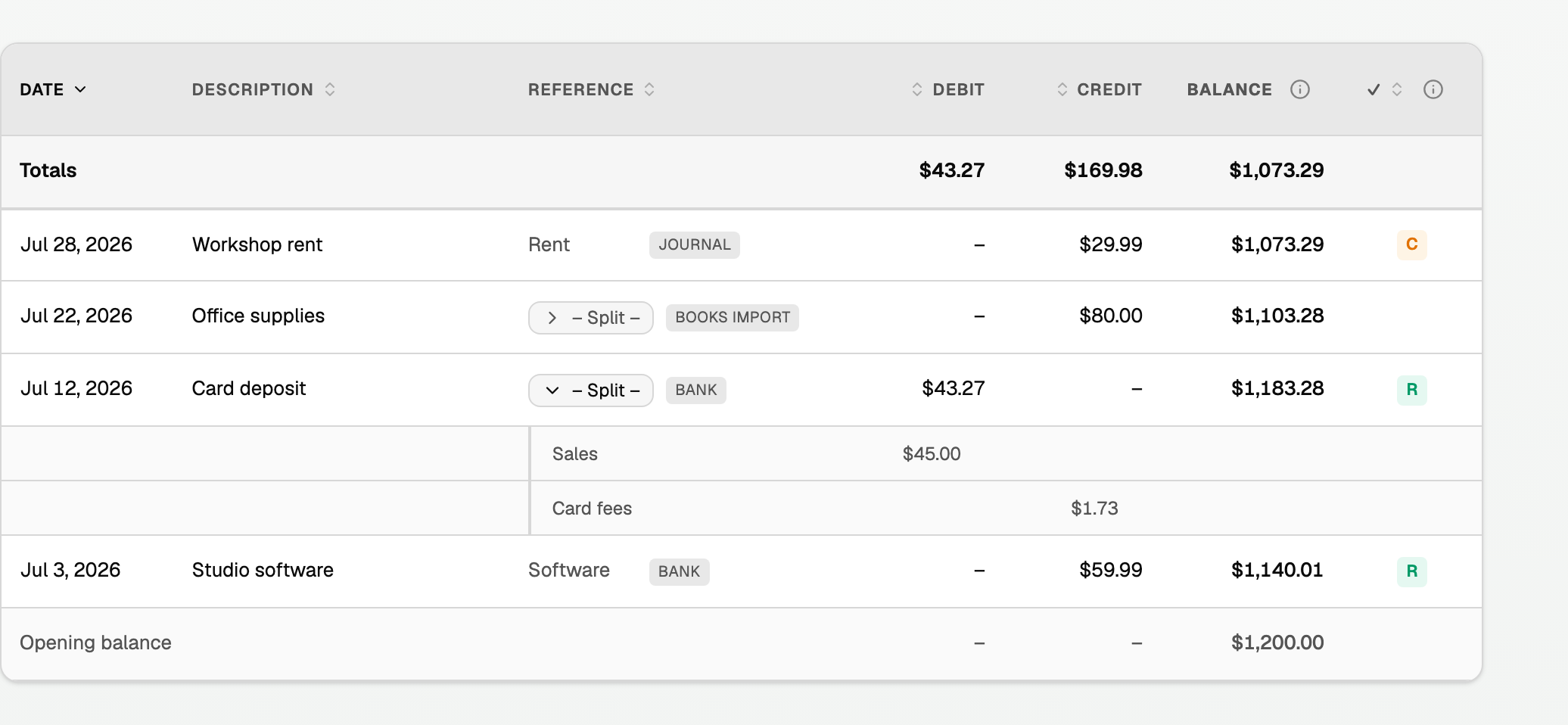
- Date and Description say when and what.
- Reference names the other side of the entry, with a grey tag for where it came from, such as Bank, Invoice, Bill, Payment, Journal, Books import, or Bank, not reviewed.
- Debit and Credit are the amounts. Balance is the account's balance after that line posted.
- The tick column: blank is not reconciled, C is cleared in an open reconciliation, and R is reconciled against a statement.
- A split reads Split with a chevron. Open it to see its categories underneath, muted. The balance moves once, by the net: a $45.00 sale less a $1.73 fee is one $43.27 line.
The cards above the table add up the whole register, including lines not loaded yet:

The icon buttons at the top right name themselves when you rest on them:
- Export CSV (every posting, line by line) downloads the register.
- Schedule a transaction and Reconcile show on a bank, credit card, or loan account.
- Edit account changes the name, code, parent, type, detail type, or opening balance.
Change categories from the register
On the full register, a checkbox column sits to the left of Date. A Viewer does not see it.
- Tick the rows, or tick the box in the heading to take every row a category change can move. The bar shows how many are selected.
- Click the tag icon, Change category.
- Pick the category, then click Move 2 transactions (the count matches your ticks).
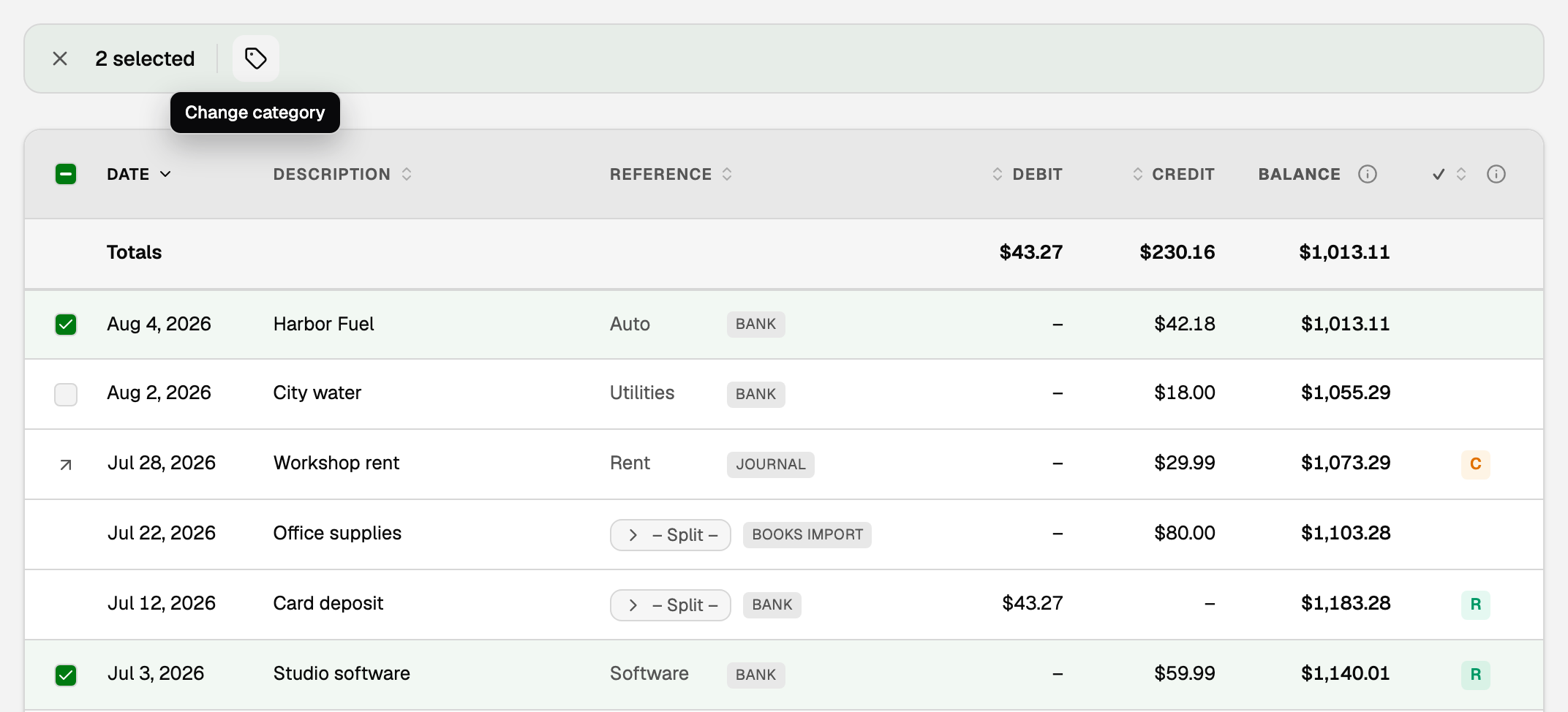
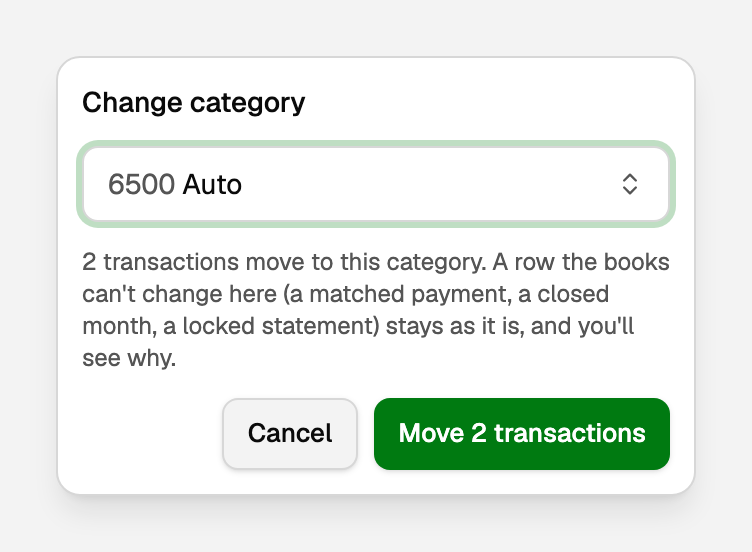
A line under the bar says what moved. A row the books can't change here, such as a matched payment or one in a closed month, stays as it is, and the line says why.
- To change one row, you can also click the row itself. Edit transaction opens; change Category and click Save.
- A split and a journal entry have no checkbox. Click a split to open it. A journal entry has an arrow, Open journal entry.
- On a long register, the heading box ticks only the lines loaded so far, and a link under the bar offers to select every editable row in the register.
Lines only in the register
A journal entry with no bank transaction never appears on Transactions, but it can still be left to reconcile. To find those lines:
- Open All pages, then click Daily work and Transactions.
- Click Filter. Pick the account under Account, and set Reconciliation to Not reconciled.
- The note under the list counts the lines that are only in the register. Click Open in register.
The register then shows only those lines, under a Not reconciled, register only chip. Its X, Show all entries, brings the full register back. The Left to reconcile count on the Reconcile page opens the same filtered Transactions list, so you can start at step 3.
Change the order
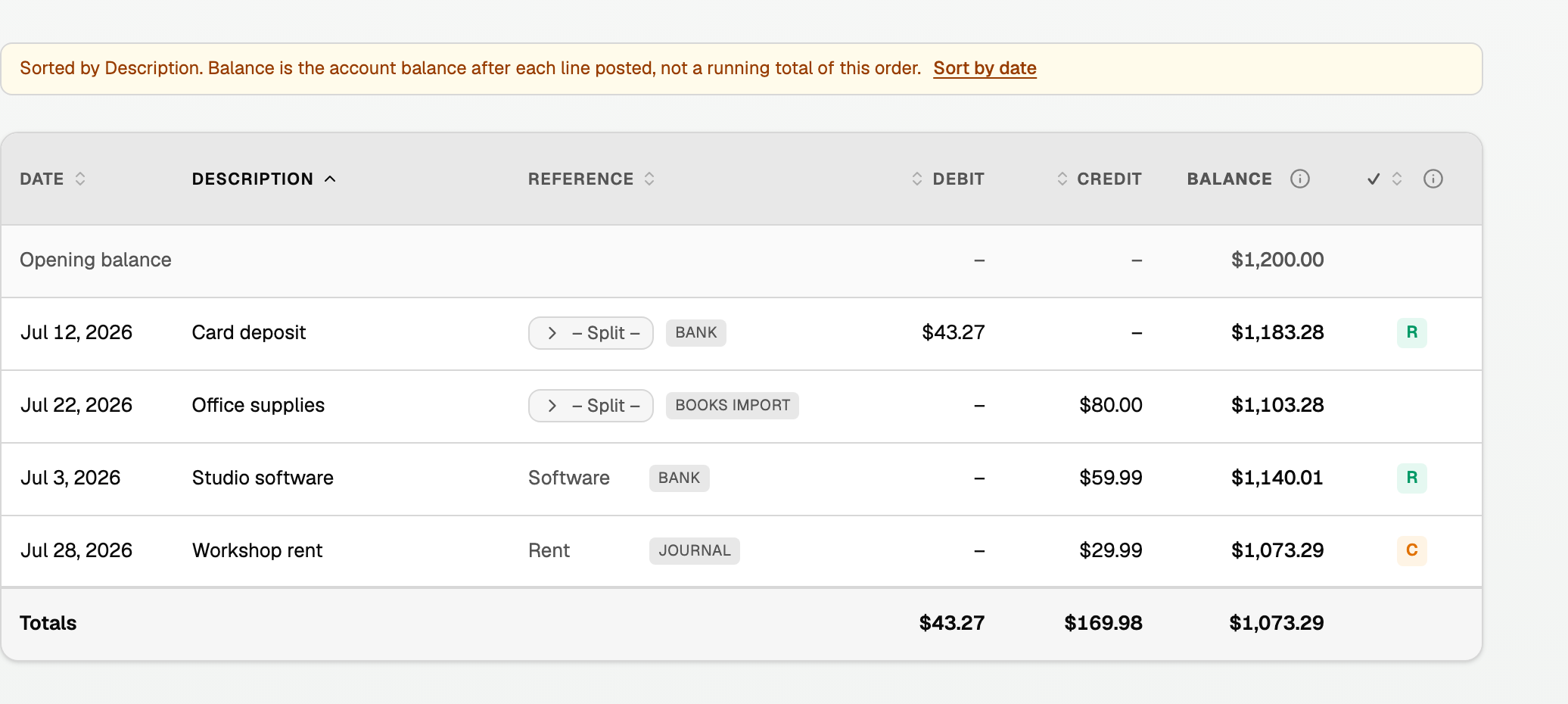
Click Date, Description, Reference, Debit, Credit, or the tick column to sort, and click again to reverse. Sorting covers the whole account, and a split's categories travel with it.
By default the newest line is at the top, with Totals above it and Opening balance at the bottom.
Coming up
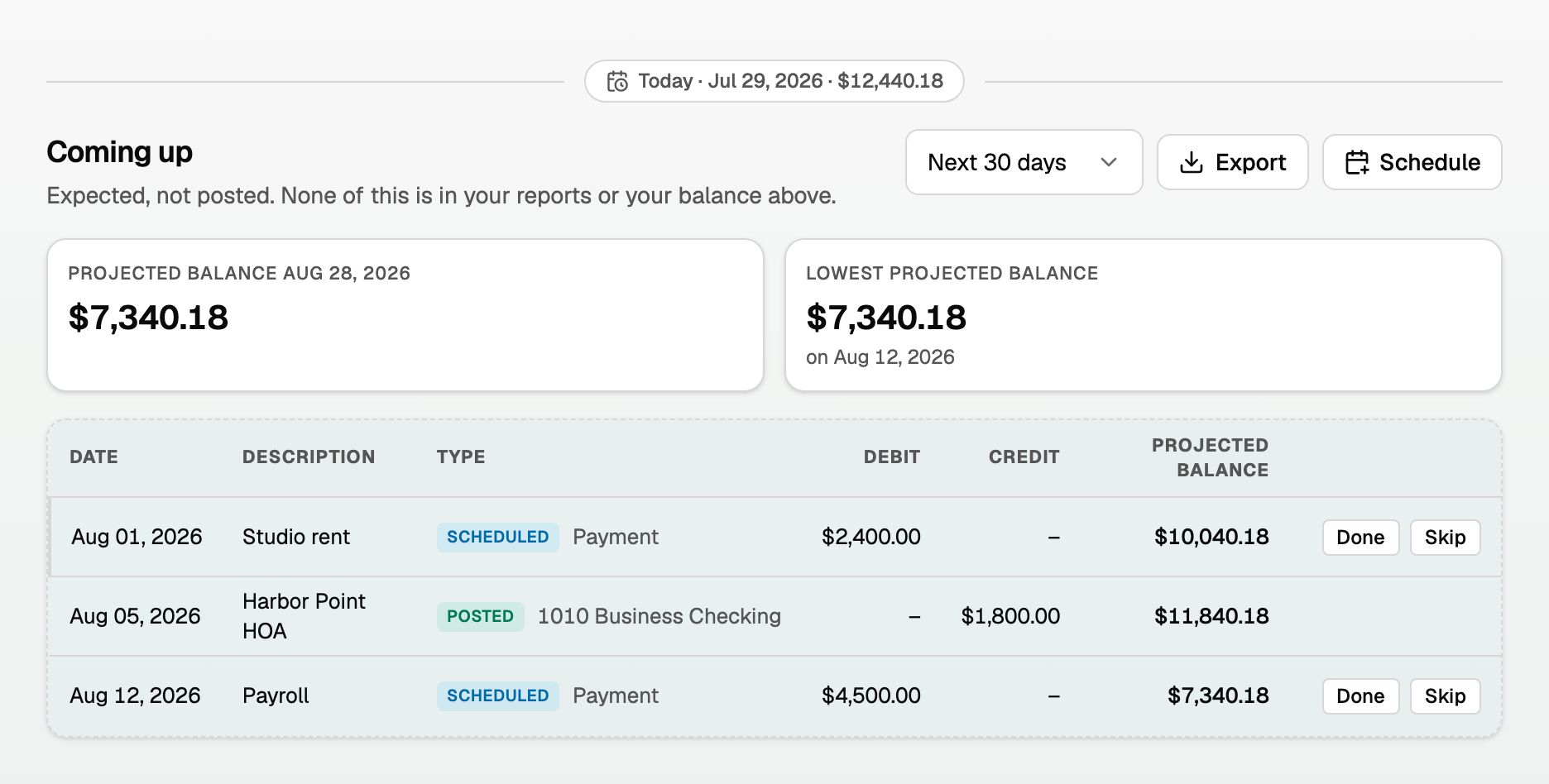
When a bank, credit card, or loan account has something scheduled, Coming up below its register lists it and projects the balance ahead.
- Next 30 days sets how far ahead. Export downloads the forecast, and Schedule adds another.
- The two boxes show the projected balance and the lowest (or highest) point along the way.
If something goes wrong
- The CSV totals are bigger than the screen. The file lists every posting, so a split's categories are separate rows. Net change and Balance still match.
- A bank line you see on Transactions is missing here. It may be on hold as a possible duplicate of your imported books, and it is not in this balance. Review it under On hold in the Review inbox; see Review the inbox.
- A row would not move. The line under the bar names why. Fix that first: ask whoever closed the month before reopening it, and unmatch a matched payment before changing it.
Updated on: 17/10/2026
Thank you!