
Add a personal workspace and your accounts
A personal workspace is for your own money: bank accounts, a house, a car, loans, a budget, and savings goals. It stays separate from the business books.
Add the workspace
- In the top bar, click the workspace name.
- Click Add workspace.
- Choose Personal. It is marked Beta.
- Name it, then create it.
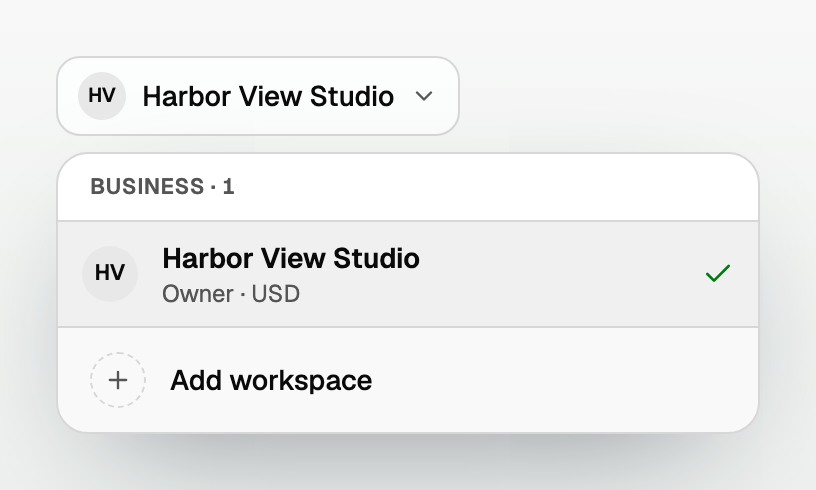
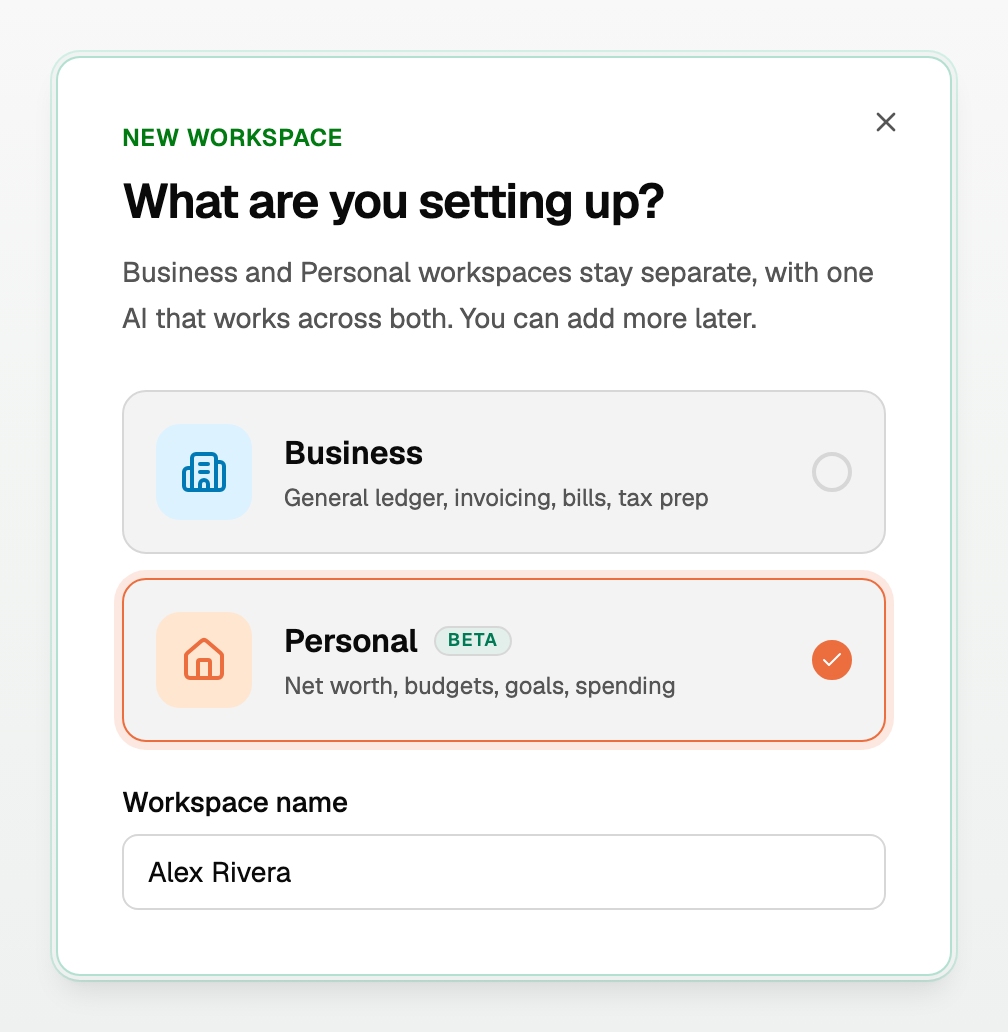
You switch between business and personal from that same menu.
Add your accounts
Open All pages in the left sidebar, then under Money click Accounts. There are two ways to add an account:
- Connect bank links an account at your bank. Its balance and transactions come in on their own.
- Add manually is for anything you track yourself. You type the balance.

- Net worth, under the title, is the total of the accounts shown.
- solo hides accounts another household member owns. joint shows only jointly owned ones. all shows everything.
Add an account manually
- Click Add manually.
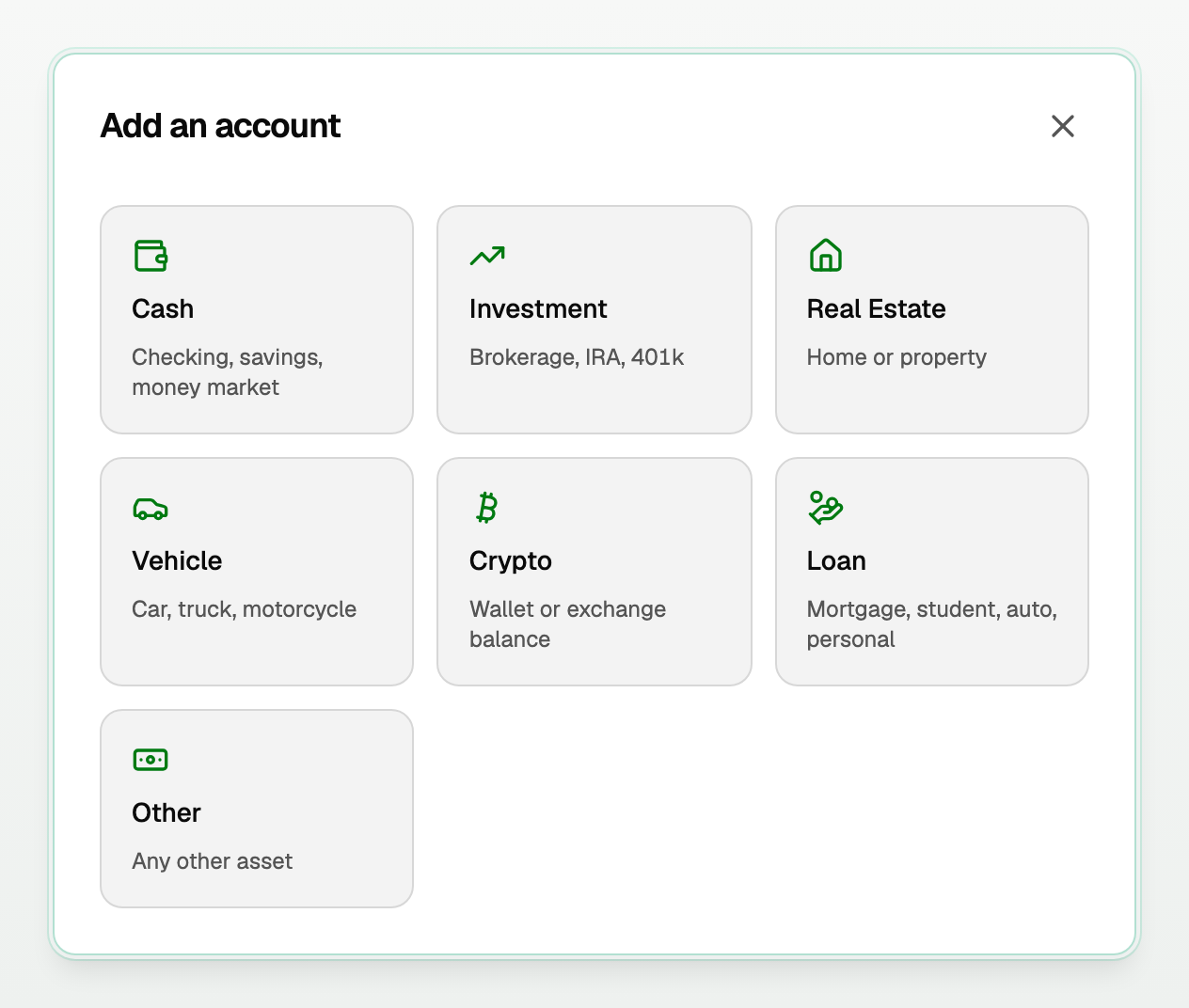
- Pick a kind:
- Cash (checking, savings)
- Investment (brokerage, IRA, 401k)
- Real Estate (home or property)
- Vehicle
- Crypto
- Loan (mortgage, student, auto, personal)
- Other
- Enter a name and the balance. For a loan, enter the Amount owed.
- Click Add account.
Loans you connect
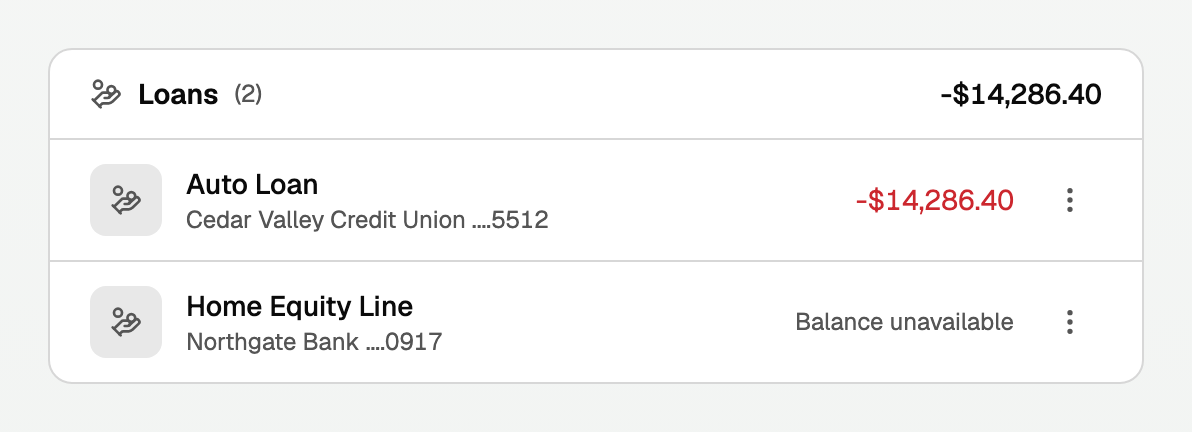
- A loan you connect shows under Loans as what you owe, in red.
- Its balance shows once your bank reports it, usually right after you connect. Banks do not share loan transactions, so there are none to wait for.
- Auto loans, credit lines and home equity lines show under Loans, not Credit Cards.
When you see "Balance unavailable"
When your bank has not sent a balance, BooksGPT says Balance unavailable. It does not mean the balance is zero.
- You see it on Accounts, in Settings on the Institutions tab, and on the dashboard.
- On the dashboard, a group with some balances missing says so, like (1 not reported).
- The account is left out of net worth until your bank reports a balance.
- Ask the Copilot about net worth and it says how many accounts it left out.
Is my bank up to date?
Open Settings in the left sidebar, then the Institutions tab. Each bank shows a status, and under it when it was last checked.
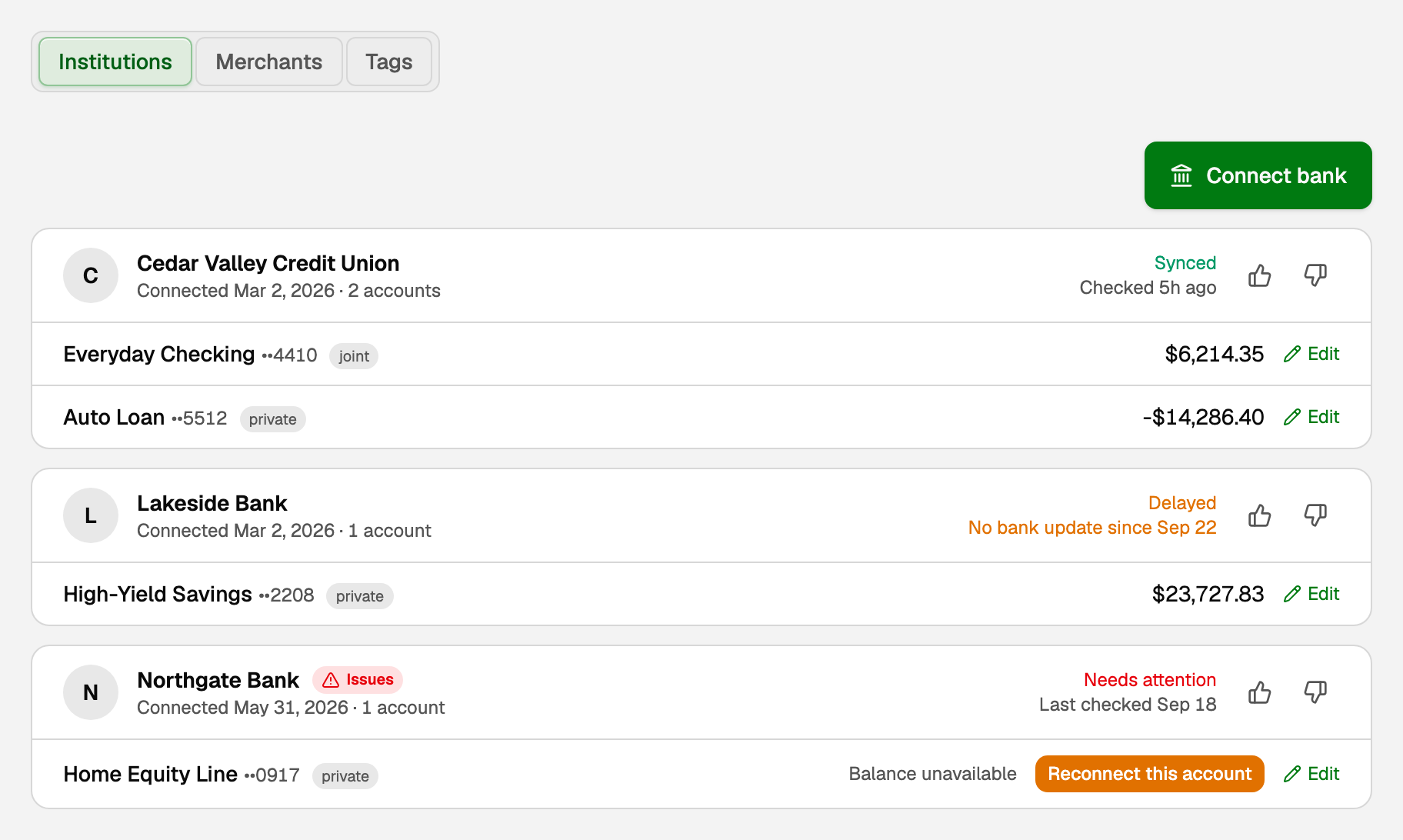
- Synced (green): all good, like Checked 5h ago. A quiet account with no new charges still reads Synced.
- Delayed (amber): BooksGPT has not checked the feed lately (Last checked Aug 1), or the bank connection has not reached your bank lately (No bank update since Sep 22). BooksGPT keeps trying on its own.
- Needs attention (red): your bank stopped sharing data, and the bank shows Issues. Click Reconnect this account beside the account and sign in to your bank again.
- Not syncing: the connection was replaced or closed, so nothing new comes in through it.
- Importing: the first import is still arriving, so there is no time line yet. A bank you just reconnected reads Importing until its first import lands.
Needs attention and Not syncing show the last check, like Last checked Sep 18.
Latest bank update didn't get through (or Checked 5h ago · latest bank update failed) means one try to reach your bank did not get through. The next try usually fixes it, and a short outage at your bank does not turn it red. Still Delayed after a few days? Message us from the chat bubble.
Good to know
- Do not mix client books into a personal workspace. Add a Business workspace for each client instead.
- To merge a duplicate or archive a closed account, click the ⋮ beside it. Its history is kept.
- Review of personal transactions is not in All pages. See "Review personal transactions".
Updated on: 25/09/2026
Thank you!