
Set savings and debt goals
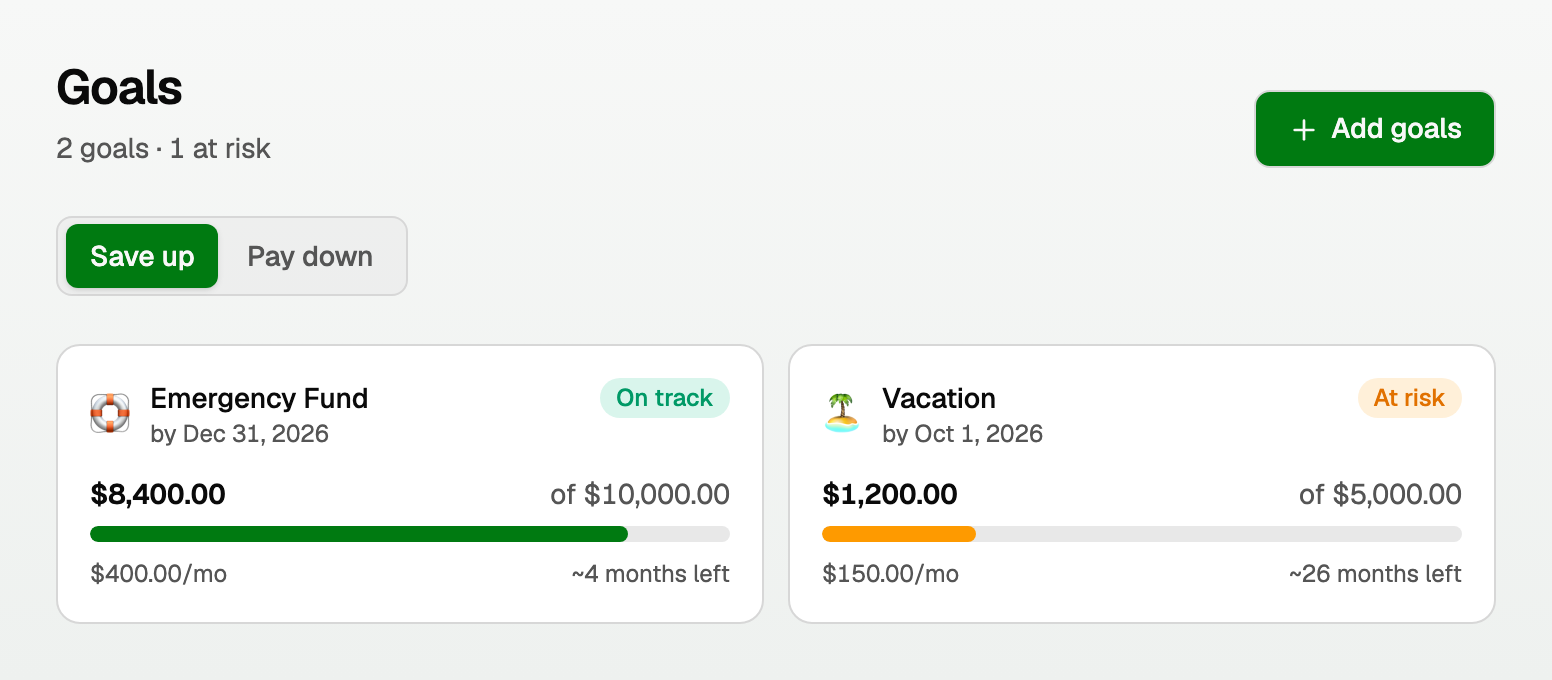
Goals are targets on top of your accounts: save for a trip, or pay down a card. They live in a personal workspace.
Open Goals
- Open All pages in the left sidebar, then under Money click Goals.
- Use Save up for money you are putting aside.
- Use Pay down for a loan or card you want lower.
Each goal shows progress and a status: On track, At risk, or Completed.
Add a goal
- Click Add goals.
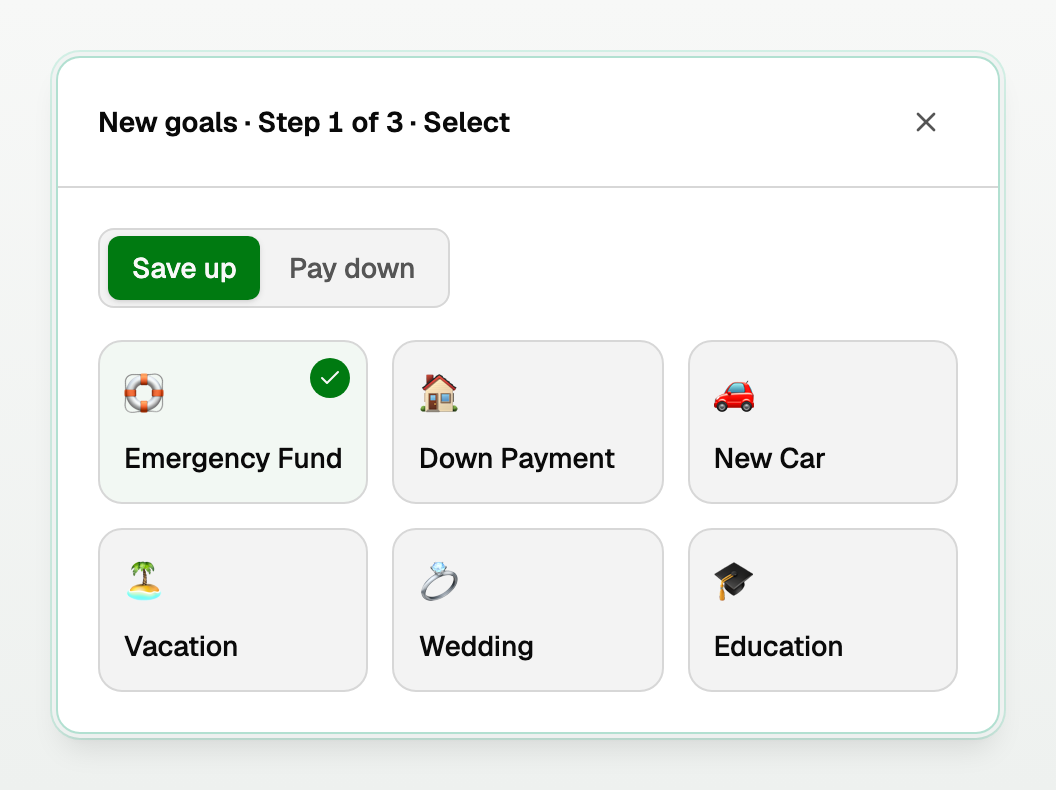
- Pick a template (emergency fund, vacation, credit card, and so on).
- Set the target, an optional date, and a monthly amount.
- Finish the three steps.
Good to know
- Deleting a goal removes the target. It does not change the bank account.
- Status is calculated from the target, the current amount, and the monthly contribution. It is not a separate setting you type in.
- The budget is the monthly plan. Goals are the longer target. Use both if you want.
Updated on: 12/09/2026
Thank you!