
Activity: a month of what happened to the books
Activity is a month of what happened to the books, newest first, grouped by day.
- Open All pages in the left sidebar, then click Daily work and Activity.
What the four numbers count
The stepper will not walk into a future month.
- filed by N rule runs is transactions those runs filed (Apply rules now on Categorization rules, or a remembered choice that filed waiting rows).
- changed by hand is a person setting a category, vendor, customer, or other field, plus adding or deleting a transaction.
- approved and posted is transactions posted from the inbox.
- rules created (and N retired, when any) is rules added or removed that month.
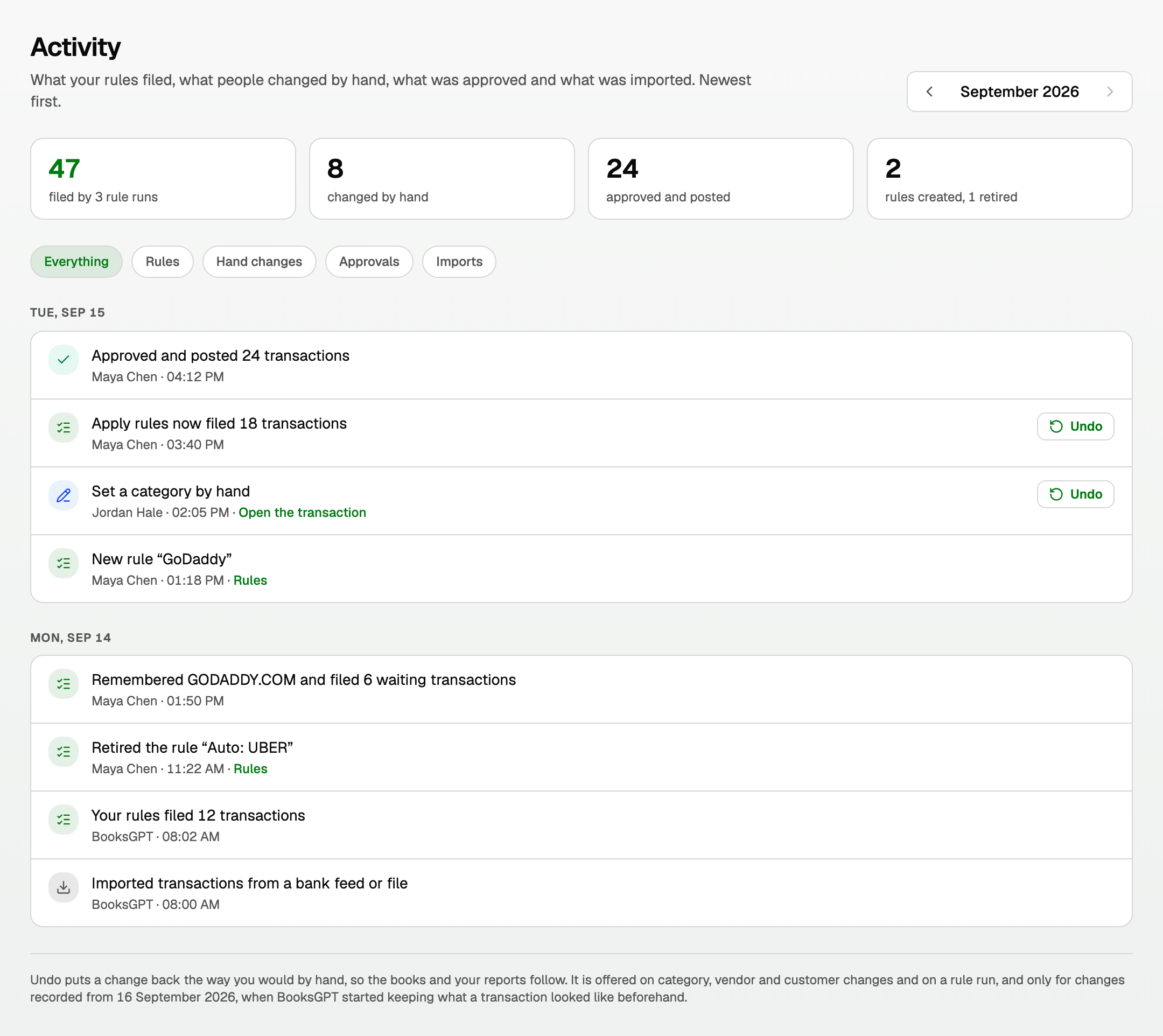
- Everything, Rules, Hand changes, Approvals, and Imports filter the lines. The four numbers stay for the whole month.
- Approvals by one person in one go fold into Approved and posted 24 transactions.
- Each line names what happened, who did it (or BooksGPT), and a link: Open the transaction, or Rules.
Putting a change back
Undo sits on a category, vendor or customer change, and on Apply rules now, from 16 September 2026. Approvals, imports, reconciliations and rule edits have no button.
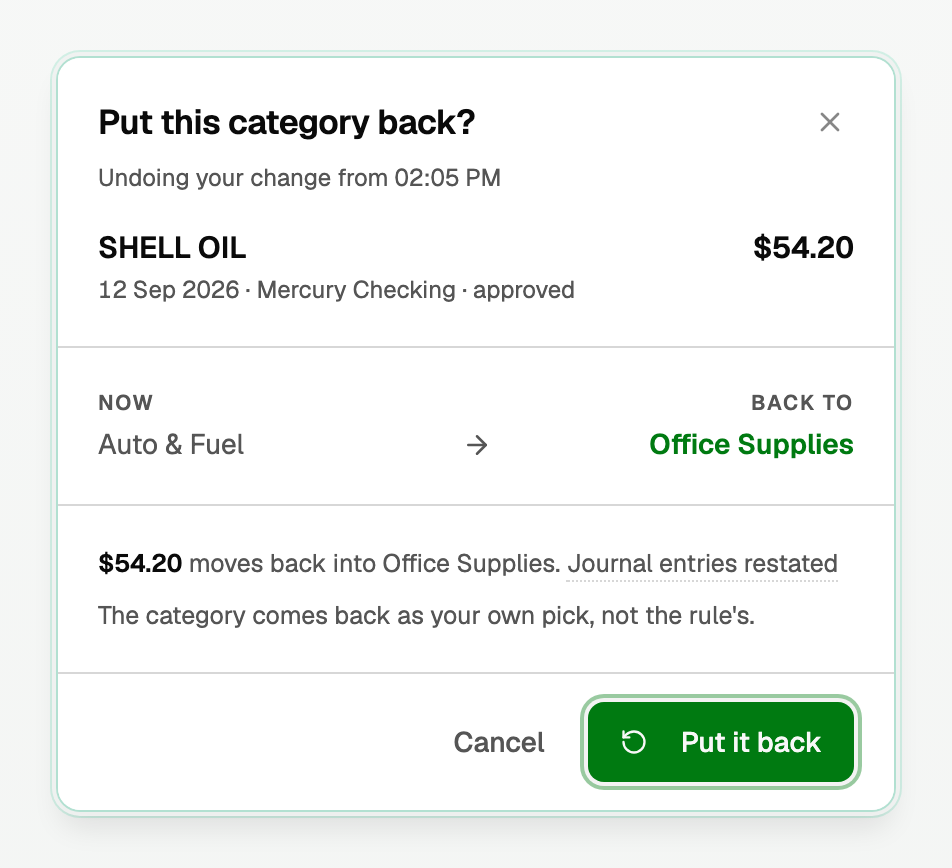
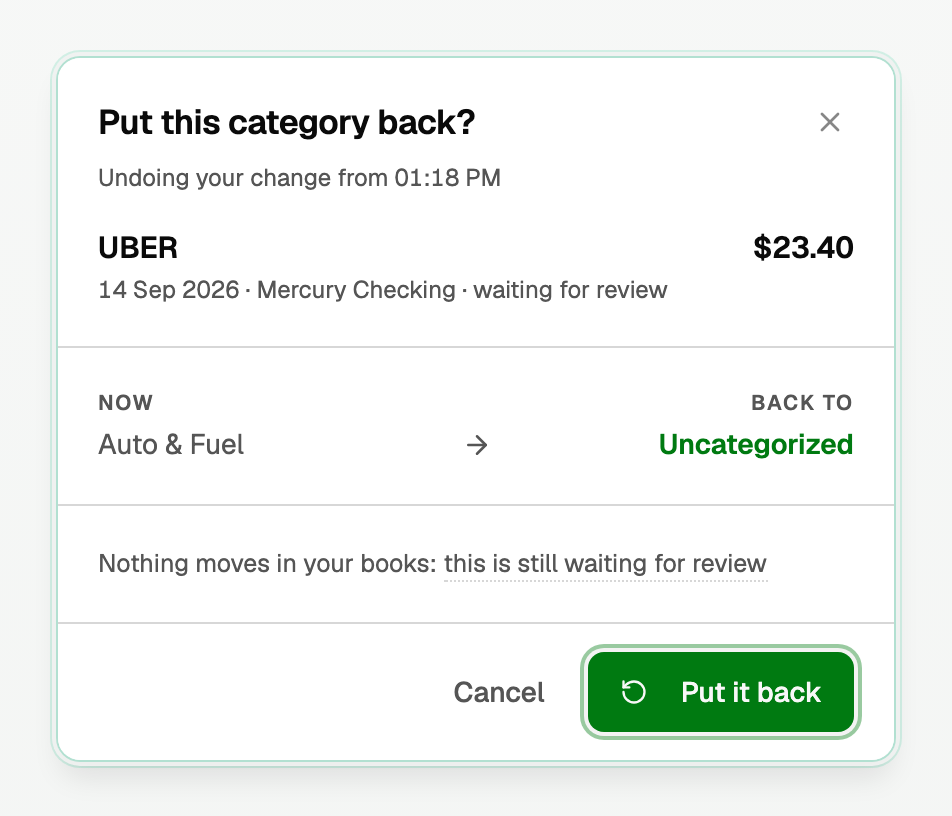
Undo puts the old category back the same way you would pick it yourself, on a reconciled transaction too. The bank line the statement proved stays as it is, so the statement still ties.
- Click Undo.
- Read the name and amount, Now versus Back to, and what your books do.
- Click Put it back (or Put N back). Cancel leaves the books as they are.
When Undo will not run
On a rule run, rows that cannot go back sit under Staying as they are, each counted and named. Point at a name for its reason.
- Changed by hand since
- Approved since
- In a closed month
- Reconciled: "They cannot be reopened or left without a category until that reconciliation is undone."
- Category kept by its reconciliation: "Their statement keeps these categories. Open one to read why." For example, a transfer whose other side is reconciled too.
- Filed as a transfer
- No longer here
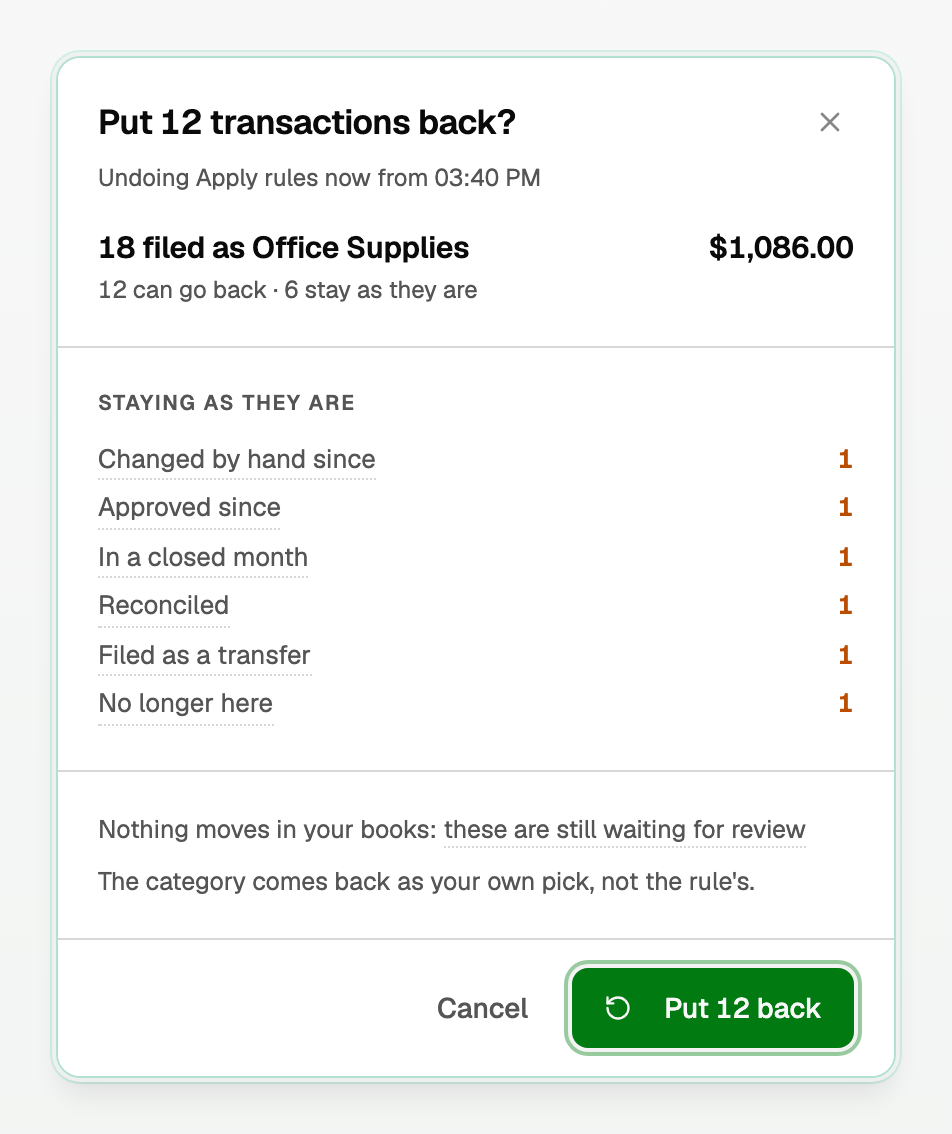
When Undo is refused outright, the title is This one cannot go back and a sentence says why. On a reconciled transaction it is the reason you see when you open it, such as The other side of this transfer, on Savings, is reconciled too, so it stays a transfer.
Updated on: 01/10/2026
Thank you!