
Create or send an invoice from chat
Create or send an invoice from chat
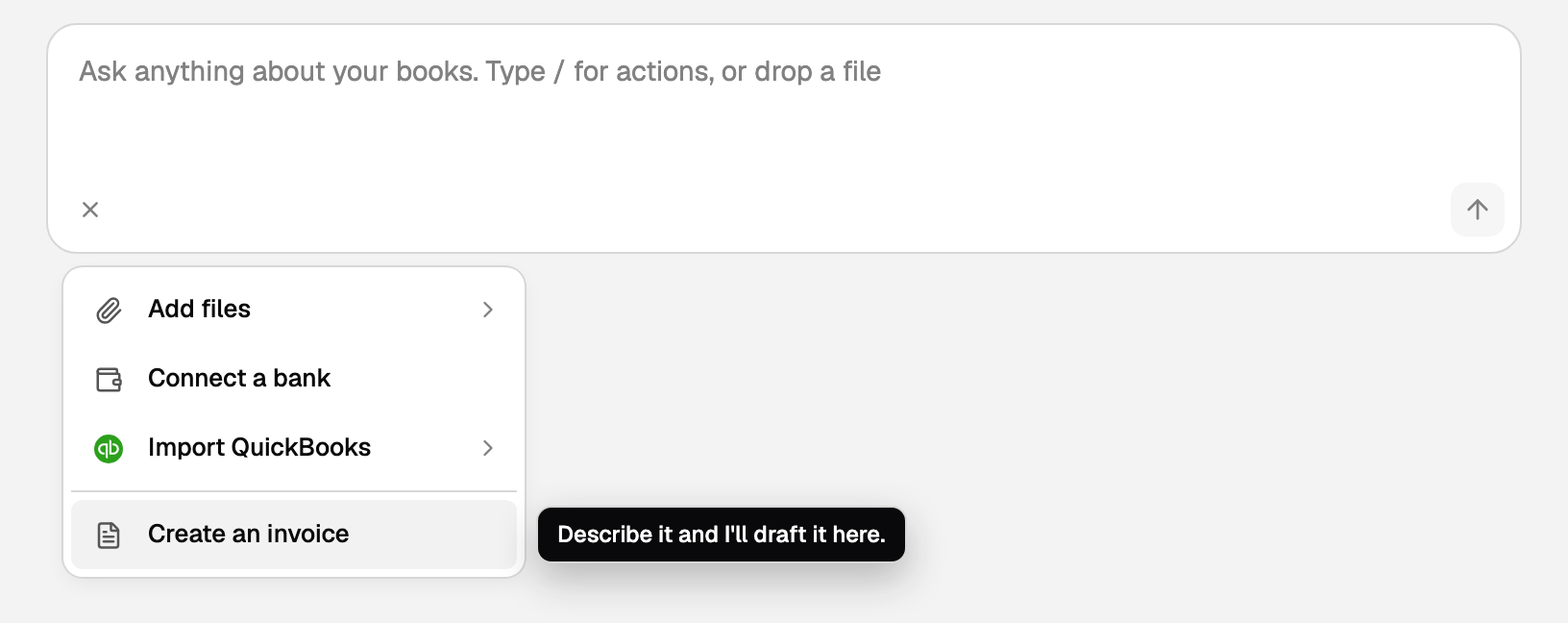
Ask in plain language, for example "Invoice Harbor Janitorial $500", or start from the plus menu:
- Click Home in the left sidebar, or the BooksGPT logo at the top of that sidebar. Either one starts a fresh chat.
- Click the + next to the ask box. The control is labelled Add or connect.
- Click Create an invoice. Its tooltip says Describe it and I'll draft it here.
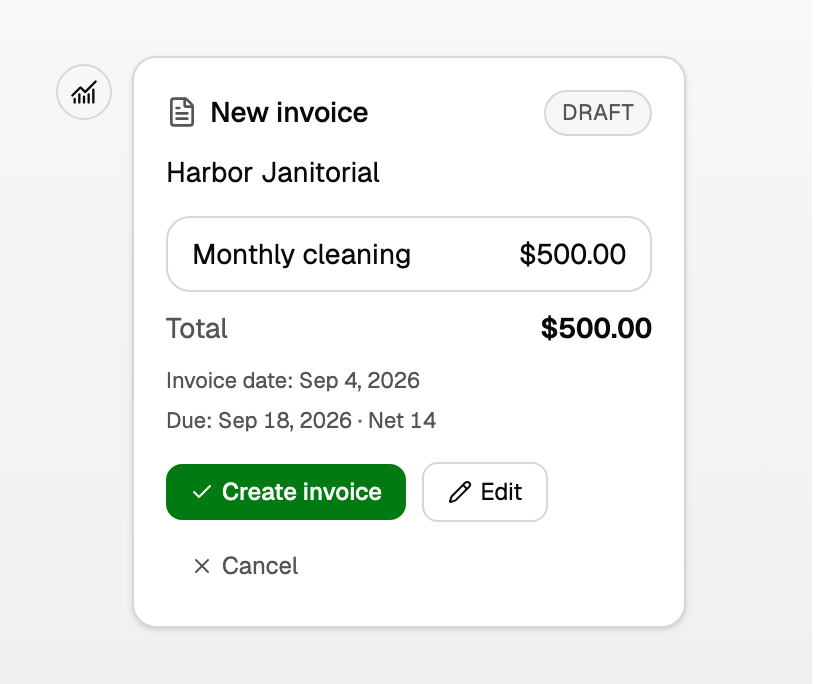
- Create invoice posts it to accounts receivable. It does not email the customer. That button is only on the waiting card.
- Edit opens the same invoice editor beside this chat. It does not cancel the draft.
- While the pane is open, the card says Editing this invoice in the invoice pane. Create invoice is gone. Saving in the pane is what creates it.
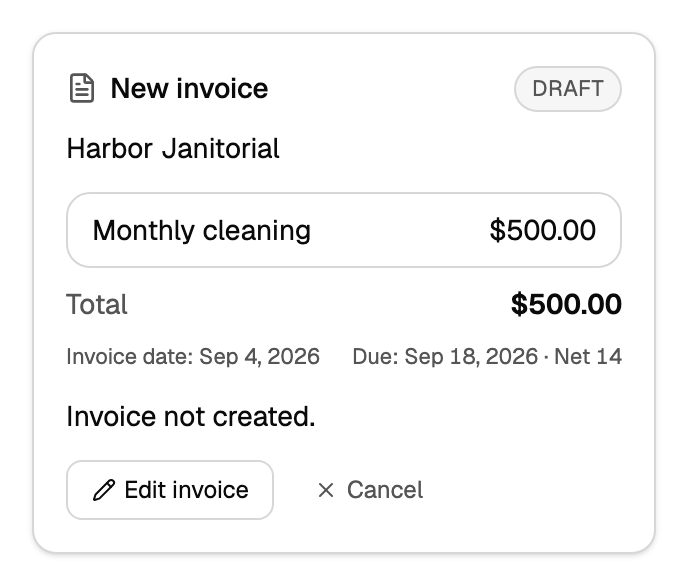
- Close the editor without saving. The card says Invoice not created. with Edit invoice and Cancel. Edit invoice opens the original draft again. Unsaved pane edits are not kept.
Send or open the invoice
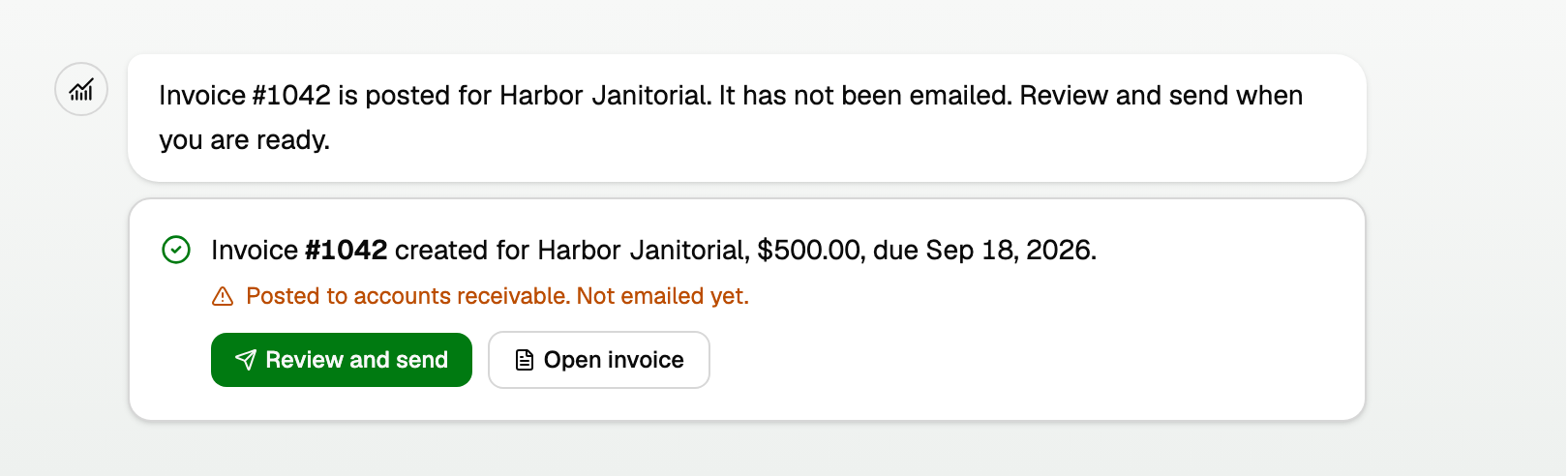
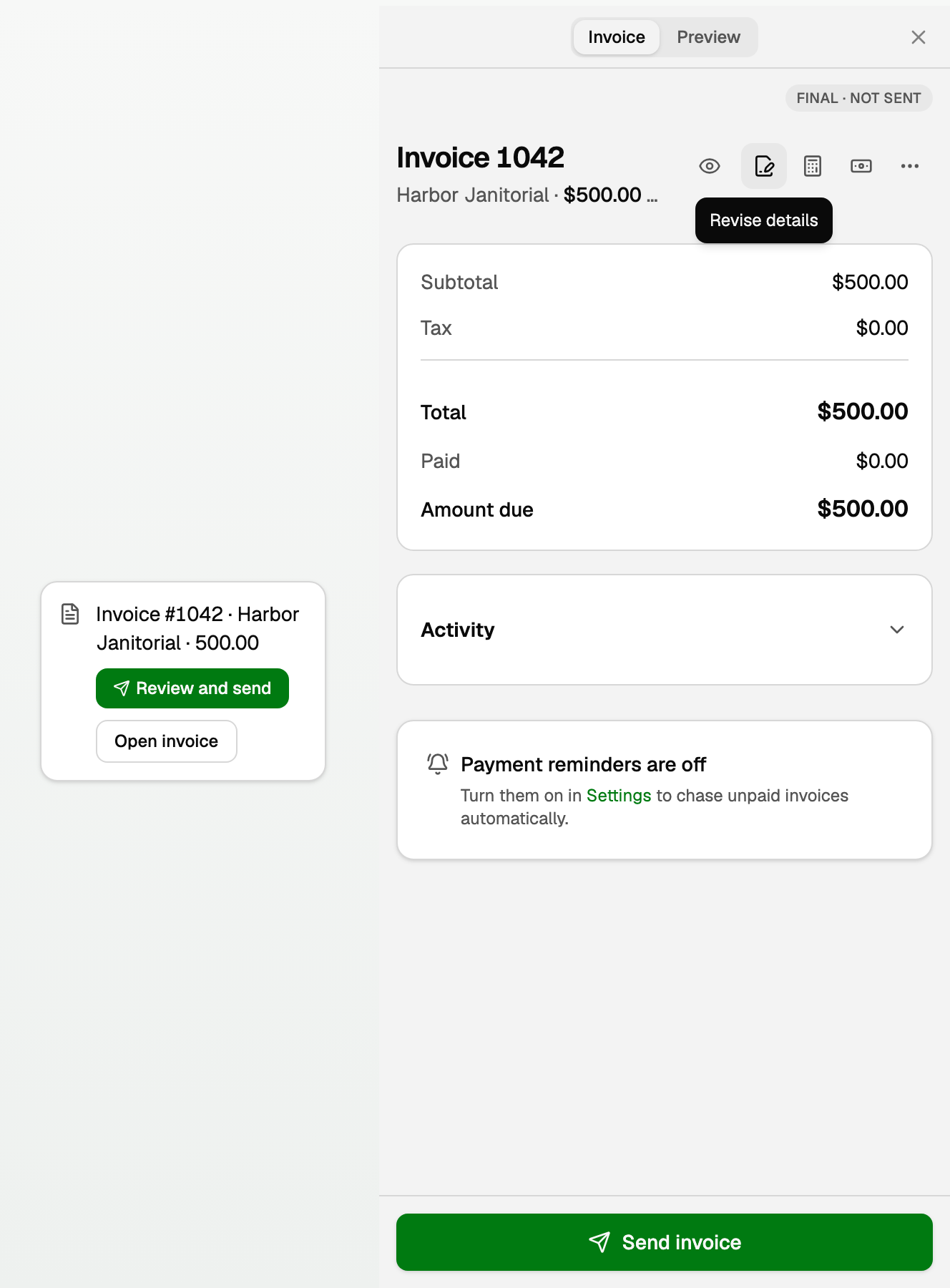
After it posts, the card says Posted to accounts receivable. Not emailed yet.
- Review and send opens the invoice beside the chat, ready to send.
- Open invoice opens the same editor beside the chat.
Those are buttons. They do not open a new tab.
Work in the invoice pane
- Close it with the X. That control is labelled Close invoice. There is no Back to chat. The pane slides away.
- Invoice and Preview sit in the middle of the header. Preview is the paper, in this same column.
- Actions next to the title are icons. Hover a moment to read the label: Preview PDF, Revise details, Correct amounts & dates, Record payment, and More invoice actions. On a posted invoice the pencil is Revise details (number, P.O., notes, due date, and the details notes under the lines). Line items and amounts are Correct amounts & dates. A draft still edits in the Invoice tab.
- The main invoice page groups the same actions differently: Preview PDF is an icon there too, and both edit actions sit under one Edit invoice menu, each with a one-line consequence. The pane keeps its own icon row.
- Send invoice is the green button stuck to the bottom. It is the only green control. Copilot does not send it for you.
- The badge reads Final · not sent. That already says it is posted and not emailed, so this pane does not repeat a Posted to A/R line.
- Activity starts closed. Open it if you want the timeline.
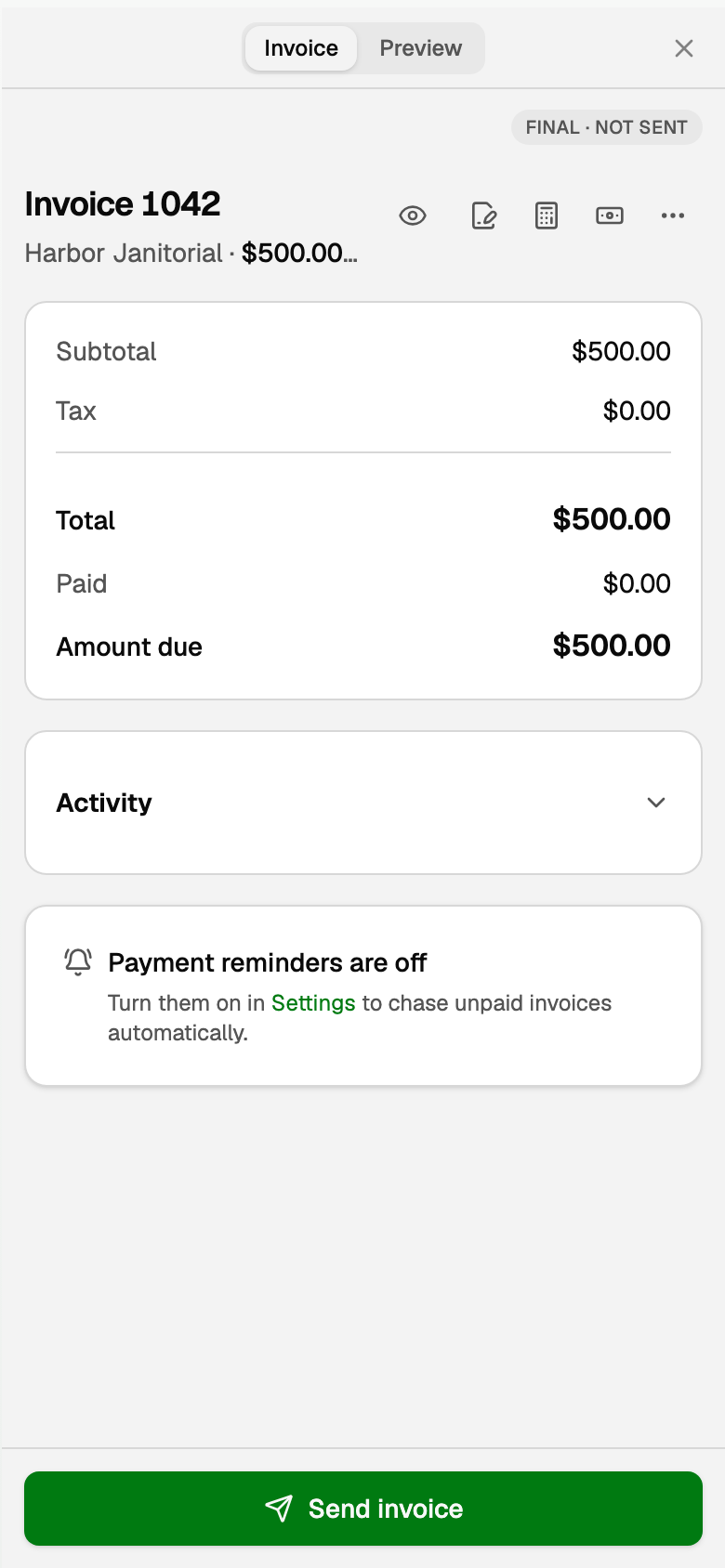
On a phone, the chat hides while the invoice is open. Close with the X to get the chat back.
Other ways to make an invoice
A PDF or photo of a customer invoice is a different door: Add files, then Invoice from a file. Review stays beside the chat too. See "Create an invoice draft from a PDF or photo".
To create one from the Invoices page instead, open All pages in the left sidebar, then under Sales click Invoices. See "Create, send, and get paid on an invoice".
Updated on: 30/09/2026
Thank you!