
Ask Copilot about inventory
Your stock records answer everyday questions: what is on the shelf, which lot to sell first, what is still on order, and why a count changed. Copilot reads the same records as Products & stock and Purchase orders, so you can ask in plain words instead of opening each page.
Copilot can also prepare a change for you, such as a stock adjustment or a purchase order. It shows each change as a card. Nothing changes in your books until you press that card's button.
Ask a question
- Click Home at the top of the left sidebar. That starts a fresh chat.
- Type your question in the box that says Ask anything about your books, and press Enter.
Questions that work well:
- "What is low on the shelf?"
- "Which ribeye lots expire first?"
- "Why did ground chuck drop last week?"
- "What is still open with Lakeshore Packing?"
- "What is our ribeye worth per pound?"
- "Which freight bills still need a review?"
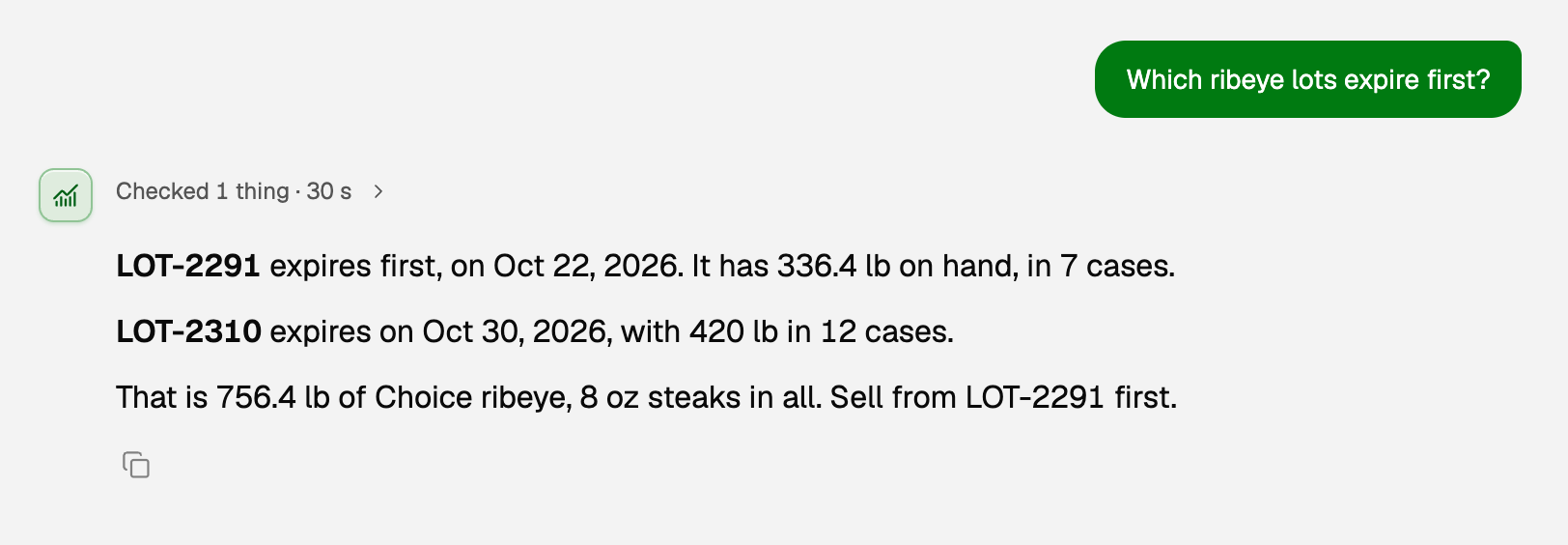
Answers about the shelf are quantities, the same numbers as Products & stock. Questions about value or cost need inventory costing turned on; see Set up inventory costing.
Ask for a change
Tell Copilot what happened, the way you would tell a bookkeeper. For example, say that a 12 lb case of ribeye from lot LOT-2310 spoiled. Copilot reads the stock first, then puts a card in the chat.
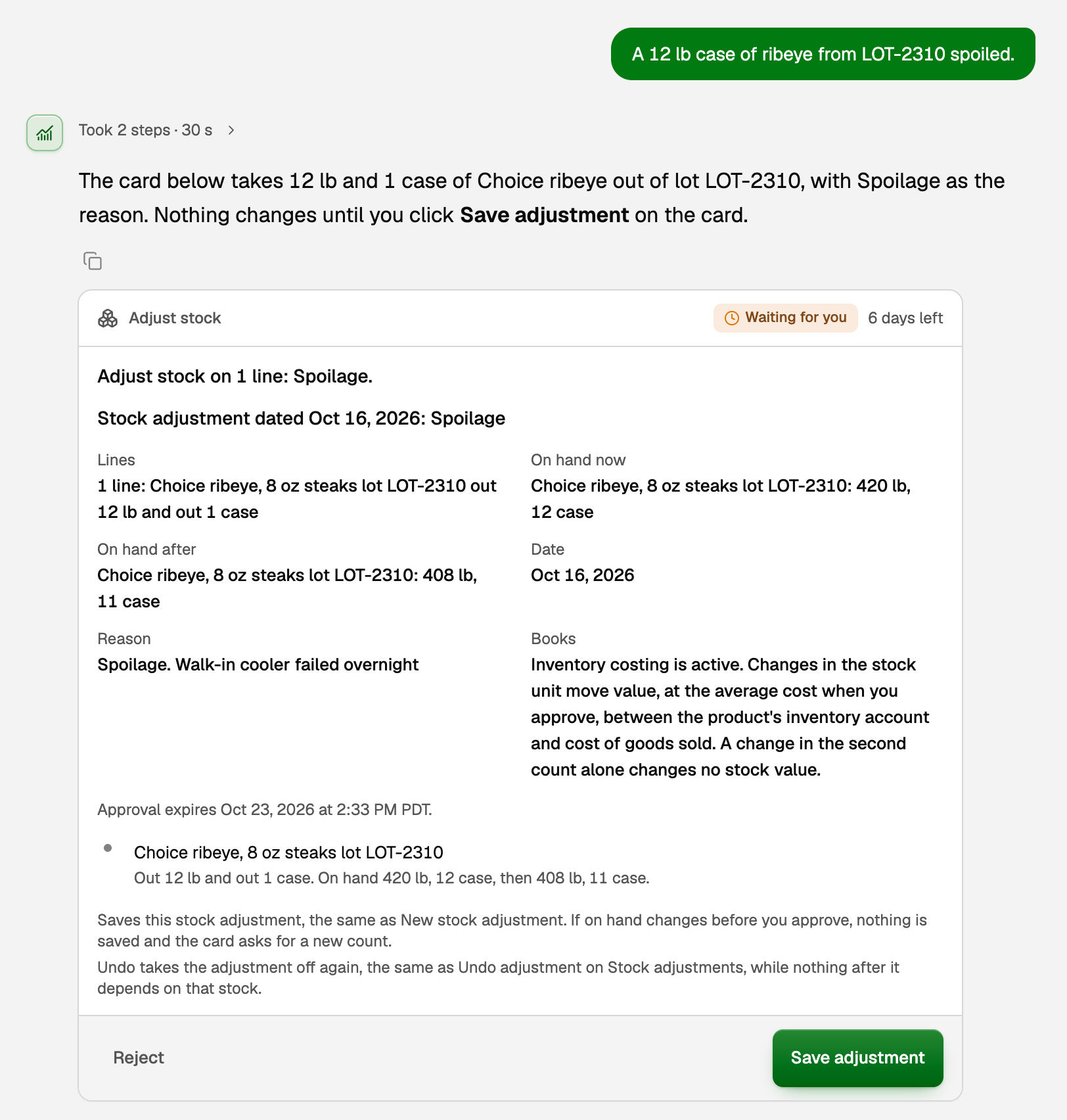
- Read the card. It shows each line, on hand now and after, and a Books line that says what the change does to your books.
- Tick any confirmation the card asks for.
- Press the card's own button, such as Save adjustment. Or press Reject.
What Copilot can prepare, and the button you press:
- Count or adjust stock: Save adjustment. Take one back: Undo adjustment.
- Raise, close or reopen a purchase order: Save purchase order, Close order or Reopen order. Cancel one: Cancel order.
- Start a bill from a purchase order: Save draft bill. Posting it is a second card, Post bill.
- Spread a reviewed freight or storage bill over the lots it covers: Allocate cost.
- Turn on inventory costing, for the workspace owner only: Activate inventory costing.
Copilot can also walk through a freight or storage bill's review with you, line by line, and save your lot choices on a card. Creating the bill from that review stays on the Landed costs page. See Split a freight or storage bill across your lots.
What an approval changes in the books
- A stock adjustment changes the quantity on hand. With costing off, that is all: nothing posts. With costing on, stock taken out moves its value, at the average cost, from the product's inventory account to cost of goods sold, an expense. Stock put back in moves it the other way.
- A purchase order never posts. Stock and cost arrive with the bill. See Purchase orders.
- A draft bill posts nothing until you post it. Posting adds the stock and, with costing on, its value to inventory, and records what you owe the vendor.
- A landed cost, such as freight, becomes part of what the goods cost. The share for stock still on hand adds to the lots' value and reaches cost of goods sold as they sell. The share for units already sold goes to cost of goods sold right away. The figures finish updating shortly after you approve.
Only some cards can be undone: a stock adjustment while nothing after it depends on that stock, closing or reopening an order, and a draft bill nobody has changed. The rest, including Post bill, Allocate cost, Cancel order and Activate inventory costing, warn beside the button that they cannot be undone. To take back an allocated cost, ask Copilot to reverse it. How to undo is in Approve, undo, or ask Copilot for a change.
If something goes wrong
- The card says stock changed before you approved. Someone posted a bill, an invoice or a count in the meantime, so nothing was saved. Ask Copilot for a fresh card.
- Copilot says only the owner can turn on costing. That card is the owner's alone. Ask the workspace owner to ask Copilot, or to use Costing setup. Anyone who can edit the books can approve the other inventory cards.
- The numbers look wrong. Copilot reads your stock records, so fix the records: count the shelf as in Track stock quantities, or post the missing bill.
Updated on: 16/10/2026
Thank you!