
Set up inventory costing
Stock you buy to sell is not an expense on the day you buy it. It is an asset, worth what you paid for it, until you sell it. Inventory costing keeps that value on your balance sheet and moves each item's cost to cost of goods sold on the day it sells, so each month's profit shows what the goods you actually sold cost you.
Until costing is on, BooksGPT counts your stock but puts no value on it (see Track stock quantities).
Before you start
Get your counts right first: what you have on hand on the start date becomes your opening stock, valued at the unit costs you confirm in the preview.
Open Costing setup
Open All pages in the left sidebar, then click Inventory and Costing setup. You can also click Set up inventory costing on Landed costs.
Previewing changes nothing in your books.
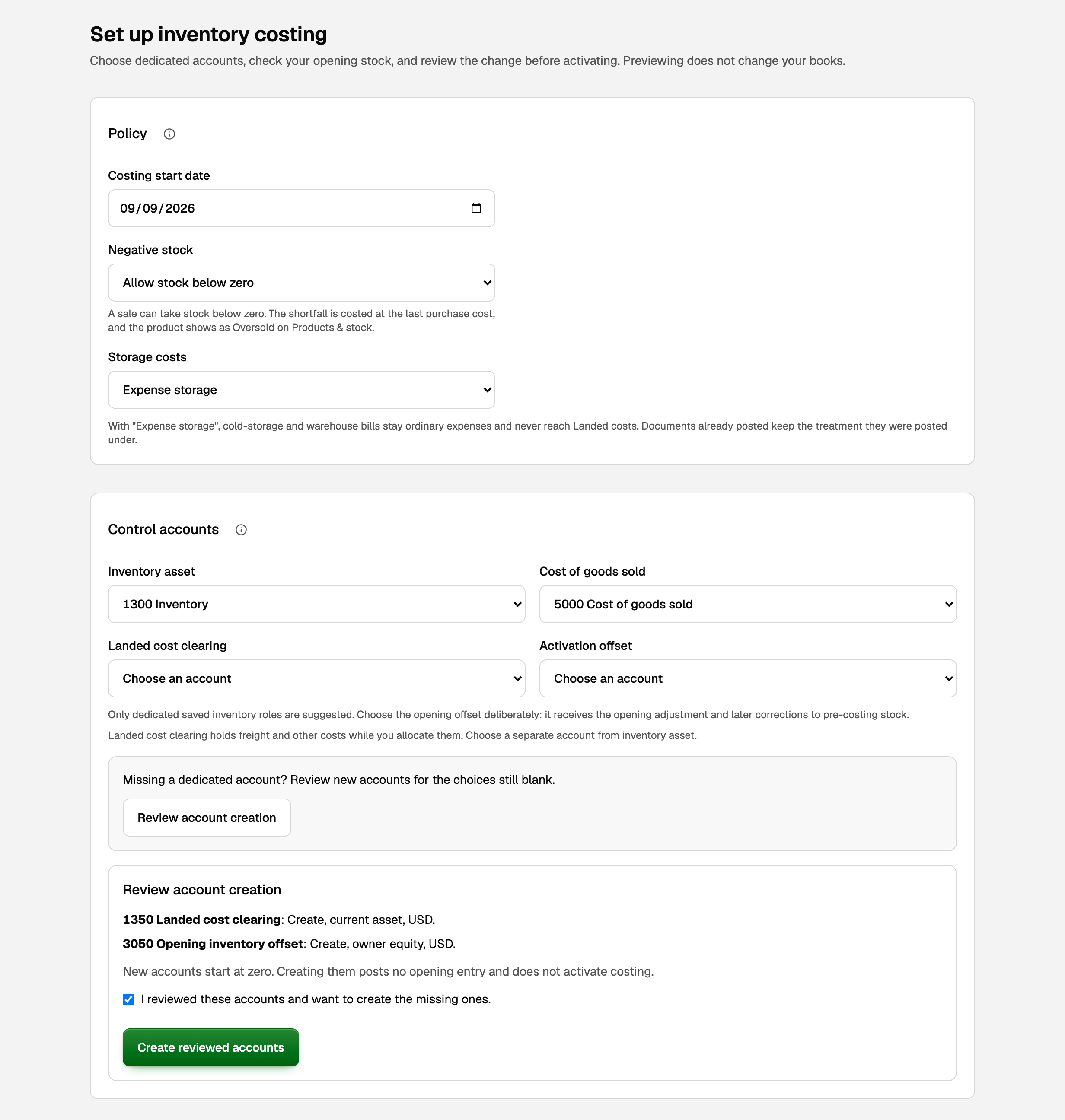
Choose the policy
- Costing start date: the day your stock starts carrying a value, on or after the last day any stock moved and after any closed period.
- Negative stock: what happens when a sale takes more than you have. With Allow stock below zero, the sale posts and the missing units are costed at the last purchase cost. With Block stock below zero, it is refused.
- Storage costs: Expense storage keeps warehouse bills an ordinary expense. Capitalize allocated storage adds them to the cost of the stock they hold, through Landed costs. You can change this later.
The costing method is Average cost: each unit carries the average of what you paid for that product, or that lot, on hand.
Choose the four accounts
- Inventory asset: the balance sheet account that holds the value of your stock.
- Cost of goods sold: where each sale's cost lands on your profit and loss.
- Landed cost clearing: a separate current asset account that holds freight and similar charges until you place them on your stock.
- Activation offset: an owner equity or expense account. It takes the opening adjustment, and later corrections to stock from before the start date.
BooksGPT fills in Inventory asset, Cost of goods sold and Landed cost clearing only when one account is already set aside for that role. It never fills in Activation offset: choose it yourself, or let BooksGPT add Opening inventory offset, an owner equity account. For any account still blank:
- Click Review account creation. The list shows each account BooksGPT would add.
- Tick I reviewed these accounts and want to create the missing ones.
- Click Create reviewed accounts.
New accounts start at zero, and creating them posts nothing.
Preview, then activate
- Click Preview activation.
- Under Review account history and control, check each account's balance.
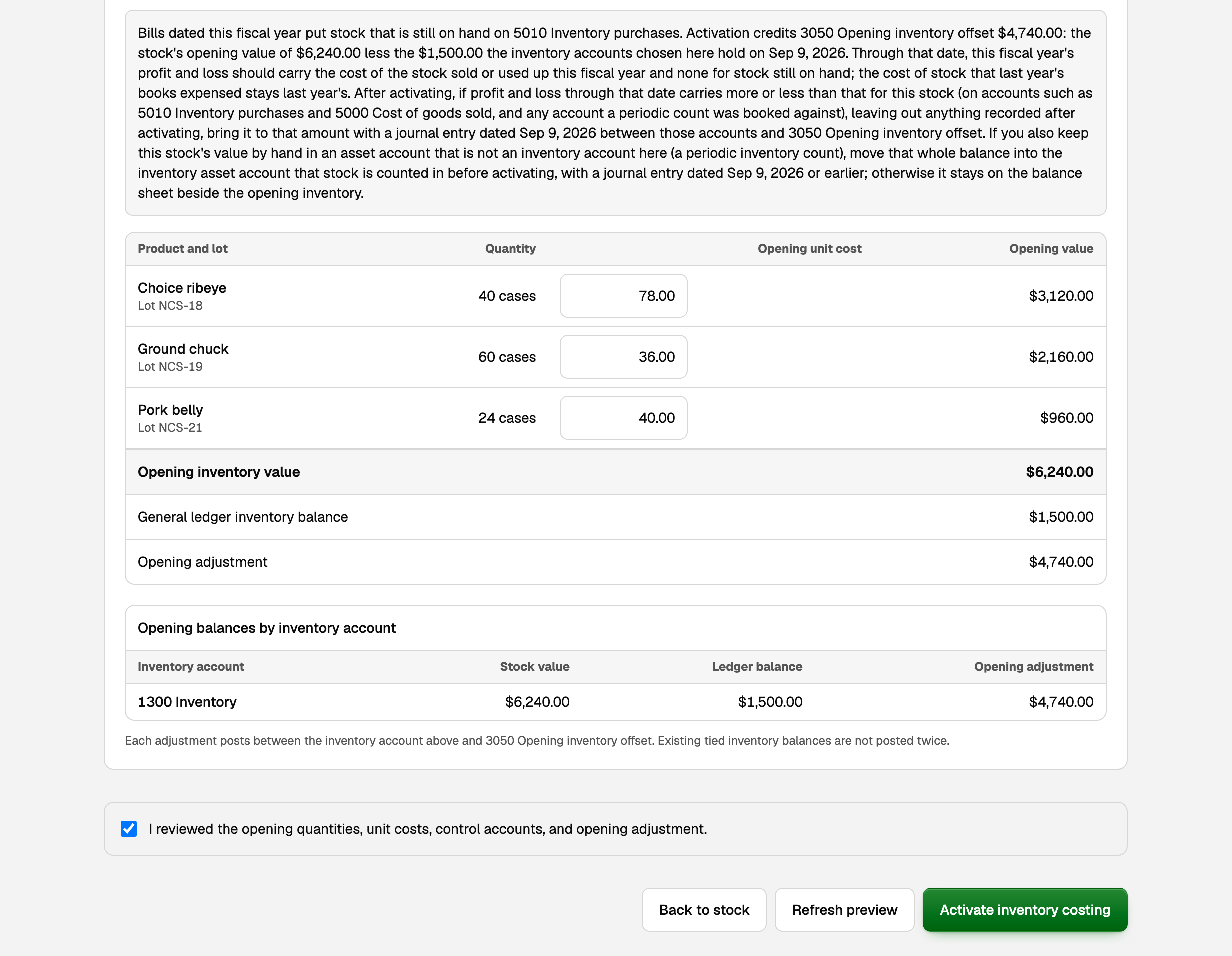
- In the opening stock table, check each Quantity and Opening unit cost. A cost already filled in is the product's saved purchase unit cost, so change it if this stock cost you something else. Where a row says Needs cost, type it.
- Compare Opening inventory value, what your stock is worth, with General ledger inventory balance, what your inventory accounts hold on the Accrual basis on the start date. The difference is the Opening adjustment.
- If a note shows above the table, read it and keep a copy before you activate: the page does not show it again. It names your accounts, says what activation posts to your offset and what this year's profit and loss should carry for this stock, and which journal entry to make after activating if it carries more or less.
- Tick I reviewed the opening quantities, unit costs, control accounts, and opening adjustment.
- Click Activate inventory costing.
Changed something after previewing? Click Refresh preview.
What your books now say
Activation brings each inventory account up or down to the value of the stock in it on the start date. The difference posts between that account and your Activation offset. An account that already matches gets no entry.
In the example, the stock is worth $6,240.00 and the books hold $1,500.00 in 1300 Inventory. Activation adds $4,740.00 to 1300 Inventory and credits the same amount to 3050 Opening inventory offset.
From then on:
- A Bill for stock adds its cost to Inventory asset instead of an expense. See Receive inventory on Bills.
- An invoice moves the average cost of the units sold from Inventory asset to Cost of goods sold. See Sell inventory and post cost of goods sold.
- Freight and other charges you place on stock go through Landed costs. See Inventory costing and landed costs.
- On the Cash basis your reports now read Cash (hybrid for inventory): buying and selling stock count on the document's date, and everything else when it is paid.
On the same page, Open inventory cost report shows your stock value and cost of goods sold.
Change storage costs later
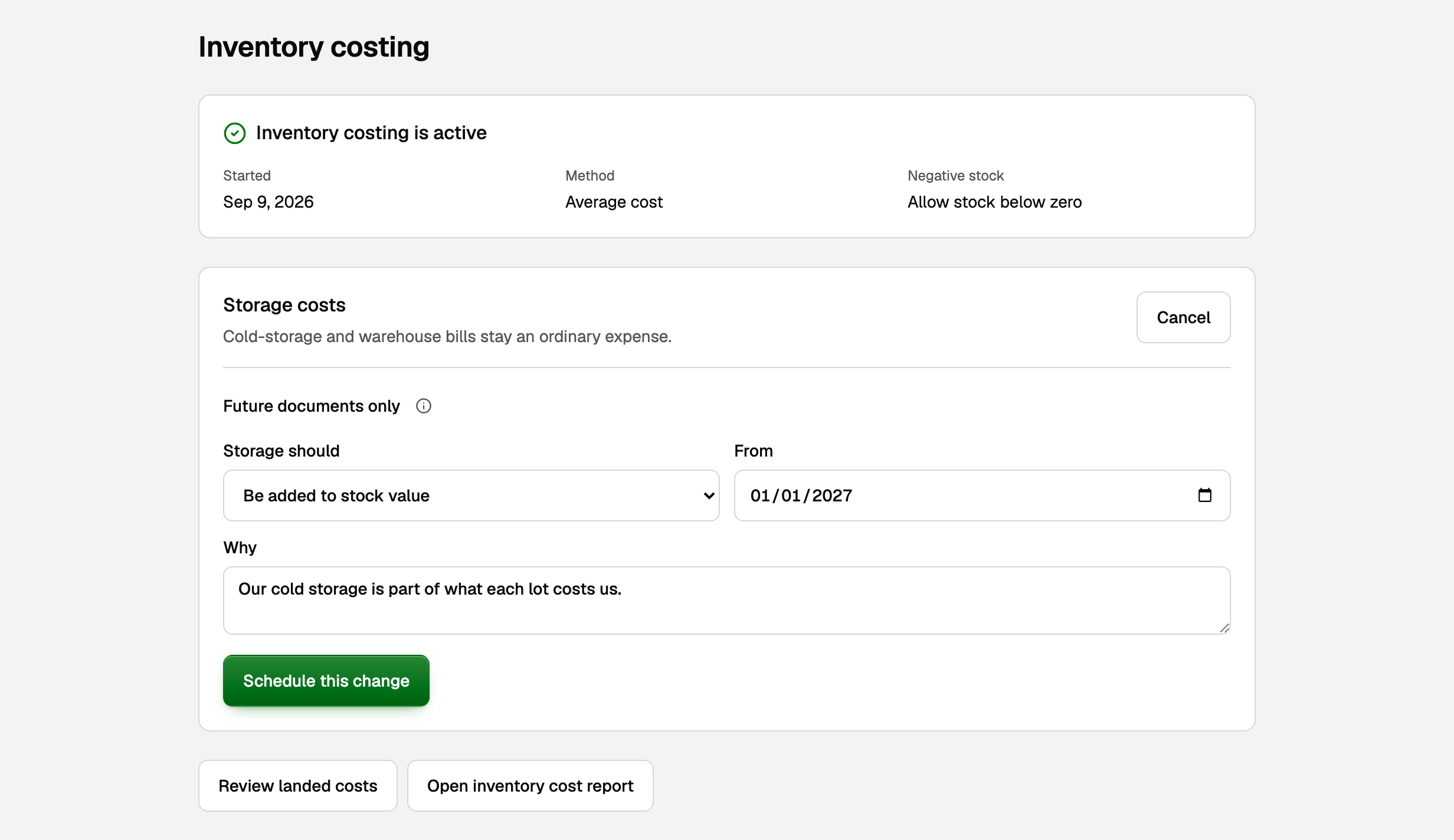
- On the same page, click Change from a future date. Only the owner sees it.
- Set Storage should and a From date after today.
- Type a reason under Why, then click Schedule this change.
The change applies to documents dated on or after that date. A Bill dated earlier keeps the old treatment, even if you enter it later. Once storage has been added to a lot's value, only support can switch it back to an expense, and the button no longer shows.
If something goes wrong
- The preview lists something to fix. Usually the start date is before the last stock movement, inside a closed period or before entries already on an inventory account, or a product has no cost. Fix it, then click Refresh preview. You can't block stock below zero while a product is below zero, so count it first.
- You can't post to the inventory account any more. After activation only stock documents change Inventory asset, Landed cost clearing and any inventory account a product names as its own, older entries included: Bills, invoices, credit memos, stock adjustments and landed costs. Journal entries and categories can't. To correct stock, record a stock adjustment. Cost of goods sold and Activation offset stay open for ordinary entries.
- Your books were imported. The preview then warns about Cash-basis reports. You can still activate, but from then on these books have Accrual reports only. If you report on the Cash basis, decide that before you activate.
Updated on: 17/10/2026
Thank you!