
Sell inventory and post cost of goods sold
When inventory costing is on, posting an invoice takes stock off the shelf and books its average cost to cost of goods sold.
Sell it on an invoice
- Open All pages in the left sidebar, then click Sales and Invoices, then New invoice.
- Pick the customer in Bill to.
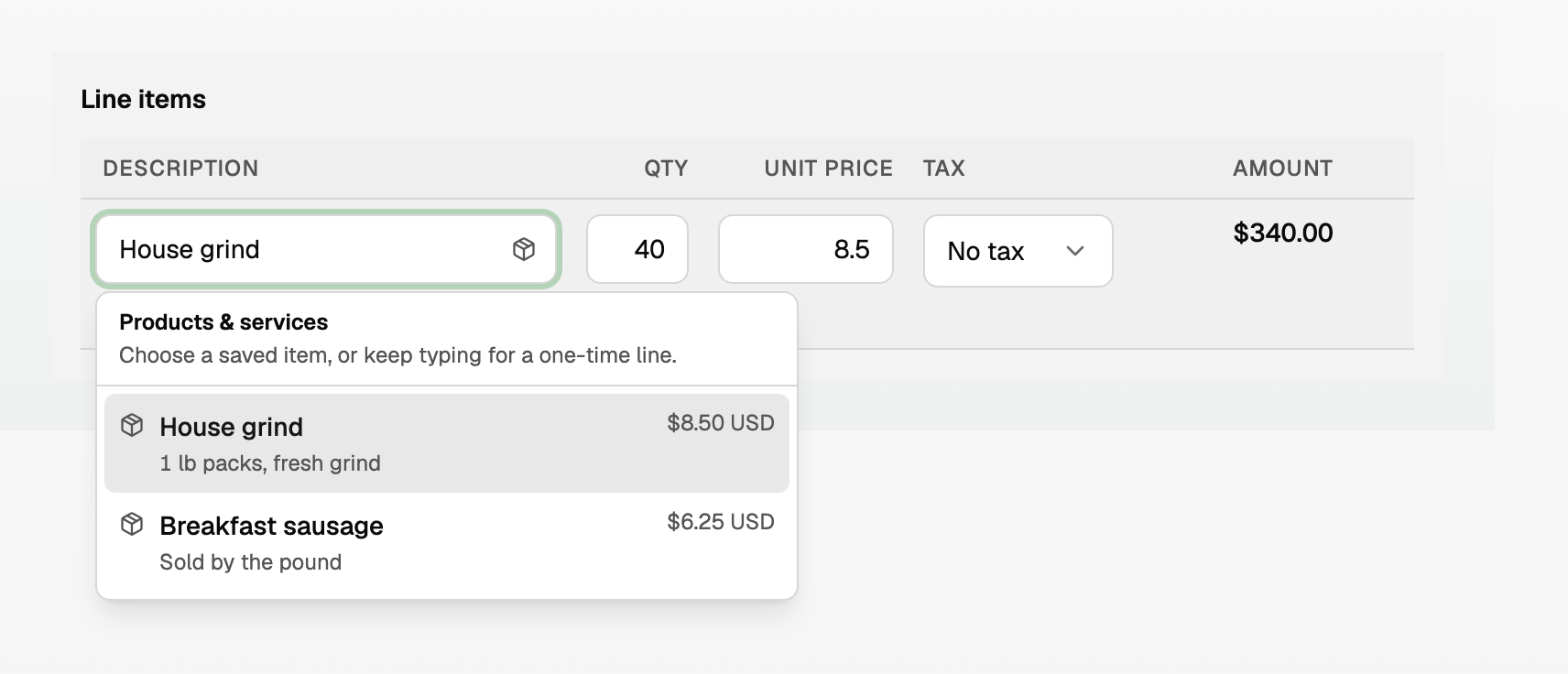
- On Line items, focus Description. The menu is Products & services.
- Choose a stock-tracked product. Qty is in that product's unit. A line with no saved product does not move stock.
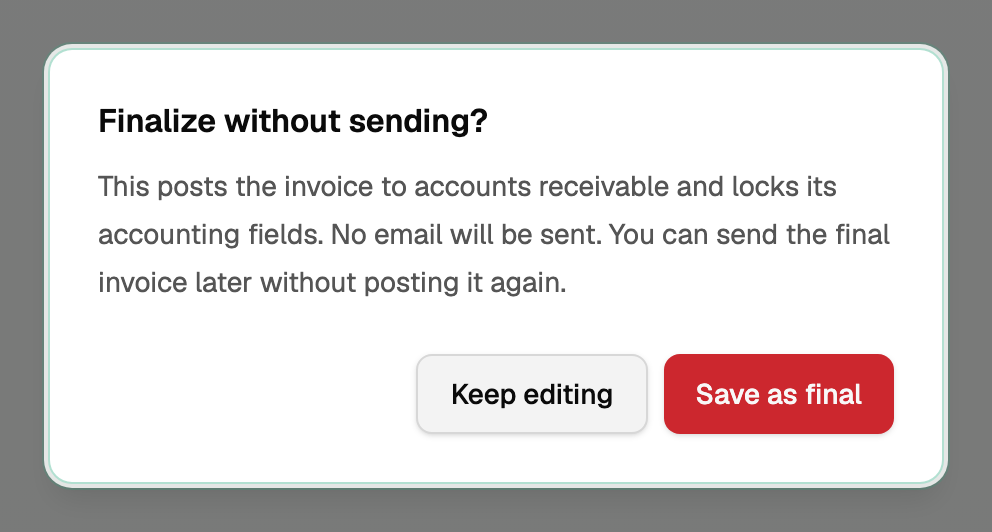
- Click Save as final or Save & send. Save draft does not move stock or post cost.
Save as final posts to accounts receivable and sends no email.
Choose lots on the invoice
Pick a product with Track lots or Count it two ways (catch weight), and Stock lots opens under the line.
- Enter the line Qty in the product's unit.
- If it tracks lots, click Add lot, choose the lot (Choose stock lot), and enter Quantity from that lot. Split the line until the full quantity is allocated.
- Counted two ways? Enter Total case sold for this line (or Total plus your Second unit) on the line and on each lot. The two must match.
- On hand is checked again when you post. Nothing is reserved.
- Posting takes that stock off On hand. A draft does not.
Average cost
The cost is the average on the invoice date, not the selling price: one average per product, or that lot's average when Track lots is on. A sale already posted keeps its cost. An earlier receipt entered later does not change it.
Harbor Meats bought 200 lb of House grind at $5.00. Invoice 1082 sells 40 lb at $8.50:
- Revenue $340.00
- Cost of goods sold $200.00
- Inventory down $200.00
- 160 lb remain, worth $800.00
The journal memo is Record inventory cost.
If stock would go below zero
An owner sets Negative stock on Costing setup. Open All pages in the left sidebar, then click Inventory and Costing setup.
- Allow stock below zero posts with no warning. Missing units use the last purchase cost until you receive more, and Products & stock shows Oversold (more was sold than is on hand).
- Block stock below zero stops the post. Receive the goods first, or ask an owner to allow it. See "Receive inventory on Bills".
When BooksGPT refuses a date
With costing on, BooksGPT can refuse a date that would sell or remove stock before it arrived. The message names a date that works, when one exists.
Invoices, Bills, stock adjustments, and credit memos are covered for products without lots. A lot sale is not covered: that lot uses its own receipt.
A receipt can still be refused, even on a lot, when you date it before another receipt that already covered a sale made before the goods arrived.
- Use the date the message names, or a later date. To receive stock earlier, undo the later receipt first.
- If it names sales, stock adjustments, credit memos, or Bills that already used the stock, undo or correct those first.
- Contact support when it offers no date, when another sale would be left waiting past a receipt, or when there is too much history to check.
Change or undo a sale
- Correct amounts & dates reposts the cost. Stock lots works the same way: a price or date change keeps the split, and a quantity or lot change asks for the amounts again. A later Bill that covered the sale can refuse even a price change.
- Revise details does not move stock or cost.
- Void invoice or Delete invoice returns the stock and reverses the cost. Remove any payment first. A later receipt that already covered the sale can refuse it.
- An issued credit memo blocks void, delete, and correct. See "Issue a credit memo".
- To return goods, click Issue credit memo. See "Return inventory with a credit memo", including items sold at a zero price.
Where the cost shows
Open All pages in the left sidebar, then click Inventory and Products & stock. Cost history lists Purchase cost, Sold inventory, COGS, and Running value. A lot sale names the lot under Sold inventory. Open a lot, then Show all lots.
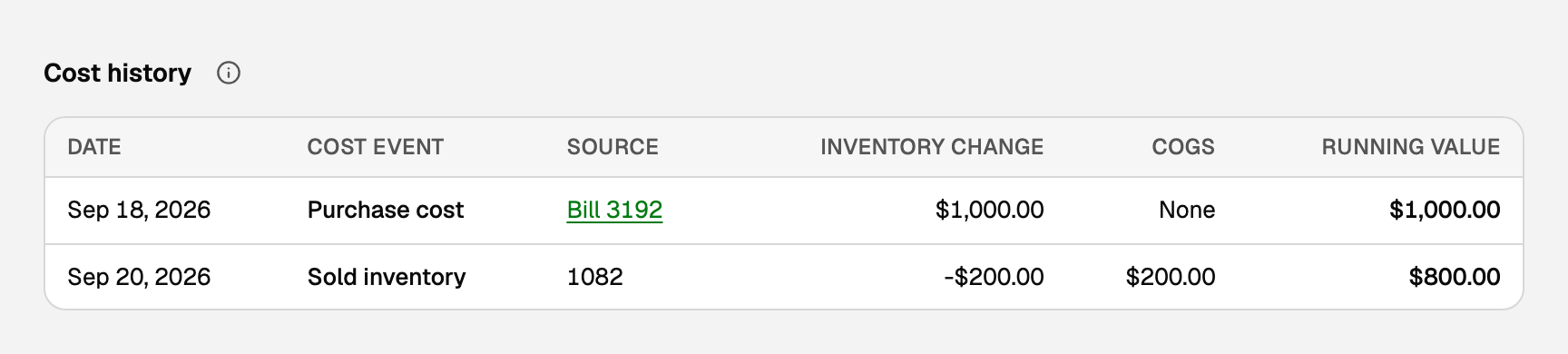
Period totals are the COGS view on Inventory costs. See "Read inventory value, COGS, and margin".
Updated on: 04/10/2026
Thank you!