
Purchase orders
A purchase order records what you asked a vendor to send, and what is still open. It is a request, not a bill.
Create one
- Open All pages in the left sidebar, then click Purchases and Purchase orders.
- Click New purchase order.
- Choose the Vendor, the Order date, and Expected.
- Add a line for each thing you are ordering: a product, or Use a category instead for freight.
- In Unit, type how you count the quantity, such as lb or case. It prints on the PDF. Leave it blank and the saved order shows Not set.
- Click Save purchase order.
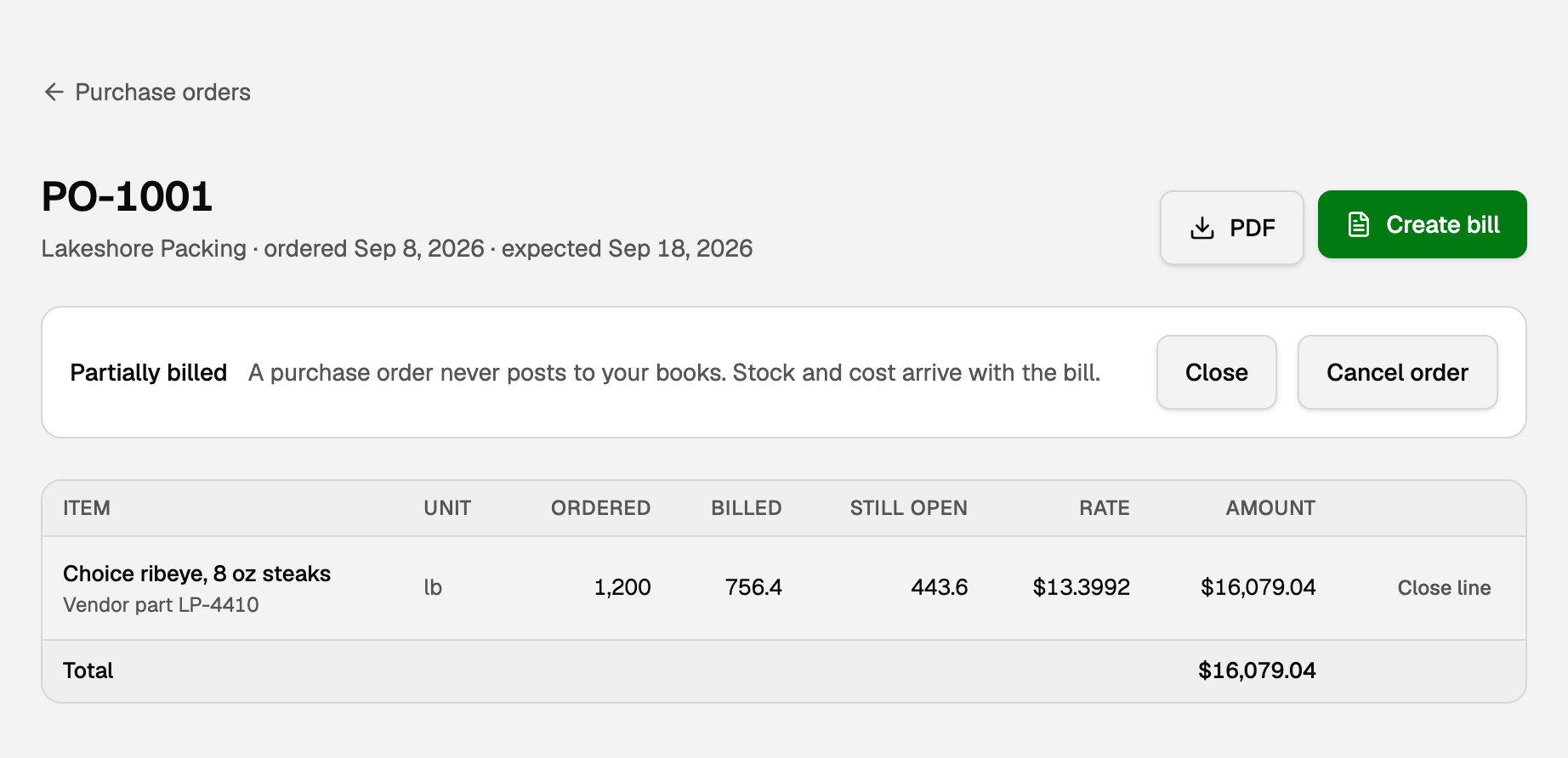
The list filters are All, Open, Partially billed, Closed, and Cancelled. Still open is what you are waiting on.
Send it to the vendor
- Click PDF to download a file with your logo and address.
- Message to vendor (printed) goes on that PDF. Internal memo does not.
Bill what arrived
- Open the order and click Create bill. The button is gone on a Closed or Cancelled order.
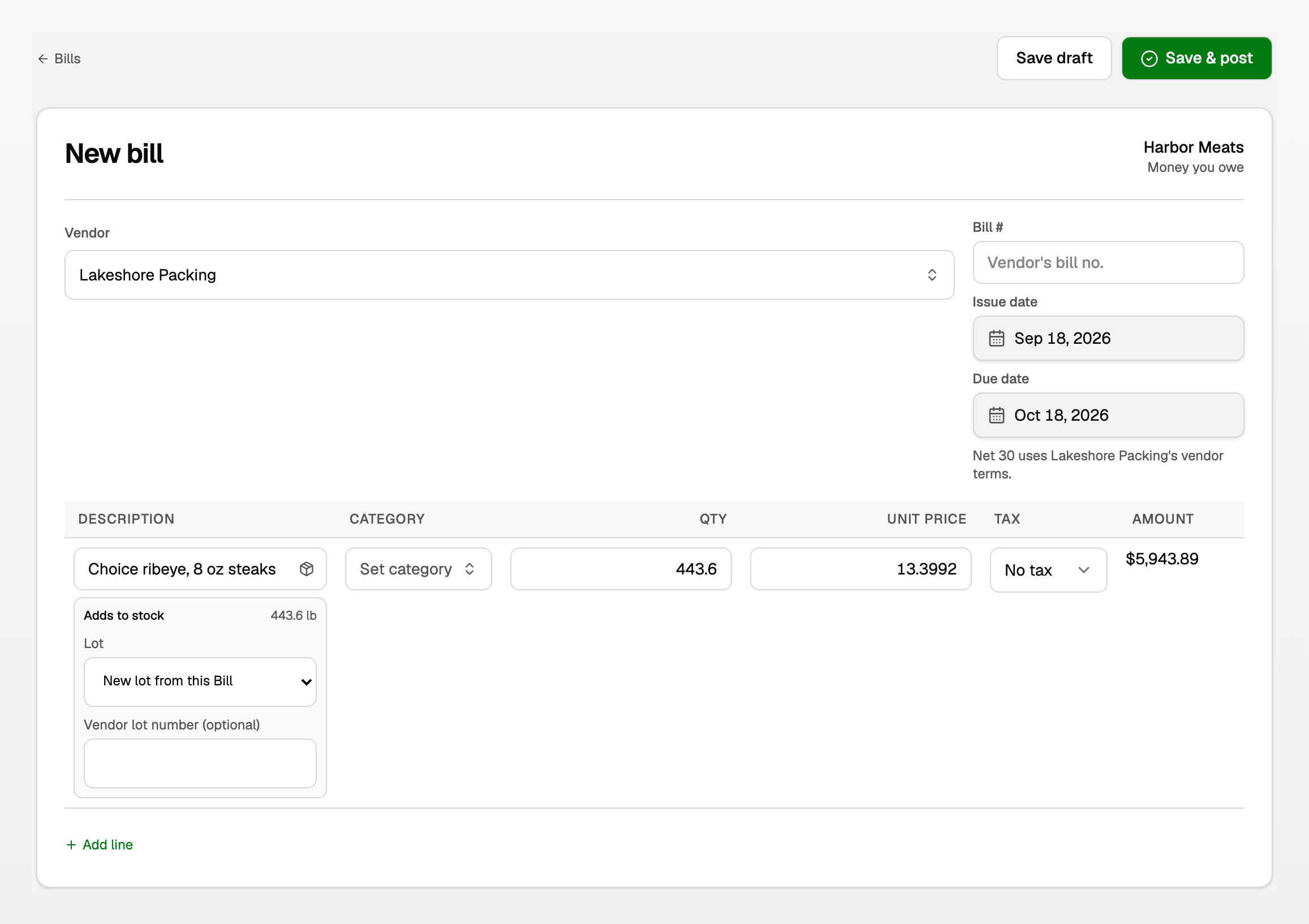
- New bill opens with each still-open line, and Qty set to what is left. Ordered 1,200 lb and 756.40 lb arrived? Change Qty to 756.40. After you save, the next Create bill offers the rest.
- A stocked product shows Adds to stock. Leave New lot from this Bill, or pick a lot. Vendor lot number (optional) is the packer's code.
- Click Save & post.
The rate copies only when it already fits four decimal places. If it needs more, Create bill stops, and you enter the vendor bill from Bills.
- A tracked product can add to On hand when you post. A category line does not. See "Track stock quantities".
- While costing is on, a stocked line may carry Tax. Tax the business cannot reclaim is added to the stock's cost. Tax it can reclaim goes to the Input tax recoverable account and never into stock. A freight or other landed charge carries the tax it cannot reclaim with it. See "Receive inventory on Bills".
- To turn costing on, see "Set up inventory costing".
What the statuses mean
Status | What it means |
|---|---|
Open | Nothing billed yet. |
Partially billed | Some billed, something still open. |
Closed | Fully billed, or you closed the rest. |
Cancelled | It should never have been placed. |
The status follows the bills, including a draft. Voiding a bill puts that quantity back on the order.
Close the rest, or cancel
- Click Close line on that line, or Close on the whole order, when the rest is not coming. Bills you already saved stay.
- Reopen undoes Close. Reopen line undoes Close line.
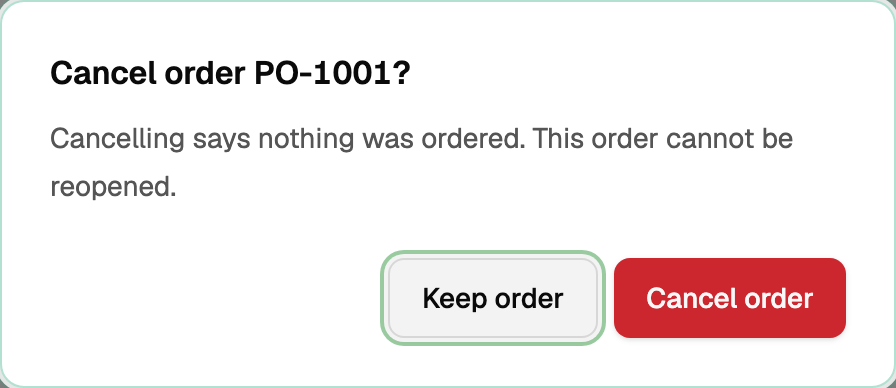
- Cancel order means nothing was ordered. Use it only before any bill. Keep order leaves it. A cancelled order cannot be reopened, so start a new one if you still need it.
Good to know
- The first number is PO-1001, separate from invoices.
- A purchase order in a closed period is fine. The bill is what Period close checks.
- A saved purchase order has no edit.
- Stock quantities take up to four decimal places. See "Track stock quantities".
Updated on: 08/10/2026
Thank you!