
Read inventory value, COGS, and margin
The Inventory costs report shows what stock is worth, the cost of what you sold, and whether that value matches the inventory account.
Open the report
- Open All pages in the left sidebar, then click Reports and Inventory costs.
- Set Report period. Valuation and GL tie-out use the period end. COGS, Gross margin, and Landed-cost audit use the whole range.
- Click Print to print or save a PDF. This report has no cash or accrual switch, and no spreadsheet export.
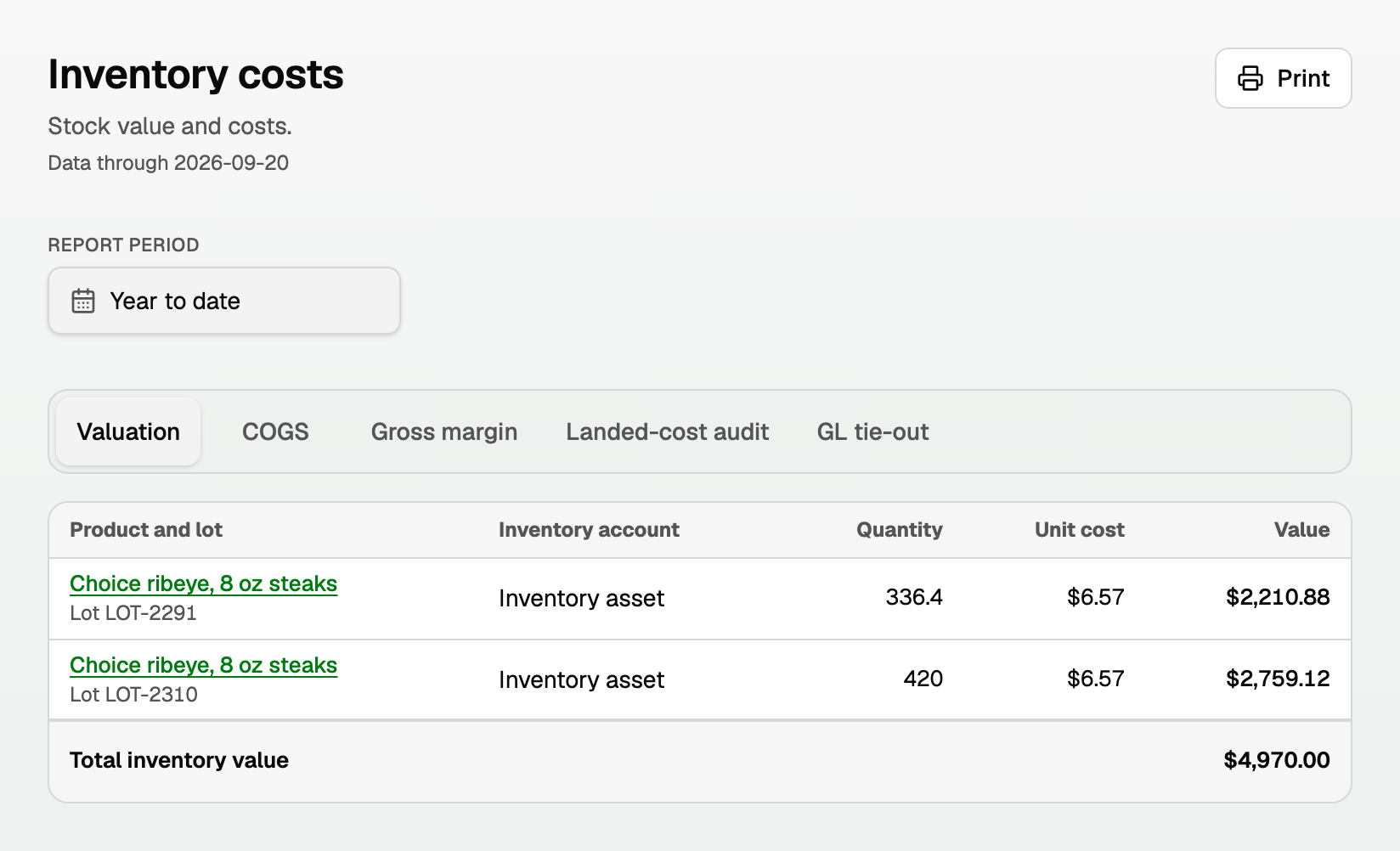
Valuation
Stock on hand at the period end, at the average cost on that date.
- Product and lot, Inventory account, Quantity, Unit cost, and Value.
- A lot row shows Lot and its number. With no lot, a code shows as SKU. With neither, the row is the product on its own.
- Total inventory value is the total for stock on hand. Click the product for its cost history. See "Read product and lot cost history".
- Each receipt or sale uses the average cost on that document's date. A Bill you enter later does not change a sale already posted. See "Sell inventory and post cost of goods sold".
COGS
The cost of what you sold in the period, at the average on each sale's date. Total COGS is the sum.
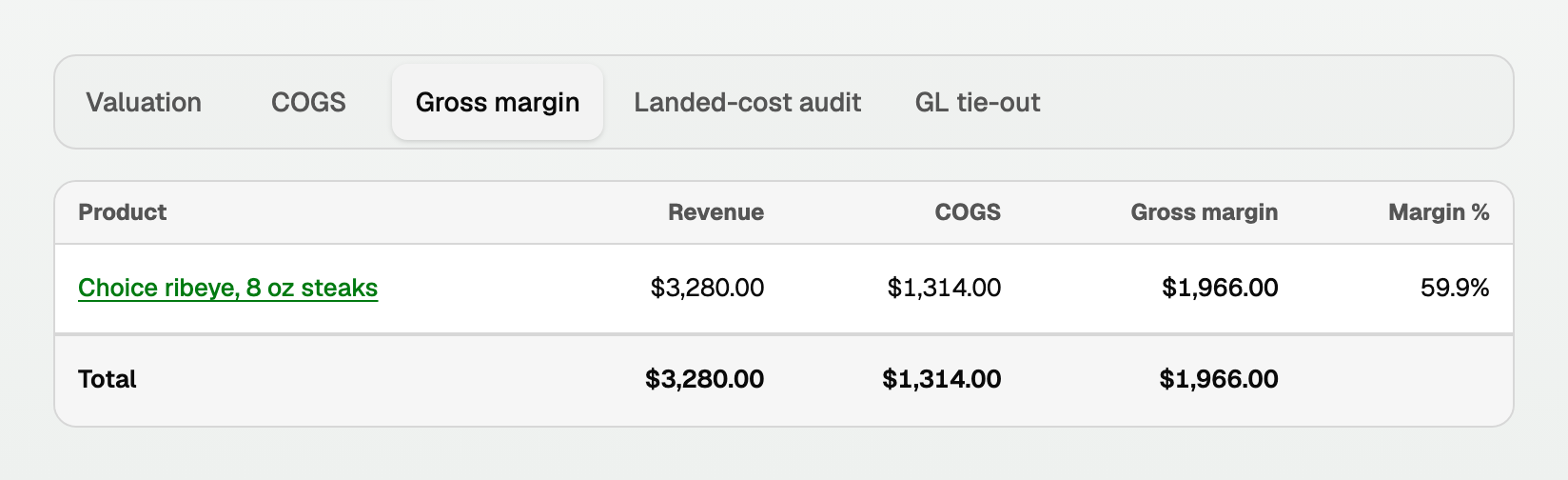
Gross margin
Revenue minus COGS. Margin % is that share of revenue. With no revenue and final costs, Margin % reads Not applicable.
Landed-cost audit
Freight, handling, storage, and other costs already applied in the period.
- Date, Source Bill, Product and lot, and Method (such as Weight).
- Allocated is that bill's share on the product. Inventory is still on hand.
- For freight, handling, and other landed costs, Sold-share COGS is the share for units sold before the charge date, plus units sold after that date and before the cost was applied.
- A captured bill whose Charge type is Storage, while Storage costs reads "Cold-storage and warehouse bills are added to stock value", puts the charge on the stock the lot holds on the charge date. Units sold before the charge date take none of it when the lot held stock on that date. Units sold after that date, and before the cost was applied, carry their share into Sold-share COGS as they sell.
- If that lot had nothing on hand on the charge date, the whole storage charge is Sold-share COGS.
- A cost allocated on Landed costs with no captured review behind it keeps the freight split. Nothing on that path says the charge is storage.
- A status under the Bill, such as Applied, opens that allocation.
GL tie-out
Compares stock value with the inventory accounts in your general ledger. Difference should be $0.00.
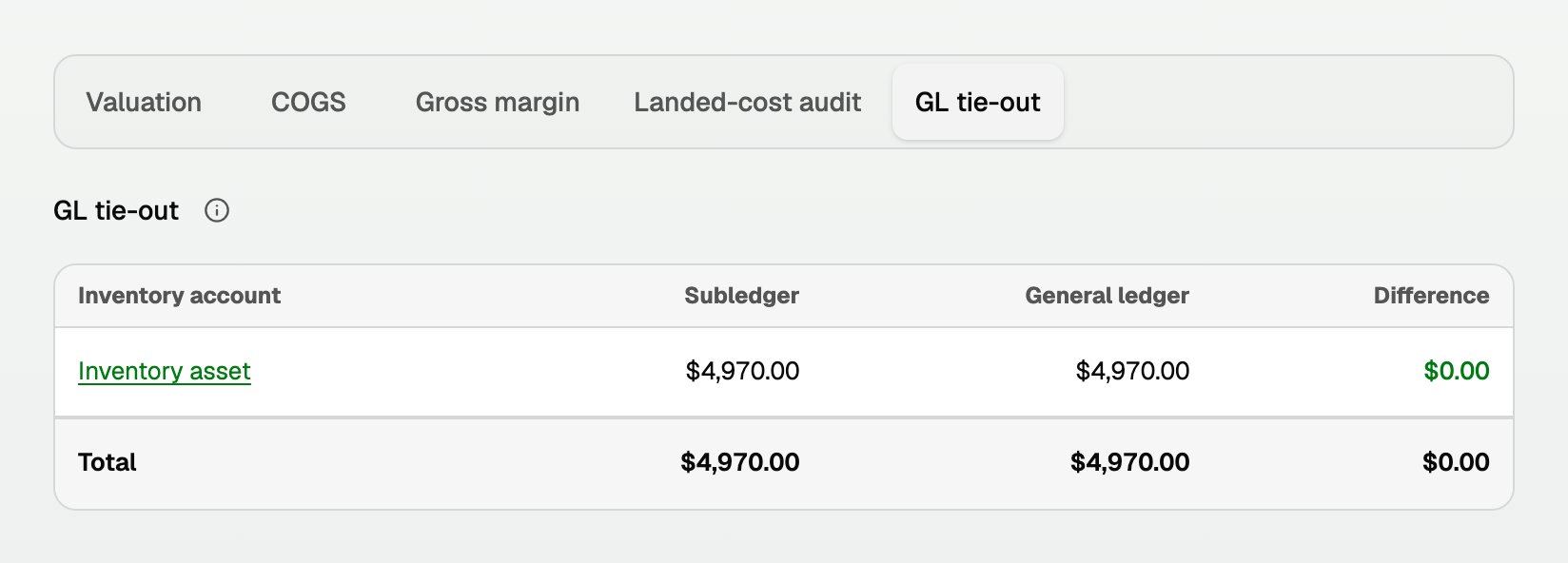
- Subledger is the stock value from Valuation for that Inventory account.
- General ledger is the posted balance as of the period end.
- Click the account name, such as Inventory asset. The General Ledger opens Filtered to account, for the same period, on an accrual basis.
- Source names the kind of line, such as Inventory purchase, Cost of goods sold, or Landed cost. The account total is this tab's General ledger figure.
When a total is not ready
- The report says Inventory costs are updating. Amounts read Updating costs, and the page refreshes on its own.
- A report for a past date can still say Updating costs when that date included an estimate that a later receipt settled.
- General ledger can still show a dollar amount while Subledger and Difference say Updating costs.
- Unavailable means a cost needs attention before the totals are final. If Landed-cost audit says Cost update failed, retry that update on the saved review. See "Inventory costing and landed costs".
- If the report names the day costing started, pick a period on or after that day. If it asks for an opening first, finish Costing setup. See "Set up inventory costing".
Updated on: 05/10/2026
Thank you!