
Discuss a transaction in Chat
A transaction can carry a conversation. Use it for the questions that would otherwise live in an email thread: why a charge was split, who paid this card, which client this deposit came from. Notes stay inside the workspace. Emailing the client is a separate, consented lane.
Open it
- Open All pages in the left sidebar, then under Daily work click Transactions.
- Click the transaction to open its detail pane.
- Find the Chat row. It shows the state and the last thing anyone said.
- Click it to open the conversation.

What the state means
- Open means someone started a conversation that is still going.
- Awaiting client means a question was emailed and no answer has arrived.
- Client replied means the client answered. It has a bold green edge because it is new information for you.
- Resolved means someone closed it out.
- No answer means a question was sent and the client did not reply.
Add a note
- Open the conversation.
- Type in the note box, which is labelled Note and marked your workspace only.
- Type
@to tag a teammate. Tagging writes their name in the note and sends no email. - Click Add note.
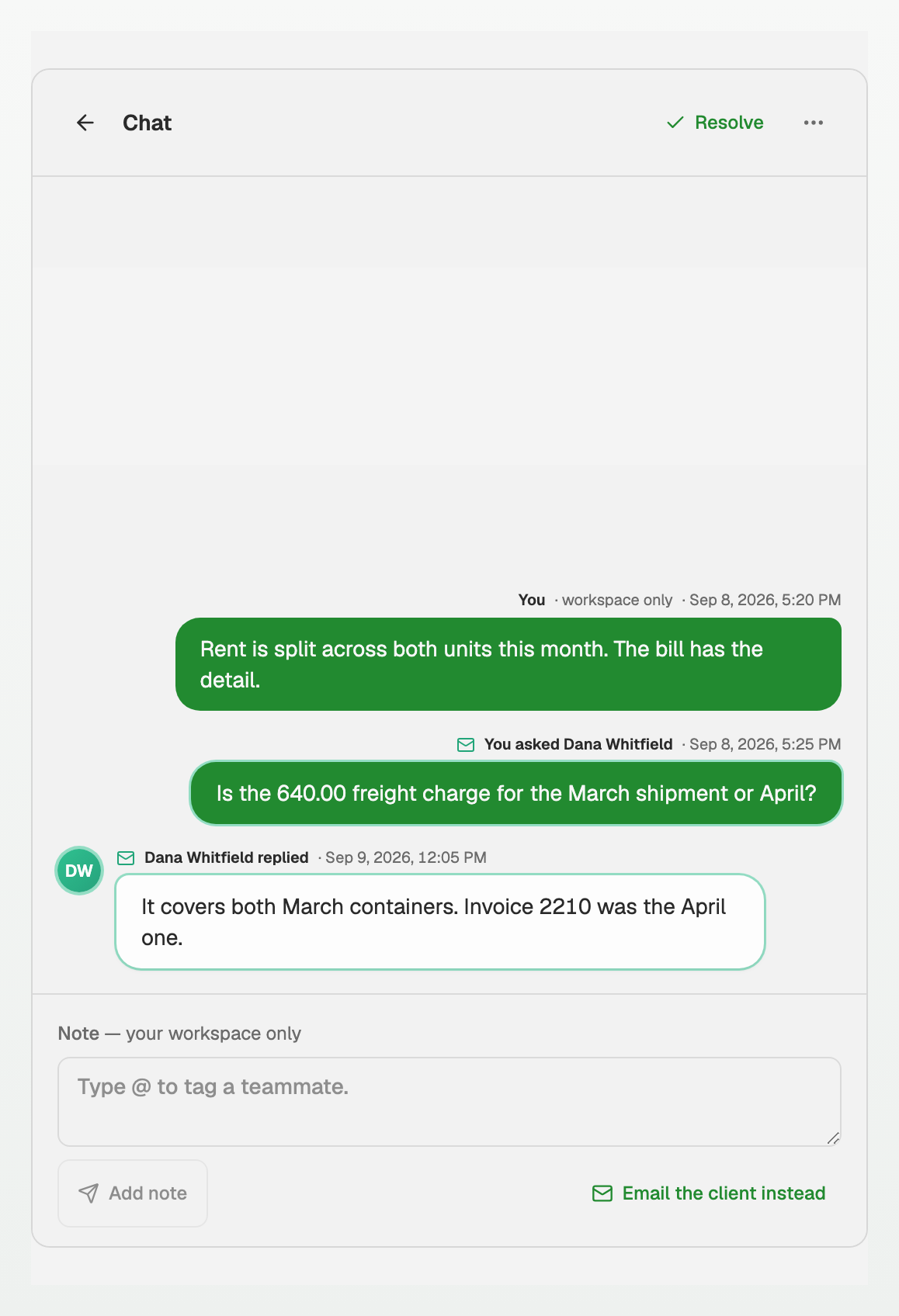
What the markers mean
- A note is internal. It carries no mail marker, and the composer says workspace only.
- Email the client instead starts a client question, where you choose the recipient, the request, and the send. See "Ask your client about selected transactions".
- A client's reply arrives in the same conversation, marked with who replied.
Good to know
- The conversation belongs to the transaction it was started on.
Updated on: 14/10/2026
Thank you!