
How automatic categorization and review work
Every bank transaction needs a category: the account that says what the money was for, such as Office Supplies, Rent or Sales. Categories are what turn a list of payments into a profit and loss report, so you can see what you earned and where it went. BooksGPT suggests a category for each transaction as it arrives, and you approve it.
What happens when a transaction arrives
BooksGPT works through these in order:
- A payment to one of your credit cards. Paying a card is not an expense: it moves money from your bank to the card. BooksGPT suggests a transfer to that card. Money moved between two of your own accounts is a transfer too, never income or expense. See Transfers, credit-card payments, and owner draws.
- Your rules. A rule says, for example, always file The Home Depot as Materials. See Categorization rules: teach it once.
- AI, for everything else. It picks an account from your chart of accounts and says how sure it is.
Until you approve it, most money already sits in your books in Uncategorized Expense or Uncategorized Income, so your bank balance counts it. Your profit and loss just cannot say what it was for yet. A few, such as card payments and possible duplicates on hold, stay out of your books until you decide them.
Choose how much AI does
- Click Settings at the bottom of the left sidebar, then AI preferences. (All pages, then Accounting and Categorization, opens the same place.)
- Under Categorization, choose one:
- Off: transactions import and your rules run, but AI suggests nothing until you ask it to.
- Suggest (the default): AI fills in a category on each transaction, and you approve it.
- Auto-post above a threshold: AI files a transaction itself when it is sure enough. Everything else waits for you.
- If you chose auto-post, click Turn on auto-post to confirm. Then drag the slider to set how sure AI must be, from 50% to 99%. The default is 85%.
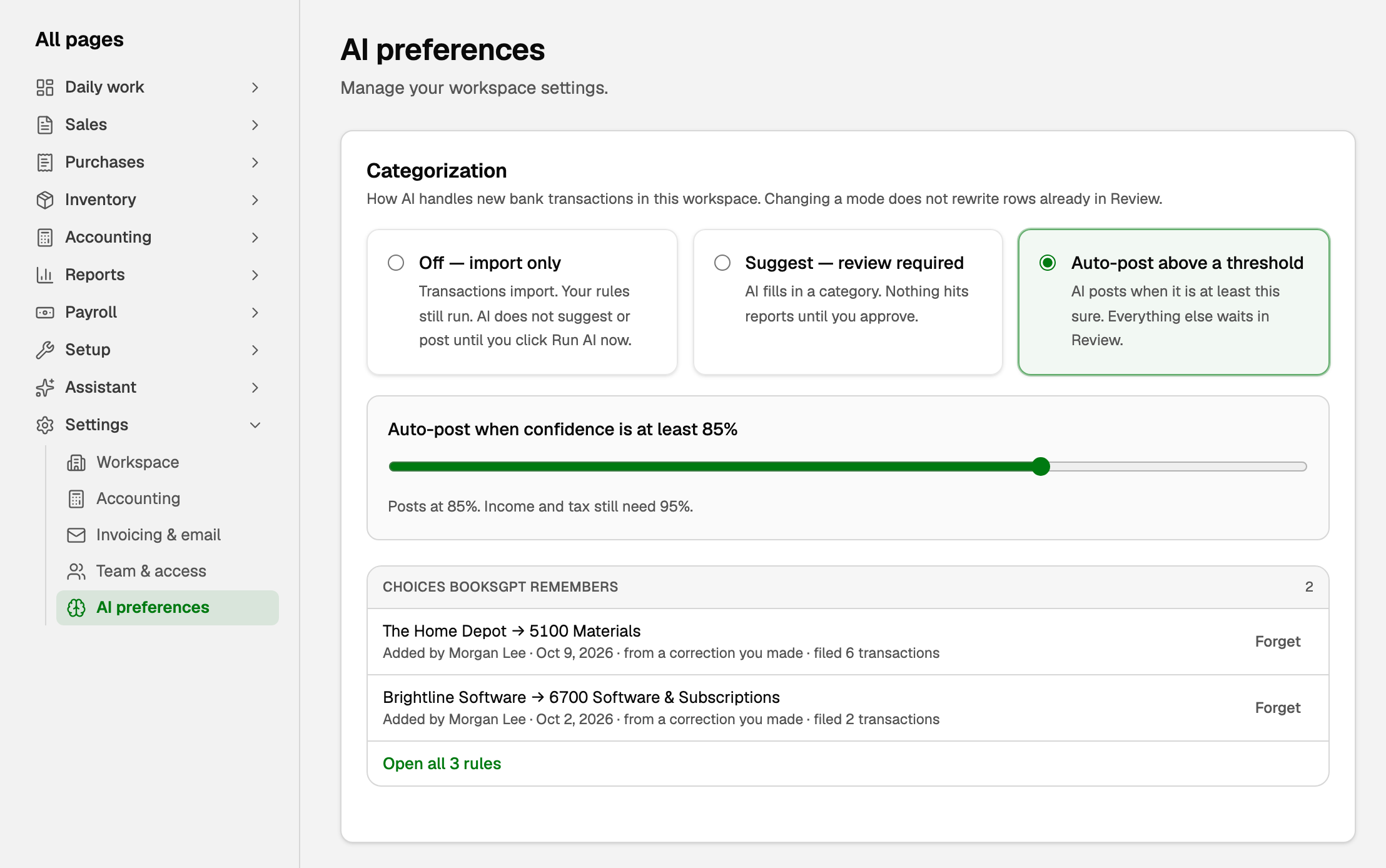
Only a workspace owner or bookkeeper can change this. A new mode applies to new transactions; anything already waiting stays for you to approve.
Auto-post has floors you cannot lower. Whatever the slider says, BooksGPT auto-posts an expense only when it is at least 85% sure, and income, tax, transfers and card payments only at 95%.
Approve what BooksGPT suggests
You approve suggestions in the Review inbox, your to-do list for new transactions.
- Open All pages in the left sidebar, then click Daily work and Review inbox.
- Under Ready to post, check the category on each row. A green sparkle means BooksGPT suggested it. Click the category to see how sure BooksGPT is, under Suggested, or to pick a different account.
- Click the green circle at the end of the row to approve it, or Approve & post all to approve every row on the tab.
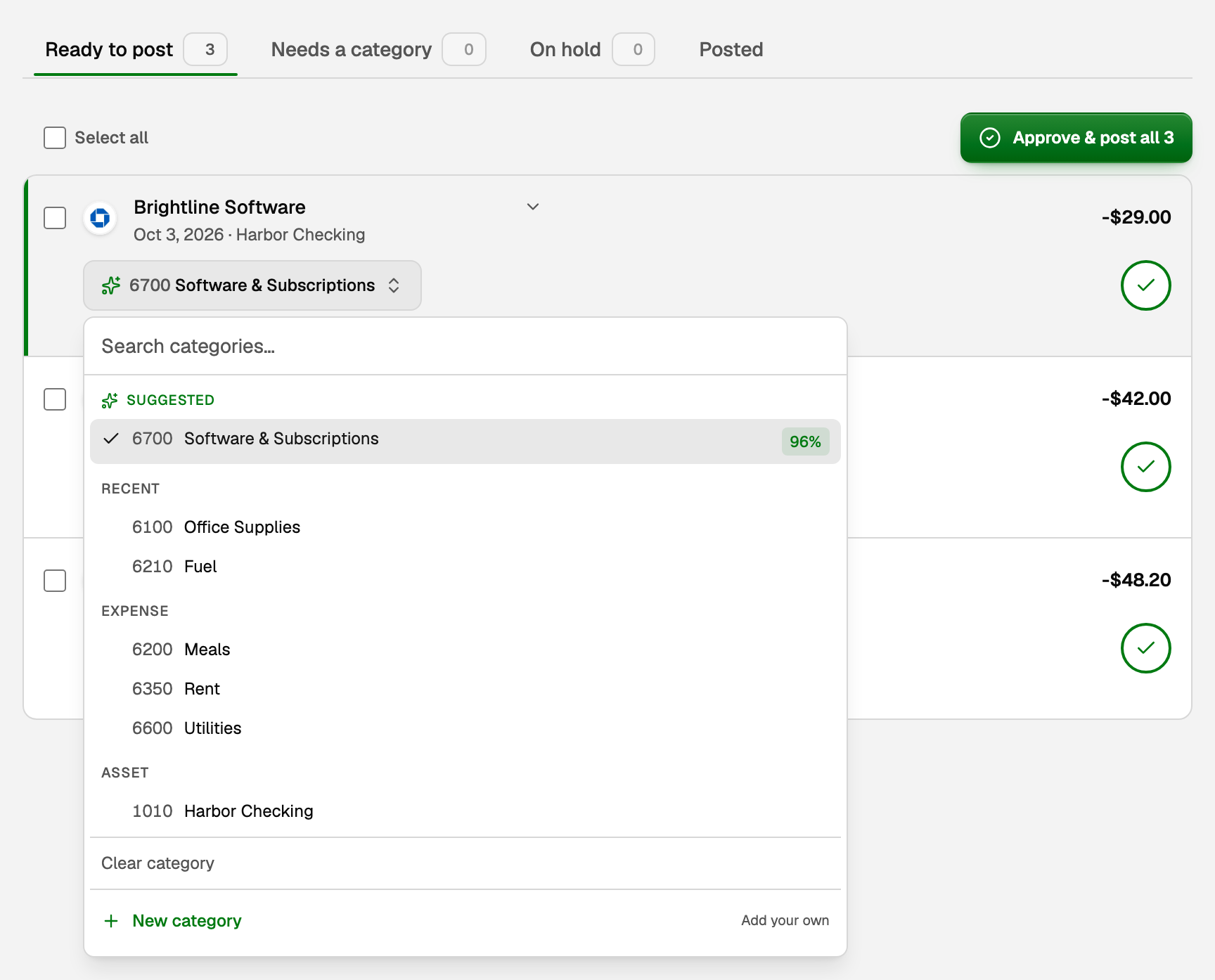
When you change a category, BooksGPT may offer Remember this choice, so the next transaction from that merchant is filed the same way.
Review the inbox and file Uncategorized transactions walks through every tab, including rows that need a category and rows on hold. To have Copilot categorize a batch for you, see Review what Copilot suggests.
What your books say after you approve
Say a $42.00 charge from Northstar Stationery comes out of your checking account:
- When it arrives, checking goes down by $42.00 and Uncategorized Expense goes up by $42.00.
- When you approve it as Office Supplies, the $42.00 moves from Uncategorized Expense to Office Supplies. Checking does not change again.
Approving moves the money to the right account. It never counts it twice.
If you already recorded the payment
Sometimes the money is in your books before the bank transaction arrives: you recorded a customer's payment on an invoice, paid a bill, or a recurring entry posted the rent. Then the bank transaction is the same money, so match it instead of approving it.
- In the Review inbox, such a row says In your books. Click Match.
- Otherwise, open All pages, then click Daily work and Transactions. Click the arrow at the end of the bank transaction's row, then Match to existing entry. Pick the entry, check its name, date and reference, and click Match entry.
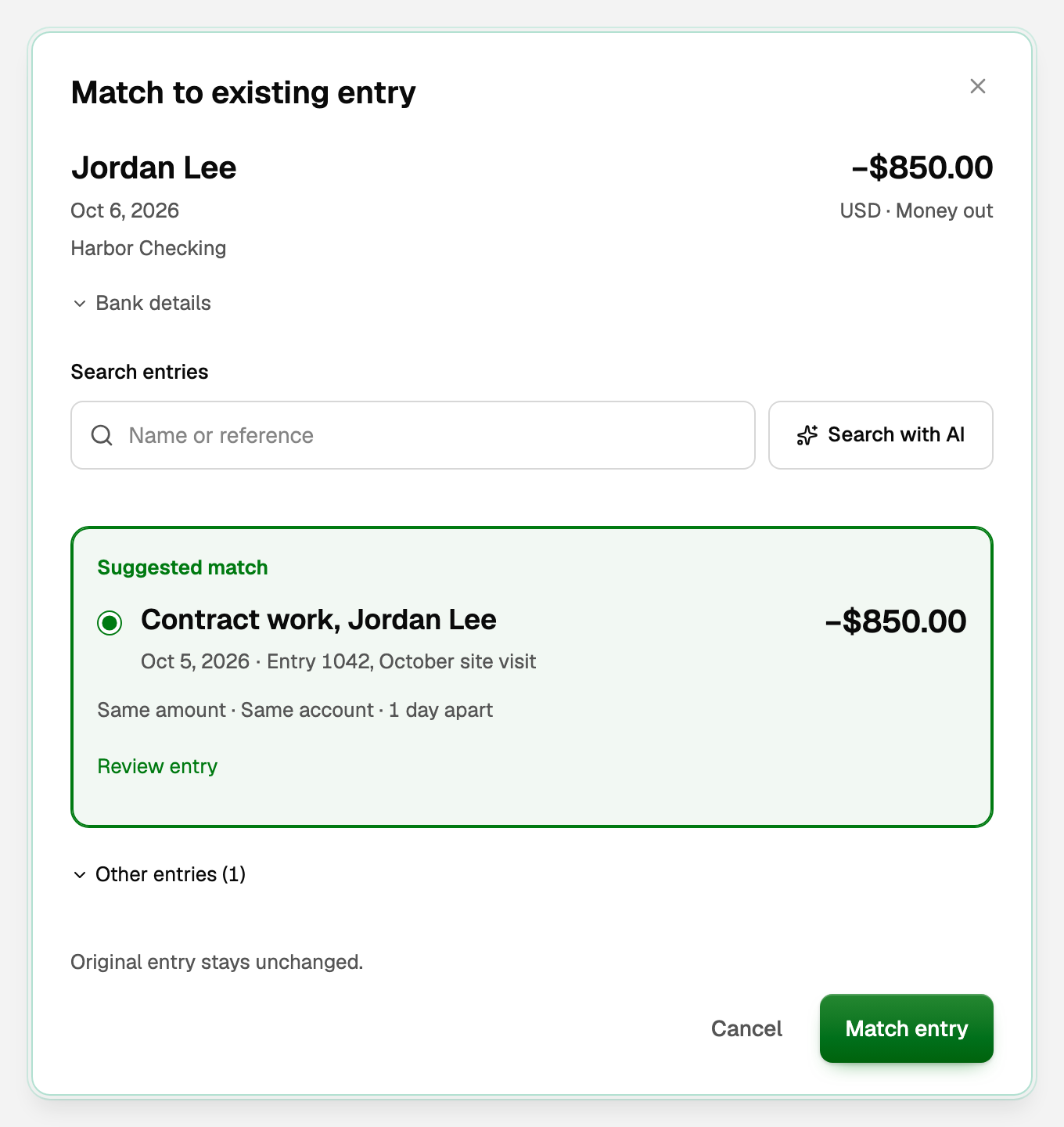
The entry you recorded stays as it is, and the bank transaction is marked reviewed. Only an owner or bookkeeper can match. Once you match one payment of a recurring entry, BooksGPT matches the next ones itself when exactly one bank payment fits.
If something goes wrong
- AI stopped categorizing a bank's transactions. Someone may have clicked Stop auto-categorizing during an import. Open Settings, then AI preferences, and click Resume AI on imports. Choosing a mode does not restart it.
- A bank's transactions arrive with no suggestions. It was brought in with Just import. Open Banking, click the three dots on that bank's row, and click Run AI now.
- You approved the bank transaction before matching it. BooksGPT will not match an approved transaction. In Transactions, open its category list, choose Clear category, then match it.
- You approved the wrong category. See Fix or change a transaction's category.
Updated on: 16/10/2026
Thank you!