
Set an account's opening balance
An opening balance is what an account held on the day you started books in BooksGPT. Set it so reports and the first reconciliation start right.
Set an opening balance
- Open All pages in the left sidebar, then under Accounting click Chart of accounts.
- On the account row, open Actions, then Edit account. Or click Add account if needed.
- Enter Opening balance and As of.
- Save.
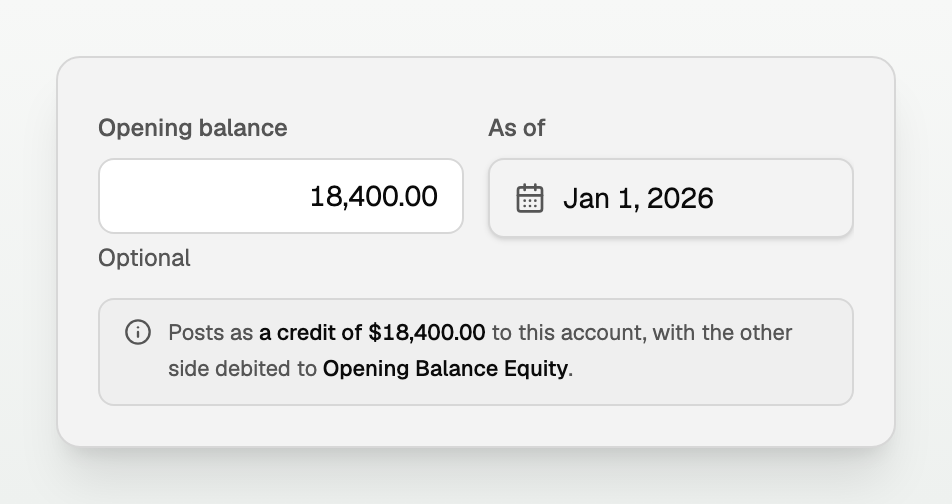
BooksGPT posts the other side to Opening Balance Equity and marks it reconciled. A preview shows the entry before you save.
When the first statement crosses your books start
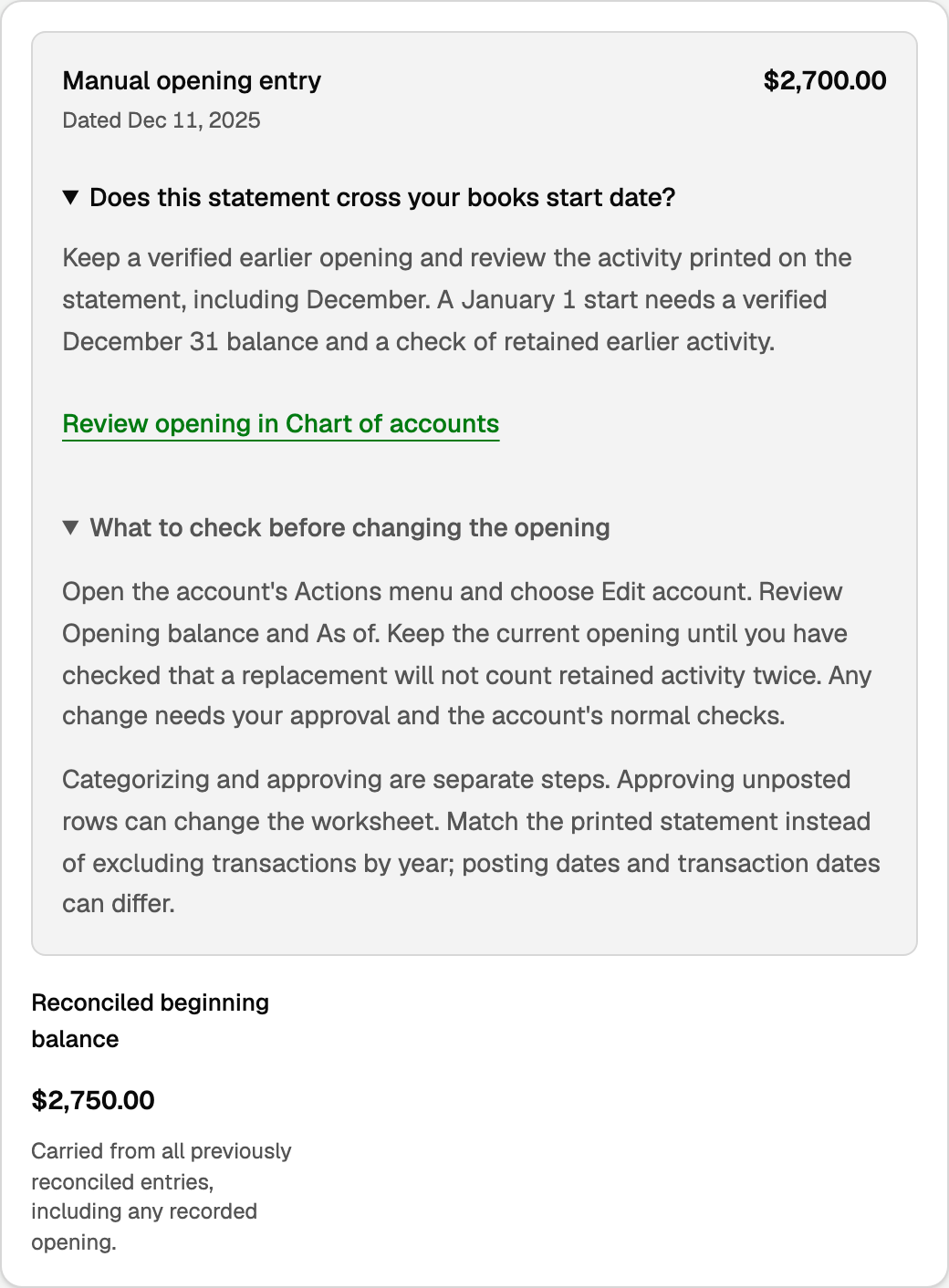
On Reconcile, Manual opening entry (amount and date) is separate from Reconciled beginning balance. Beginning balance sums every already reconciled line, so it can exceed the opening alone. The setup card also links Review opening in Chart of accounts.
Keep the verified earlier opening
- Leave the opening and As of when they match a real books start.
- Review every printed row, including December activity on a cross-year PDF.
- Categorize and approve are separate. Approving an unposted row can change the worksheet.
- Tick what the statement shows. Do not exclude every prior-year row.
Start strictly on a books cutover date
- Verify the closing balance on the cutover day (for a January start, December 31).
- Treat earlier posted and pending activity so money is counted once.
- Keep the current opening until a replacement will not count retained activity twice.
- Changing only As of, leaving older rows unticked, or excluding every prior-year row does not fix the arithmetic.
Fixing, removing, or adopting
- Open Actions, then Edit account, and change the amount.
- Clear the field to remove it.
- If the panel says Handwritten opening balance found, click Adopt existing opening.
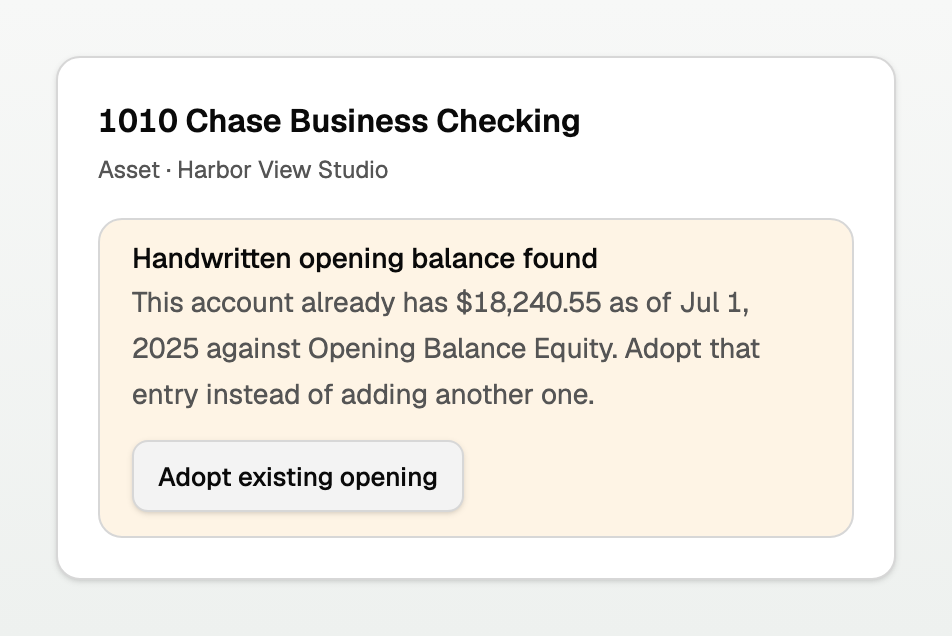
There is one opening entry per account. Editing never creates a second one.
Good to know
- Balance sheet accounts only. Income and expense start each period at zero.
- Accounts Receivable and Accounts Payable are excluded. Enter unpaid invoices and bills instead.
- A Wave or QuickBooks Trial Balance import already set openings for accounts it covered.
- A change still needs approval and the account's normal checks.
Updated on: 16/10/2026
Thank you!