
Transfers, credit-card payments, and owner draws
Three everyday transactions get miscategorized more than anything else. All three have the same tell: no money actually left or entered your business.
Moving money between your own accounts
Checking to savings, checking to a second business account, an owner moving cash between the two.
- This is a transfer, not income and not an expense.
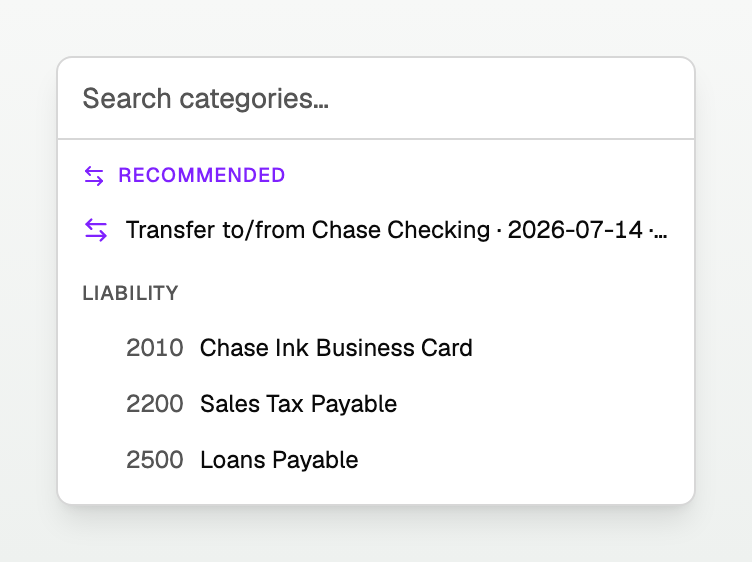
- When both rows are in BooksGPT, match them as a pair. The category picker shows the other row under Recommended as Transfer to/from <account>.
- When only one row exists, open Transfers in the category picker and choose Transfer from <account> for a deposit or Transfer to <account> for a withdrawal. The note under that heading says Use when only this side is in BooksGPT. If an account under Transfers is marked Matches, the other side is already here, and choosing it matches the two rows.
Both workflows move cash between balance-sheet accounts. Neither records income or an expense, so neither changes the profit and loss report.
Until the two legs are paired, each unreviewed side posts on its own.
QuickBooks does the same. Pair them, and both leave Uncategorized.

Paying your credit card
The payment from checking to your card is also a transfer. If both payment rows exist, pick the match under Recommended. If only the checking row exists, choose Transfer to <credit-card account> under Transfers.
- The expense was already recorded when each charge arrived on the card.
Taking money out for yourself
Money you take out of the business for personal use is a draw, not an expense.
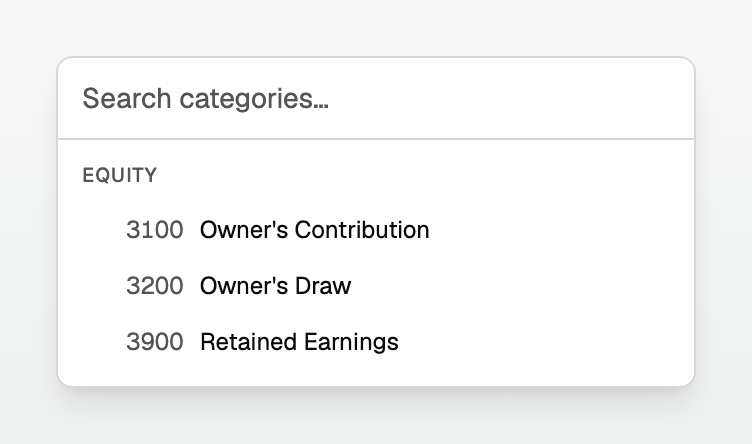
- Categorize it to Owner's Draw, under the Equity group in the category picker.
- It never touches your profit and loss, because a draw is not a business cost.
Money you put in is the mirror image:
- Categorize it to Owner's Contribution, also under Equity.
- Not income. You did not earn it.
Paying yourself a real salary through payroll is different. That one is an expense.
The quick test
Ask whether the business is better or worse off.
- Cash moved between your own pockets? Transfer.
- Money left the business for you personally? Draw.
- Borrowed money arrived? Liability. See "How to record a loan".
- You actually earned it, or actually spent it? Income or expense.
BooksGPT warns you when this looks wrong. Categorize money going out as income and the picker tells you so before you save it.
Updated on: 16/10/2026
Thank you!