
Fill a possible gap in bank history
Sometimes the bank balance on Banking does not match the books. One common reason is a stretch of days that never came in: before the live feed started, or between an opening balance and the first imported statement.
Check the date under Bank balance on that row first. If it is amber and says something like 3 days old, the bank figure is just out of date and nothing is missing. Read it again with Refresh balance in the row's three-dot menu, then look at the difference. See "Fix a bank connection".
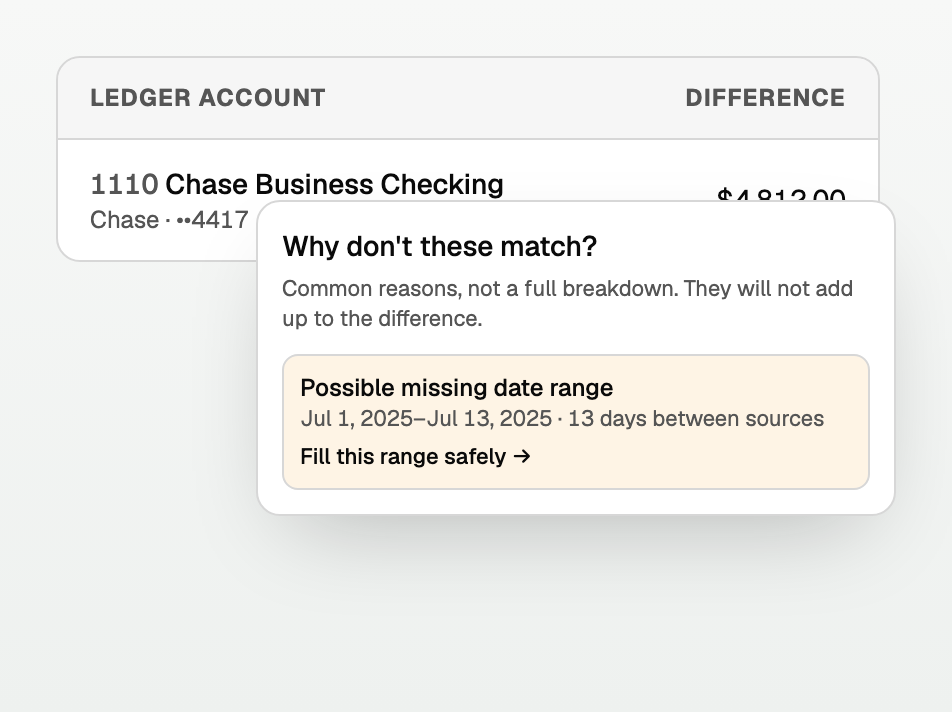
If the balance is current and the two still differ, BooksGPT may show a possible missing date range.
Find the range
- Open All pages in the left sidebar, then under Daily work click Banking.
- Find the account. If books and bank differ, the difference is a dotted link.
- Click it. The popover is titled Why don't these match?
- If you see Possible missing date range, click Fill this range safely.
Import only those dates
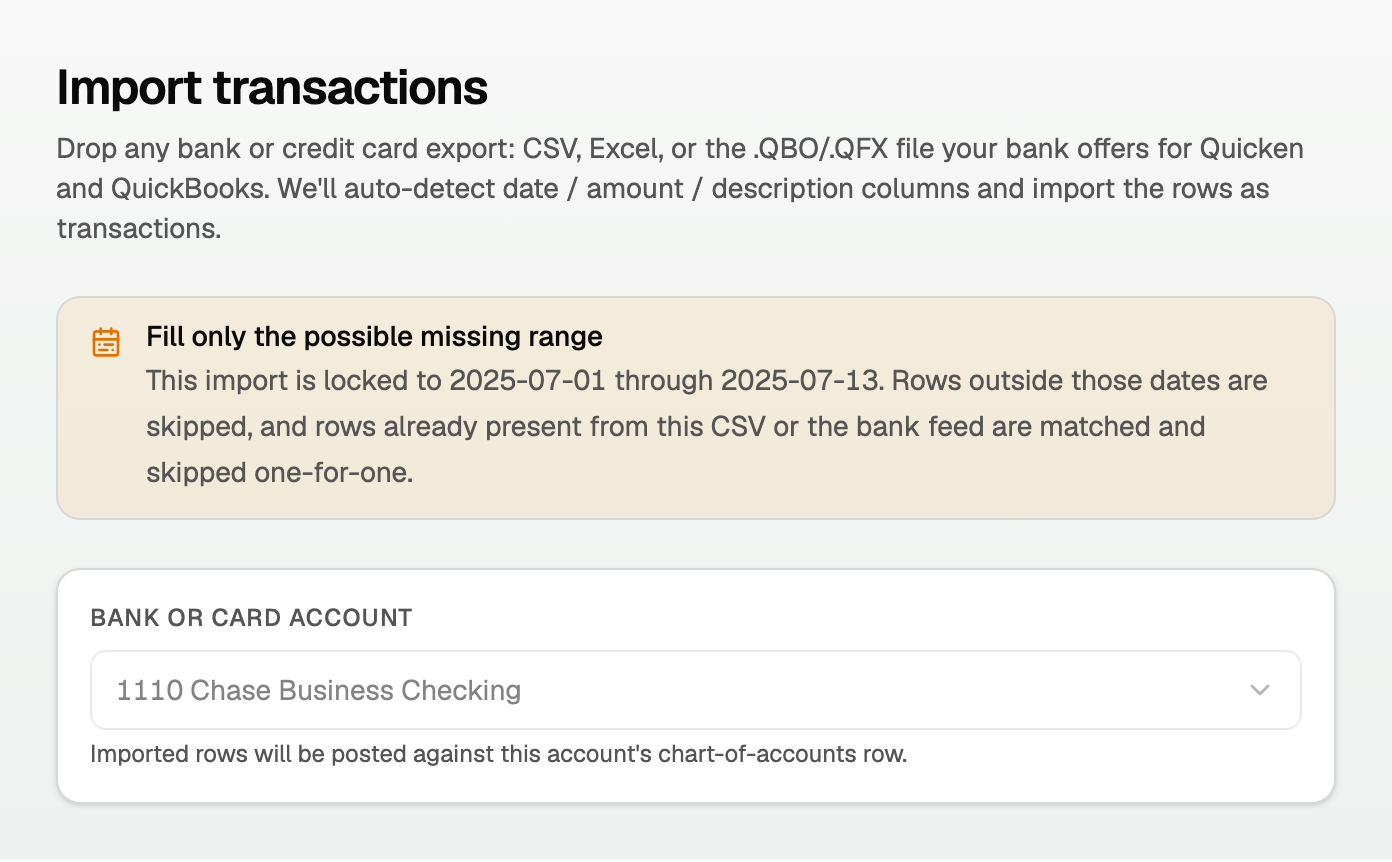
You land on Import transactions, with the account and dates locked. You cannot point this upload at a different account or a wider range.
Then:
- Drop the statement that covers those dates.
- Rows outside the range are skipped.
- Rows already in the account are matched and skipped, so you do not double-count.
Good to know
- This is safer than a regular CSV import, because the account and dates cannot drift.
- A range that starts in a closed period is refused. Open the period, or pick a later start.
- If Banking has no possible range, use Upload bank statement or Import under Setup. See those articles.
- After import, the new rows are already in your books under Uncategorized. Approve them in Review inbox to file them to the right account.
Updated on: 22/09/2026
Thank you!