
Merge a duplicate bank account
There are two different kinds of duplicate. One is two ledger accounts for the same bank. The other is an extra empty connection on Banking.
Two ledger accounts for one bank
This happens when you connect the bank first, then import QuickBooks. Open All pages in the left sidebar, then under Accounting click Chart of accounts. A notice titled One bank account, two ledger accounts names both accounts.
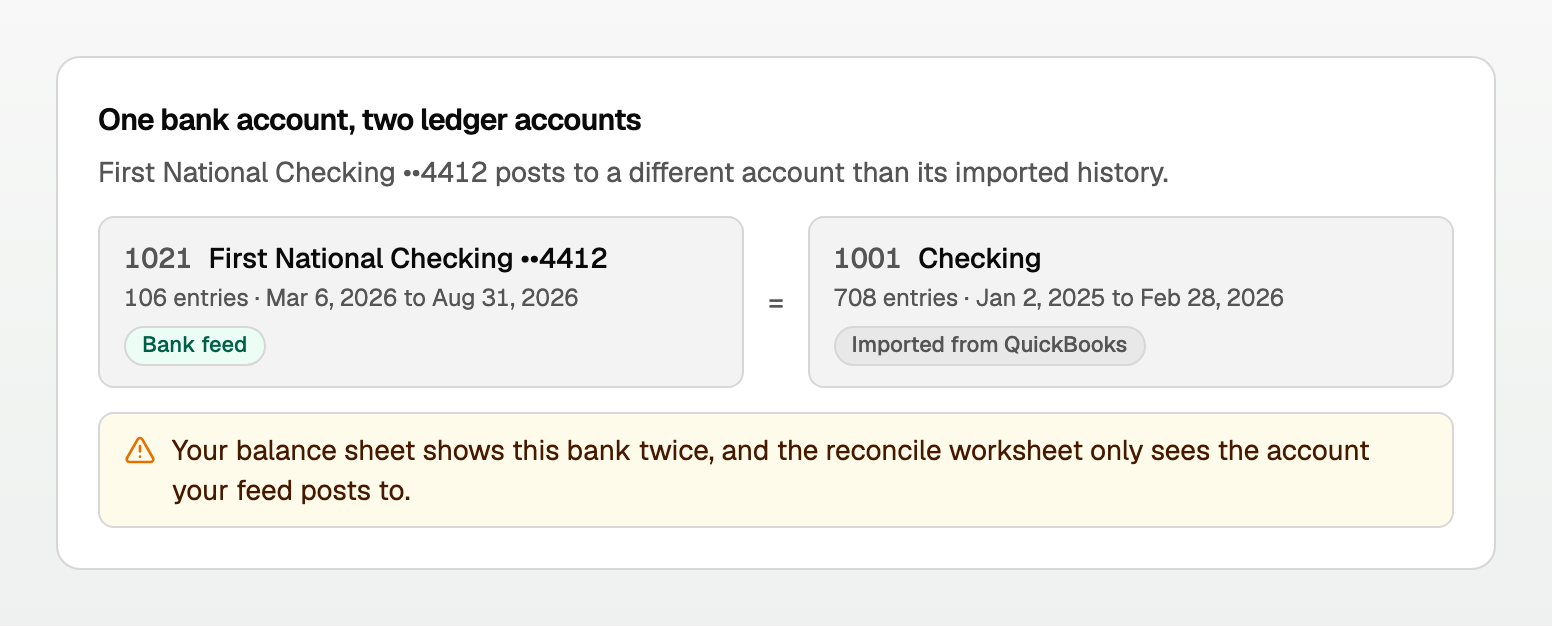
The notice is read-only. It does not combine the accounts.
If the date ranges do not overlap:
- Open the imported account's ... menu.
- Click Merge into….
- Under Account to keep, pick the account your bank feed posts to.
- Click Merge and retire. Everything posted to the imported account moves to the one you keep, and the imported one is retired. Your totals do not change. This cannot be undone.
A merge only works between two accounts of the same type and detail type. When both accounts already have finished reconciliations, see the next section before you confirm.
Reconcile the overlap first, or email support@booksgpt.ai.
When both accounts are reconciled
You can Merge into… when both accounts have finished reconciliations and every statement in the combined history still adds up. If both hold entries for the same dates, do not merge.
The preview heading is What moves to the account you keep:
- Its finished reconciliation moves too. More than one says how many finished reconciliations move too.
- Both accounts' statements become one history on that account, newest on the date shown.
- Undoing an older statement there also undoes every newer one.
The refusal includes Open Reconcile. Open All pages in the left sidebar, then under Accounting click Reconcile.
- A reconciliation is still open on either account. Resume it, then Finish now or Cancel.
- Both accounts have a finished statement for the same date. In History by account, click Undo on one.
- The history would not add up. The message names the account, the amount, and the date. Undo those statements in History by account, merge, then reconcile those months on the account you keep.
- Transactions marked reconciled with no statement usually came with an import. Reconcile cannot undo them. Contact support at support@booksgpt.ai.
An extra empty connection on Banking
If you connected the same bank twice, you can end up with an extra empty account sitting in Archived. Merge that extra into the one you actually use. The keeper keeps every transaction and its books account.
- Open All pages in the left sidebar, then under Daily work click Banking.
- Find the archived duplicate. In that row's three-dot Actions menu, click Merge empty duplicate.
- In Merge duplicate, pick Account to keep.
- Click Merge duplicate.
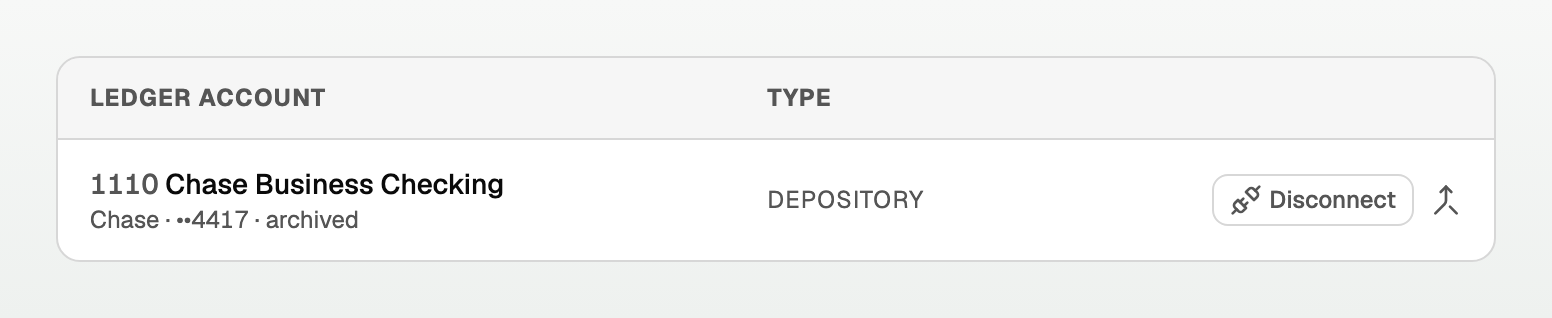
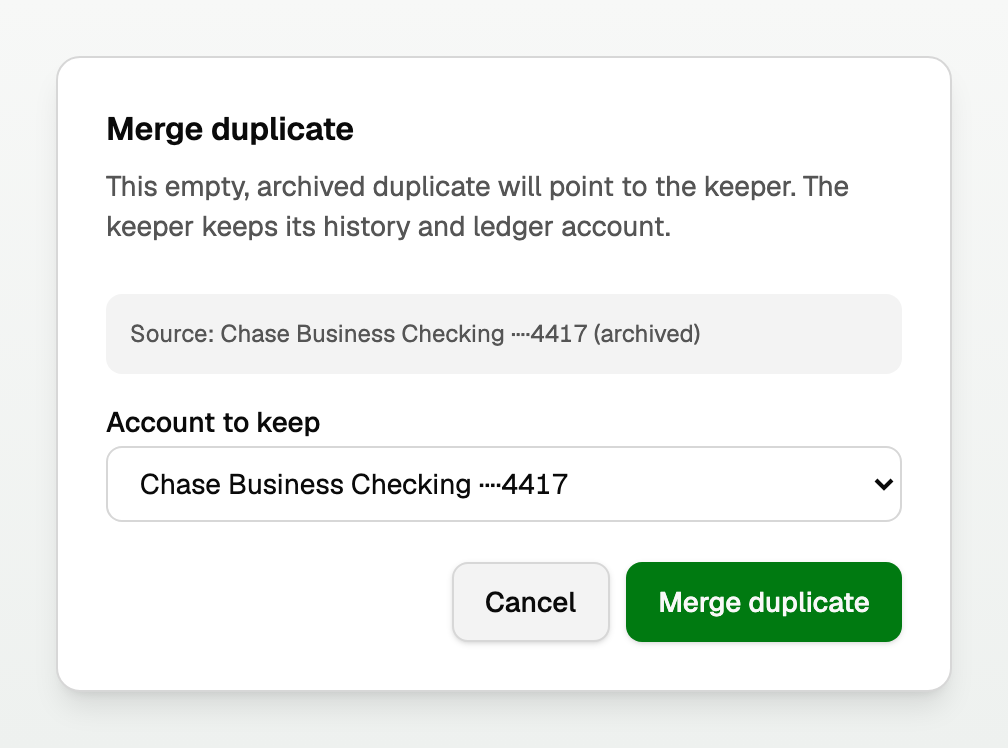
The extra account now points at the keeper. History stays on the keeper.
What the Banking merge will not do
- It will not move a live feed with transactions onto another account.
- It will not change transfers you already matched.
- It will not delete the books account. The extra one is archived.
Good to know
- Prefer reconnecting a broken feed on the same account over connecting the bank again. See "Fix a bank connection".
- If you import QuickBooks before you connect the bank, BooksGPT asks Is this a bank account already in your books? Pick the existing account so you do not create a second ledger account.
- In a personal workspace, merge lives on Accounts. Open All pages, then under Money click Accounts. See "Add a personal workspace and your accounts".
Updated on: 16/10/2026
Thank you!