
Read product and lot cost history
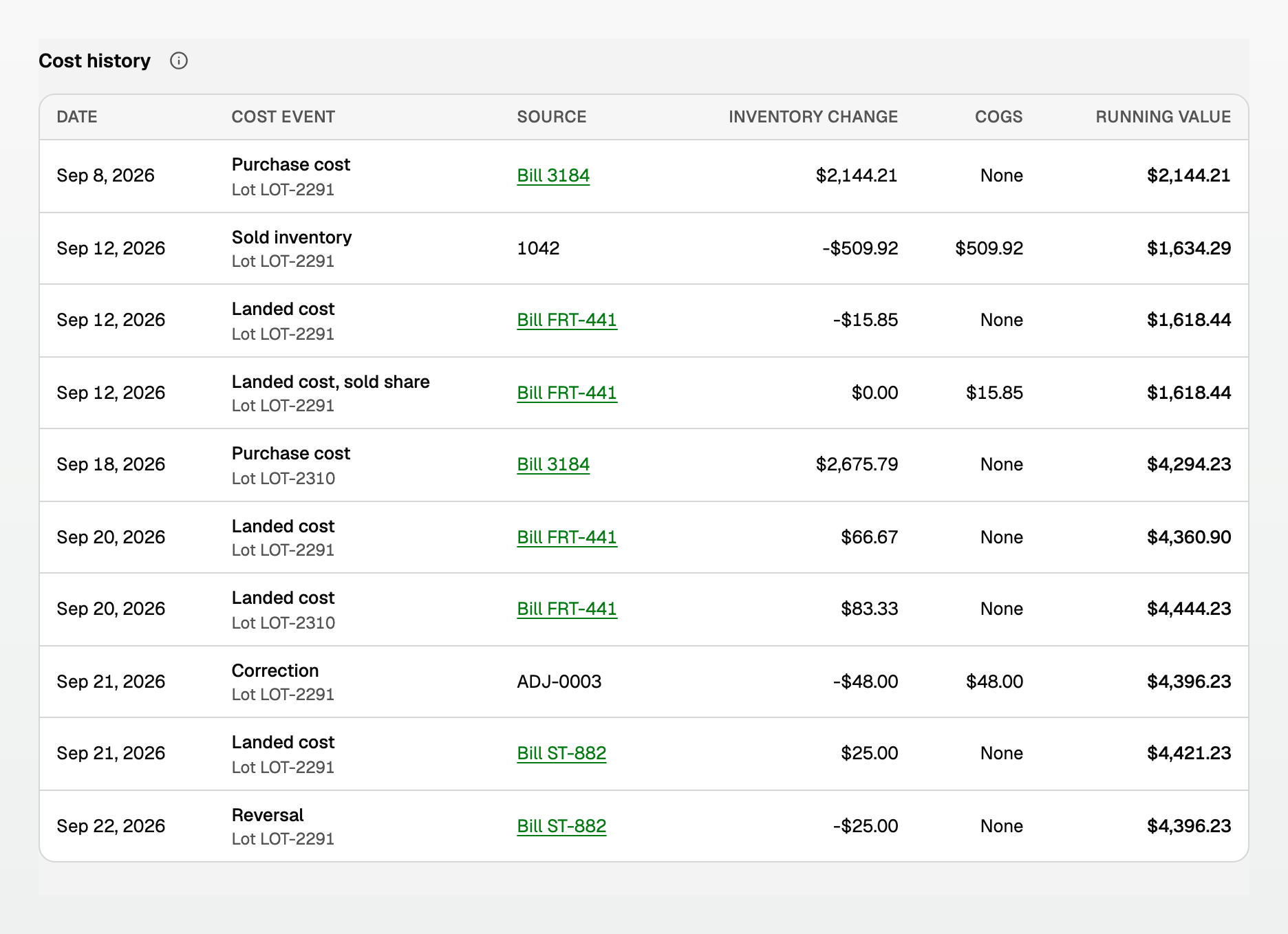
Cost history is the running inventory value for one product, in accounting-date order. A purchase raises that value. A sale books the same cost as cost of goods sold.
Open Cost history
- Open All pages in the left sidebar, then click Inventory and Products & stock.
- Click the product. Products & stock at the top returns to the list.
- Read Cost history.
Columns are Date, Cost event, Source, Inventory change, COGS, and Running value. Running value is the inventory value after that row.
Stock movements below is the quantity trail. On hand is the sum of those rows.
Cost events
- Opening value is stock already on hand when costing was turned on. Source reads Cutover 1.
- Purchase cost is a posted bill that received the product.
- Landed cost is freight, storage, or another cost added to stock still on hand.
- Landed cost, sold share is that cost for units already sold. It goes to COGS, and the remaining value stays the same.
- Sold inventory is a posted invoice. COGS is the cost of the units sold.
- Correction is a stock adjustment or a restocking credit memo.
- Reversal undoes a cost event. The original row stays.
COGS is what the row posted to cost of goods sold. A restocking credit memo takes its cost back out, so it shows a negative amount. An adjustment can go either way.
COGS shows None for a purchase, an opening value, and a Reversal of a bill. A return of a sale made before costing started also shows None, because that sale recorded no cost of goods sold.
Source
- Bill 3184 on a purchase opens that bill.
- Bill FRT-441 on a landed cost opens Inventory cost allocation. Landed cost history returns to History on Landed costs.
- An invoice shows its number only. A stock adjustment shows ADJ-0003. A restocking credit memo shows credit memo.
One lot
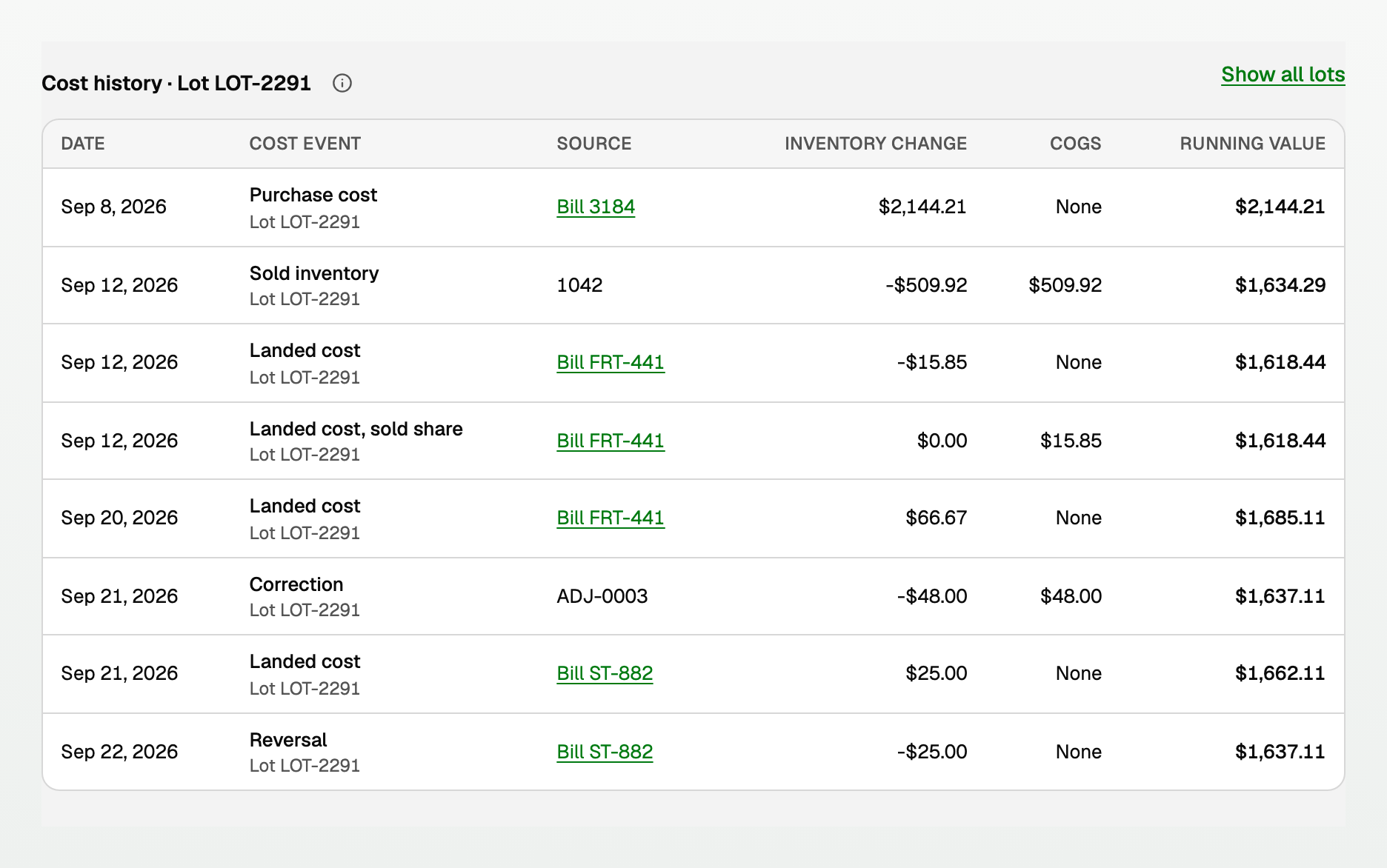
Click a lot number under Lots, above Cost history.
- The heading becomes Cost history · Lot LOT-2291.
- Only that lot's rows remain, and Running value is that lot only.
- Click Show all lots to return.
When costs are updating
A freight or storage bill can still be updating.
- The page says Inventory costs are updating. Inventory change and Running value read Updating costs until it finishes. COGS reads None until then.
- If the page says A cost update needs attention, Inventory change and Running value read Unavailable. COGS still reads None.
The Inventory costs report uses Updating costs for the same wait. See "Read inventory value, COGS, and margin".
Updated on: 16/10/2026
Thank you!