
Record a distributor settlement statement
A distributor settlement statement lists charges and credits that net to one amount. BooksGPT records a supported statement as one journal entry. BooksGPT checks the rows against the printed charges, credits, and net. The bank movement is a second step, a deposit or a withdrawal, so that net is not income again.
T-Cetra is the company behind VidaPay, a platform wireless retailers use for payments and commissions.
Use the distributor's original PDF. A scan, photo, or register export is not recognized as a settlement. A changed T-Cetra or VidaPay layout may be recognized but refused with an explanation, and nothing posts.
Add the PDF
Open All pages in the left sidebar, then click Purchases and Receipts. Drop the PDF there, or email it to the address on that page. In Copilot, open +, then Add files, then Receipt, or drop the file in the chat.
- The card says it posts as one journal entry, not as an expense. Click Open statement.
- Do not use Document to analyze, Invoice from a file, or a vendor bill. If it still lands in Bill Inbox or Invoice Inbox, use Open statement.

Confirm the store
The page shows the line count, charges, credits, and net. Nothing posts unless they match to the cent. The first statement from a dealer account waits for you. Later ones reuse this, until a new line type appears.
- Bank account. The checking account this store's money moves through.
- Class, when you use classes. Every line carries it.
- Clearing account. A balance-sheet account for the net, such as Deposit clearing. Not the bank, a card, or an account that invoices, bills, or the year-end close keep in step.
- Approve this store's deposits on their own, if a matching movement should file to clearing without waiting. The same setting covers a withdrawal. A movement you already categorized stays as you set it.
Before you post, these choices are what this entry uses. Once posted, Change store settings affects later statements. This statement keeps the bank, class, and clearing account it posted with.


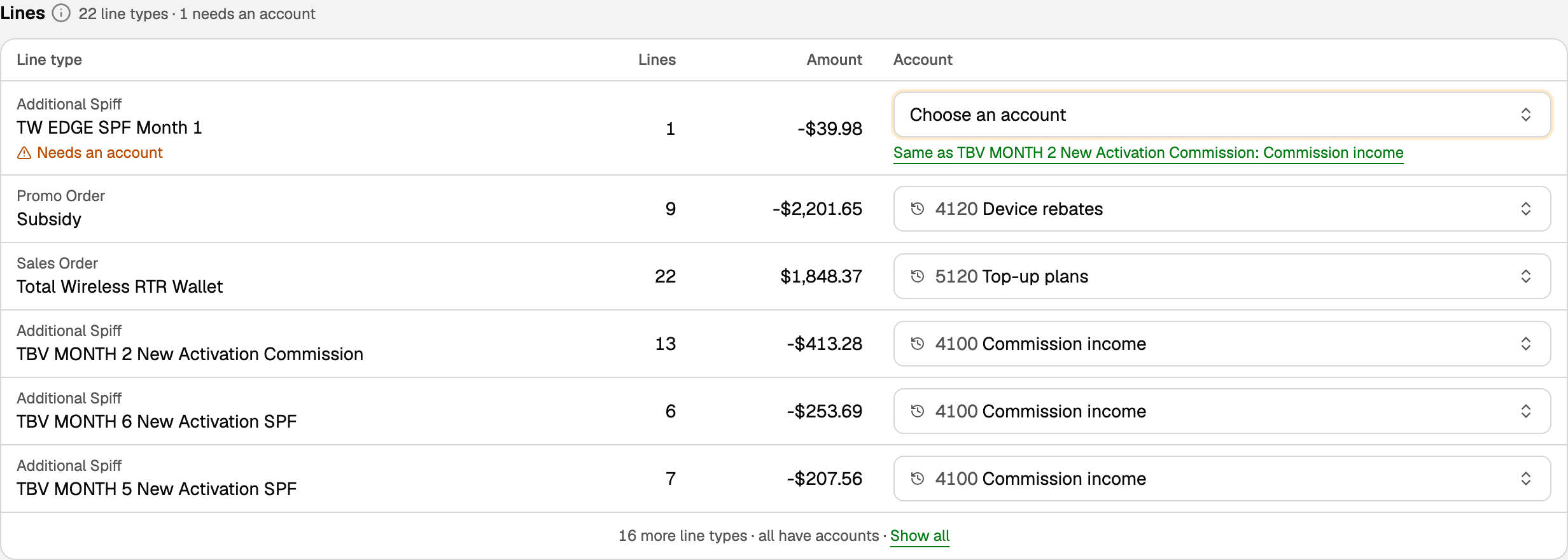
Choose each line's account
Each row is one charge type plus one product. Confirm the account your accountant uses for that pair. BooksGPT saves it for the next statement. The printed charge and credit totals do not prove which account is right, and neither does a balanced entry.
- Cost of goods, such as a top-up plan, and commission income are examples. The picker also allows other account types.
- Nets to zero, so nothing posts needs no account.
- Needs an account is a pair you have not confirmed. Same as offers an account you gave a similar product. You still confirm it.
- A new pair on a later statement waits until you pick once.
Post, then tie the deposit
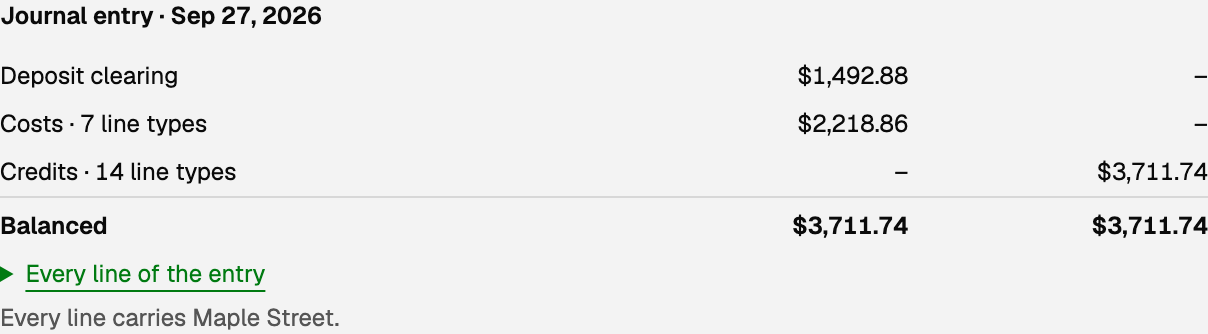
Post journal entry writes one entry on the statement date from the accounts you confirmed. Each nonzero line posts to its account, and the net posts to clearing. The panel says Balanced when the two sides tie. That does not prove the accounts are the right kind.
Open All pages in the left sidebar, then click Daily work and Banking. Settlement statements sits beside Connect a bank once a statement exists.
- Imported books that cover the date hold the statement. Post it anyway, then Allow posting, only if it is not already there.
- Don't post this statement sets one aside. Put it back returns it.
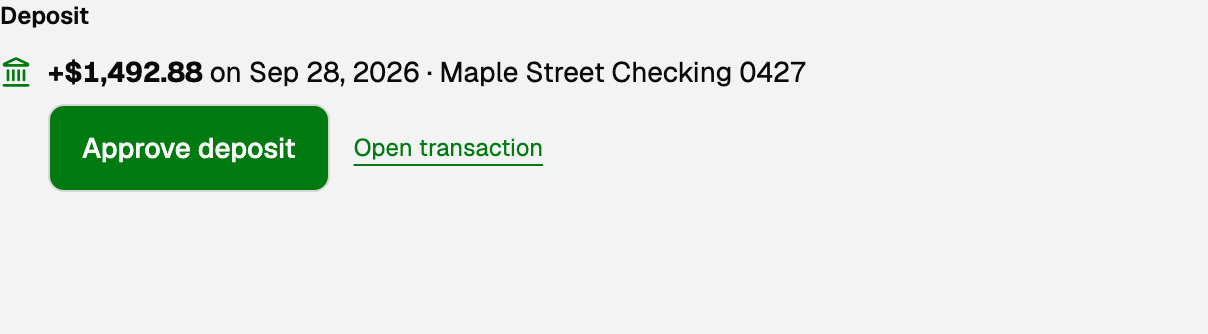
- The panel is Deposit when the net is money to you, and Withdrawal when it is money you pay. Posting does not record that bank movement. It often arrives the next business day. That timing is not what makes a row match.
- A match has to be on this store's bank, for the signed amount of the net, in US dollars, with the distributor and that dealer account in the bank text, dated from the period end through 7 days after the statement date.
- Approve deposit or Approve withdrawal files a waiting match to clearing, with the store's class. Use clearing account if it was suggested elsewhere.
- Two matches: open each, then This one. If none has arrived, Look again.
- On Transactions the document icon says Settled by statement. In Review inbox the number is a link.
Undo and other stops
The page names why nothing posted: a total that does not match, a line it could not read, books that are not in US dollars, or a closed period. Reopen a closed period before posting or undoing. You chose not to post this statement means it was set aside.
Uploading the same PDF again does not create another entry. Already posted means that entry is in the books. Already received means the first copy is still here. If that copy is not posted yet, open it and finish it.
More actions, then Undo posting, writes a reversing entry on the same date. A suggested movement loses that suggestion. An approved movement stays on clearing until you post again. Before you post, an account you change is what this entry uses. Once posted, a changed account applies to later statements. Undo and post again to change this one.
Open All pages in the left sidebar, then click Accounting and Journal entries. The label is Settlement statement. The page says the entry belongs to a source document. Open settlement statement is the way back.
Updated on: 30/09/2026
Thank you!