
Create an invoice draft from a PDF or photo
Turn one PDF, JPEG, or PNG of a customer invoice into an unsent draft. Review every field, then Save draft. Nothing is sent or posted.
This is not Upload invoices (CSV or Excel, one row per invoice). See "Upload a spreadsheet of invoices".
Files that work
- PDF: up to 20 MB and 10 pages. JPEG or PNG: up to 10 MB per image, 40 megapixels or smaller.
- One file. Not GIF, WebP, or HEIC.
Refusals you may see:
- "Choose a PDF, JPEG, or PNG invoice."
- "PDF invoices must be 20 MB or smaller." / "Invoice images must be 10 MB or smaller."
- "Invoice PDFs can contain at most 10 pages."
- "Invoice images must be 40 megapixels or smaller."
- "Password-protected PDFs cannot be read. Save an unlocked copy and try again."
- "This PDF contains active or embedded content and cannot be processed safely."
- "The file contents are not a supported PDF, JPEG, or PNG."
Open the upload
- Open All pages in the left sidebar, then under Sales click Invoices, then New invoice.
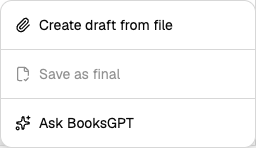
- Click Create draft from file.
On a phone: More invoice actions (three dots), same label. Viewers do not see it. Unsaved typing on the form is confirmed before extract replaces it.
From Copilot:
- Click Home, or the BooksGPT logo, at the top of the left sidebar. Either one starts a fresh chat.
- Click the + labelled Add or connect.
- Click Create invoice from a file. Same dialog as Create draft from file.
After extract, review stays beside the chat. It does not open New invoice as a separate page. Close with the X (labelled Close invoice) to return to the conversation. On a phone the chat hides while you review.
Upload and extract
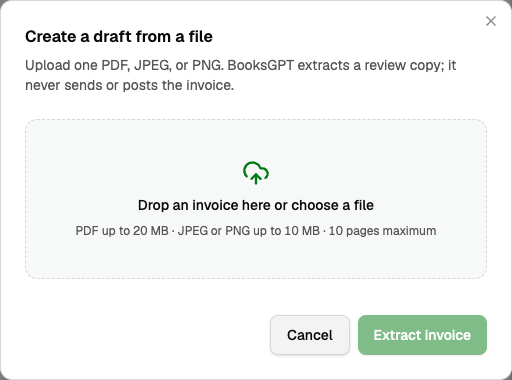
Dialog title Create a draft from a file. Drop zone Drop an invoice here or choose a file. Hint: PDF up to 20 MB, JPEG or PNG up to 10 MB, 10 pages maximum. Then Extract invoice.
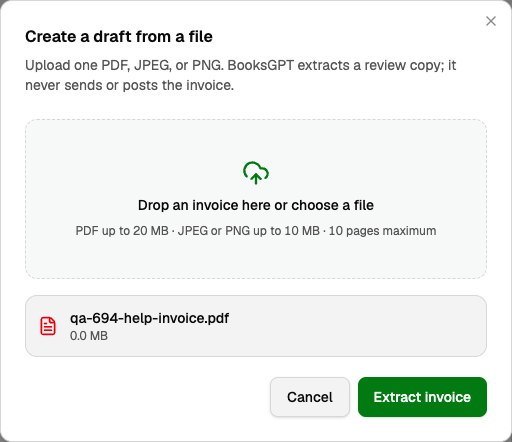
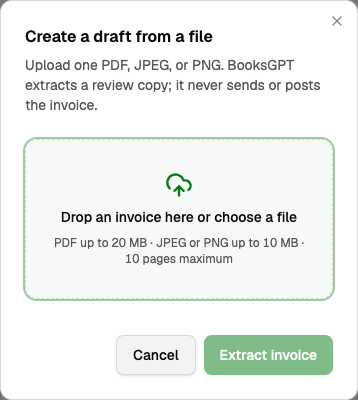
Uploading can be stopped with Cancel upload. After cancel: "Upload cancelled. You can retry with the same file."
Extracting a review copy… includes "You can leave this page; the source is stored and processing will continue."

Remove deletes the capture and stored file with no draft. Confirm: "Remove this capture and its stored source file? No invoice draft will be created." Failure: We couldn't finish this extraction. Retry, or Remove and start over.
Review, then Save draft
Review every field before saving. "Only Save draft is available. Nothing will be sent or posted." Fields stay editable.

- Bill to must be an existing customer. Save draft stays off until one is selected.
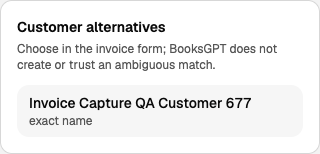
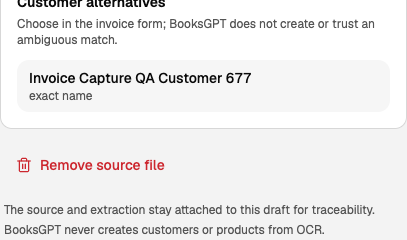
- Customer alternatives are suggestions. You pick in the form. An unmatched product may stay unmatched after you review the warning.
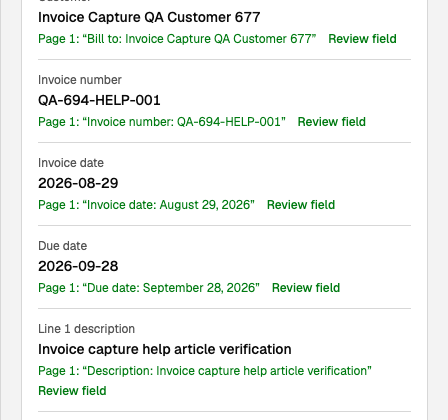
Extracted evidence quotes the page. Review field jumps to it. On a tablet, Source (View invoice source and evidence) opens the sheet.
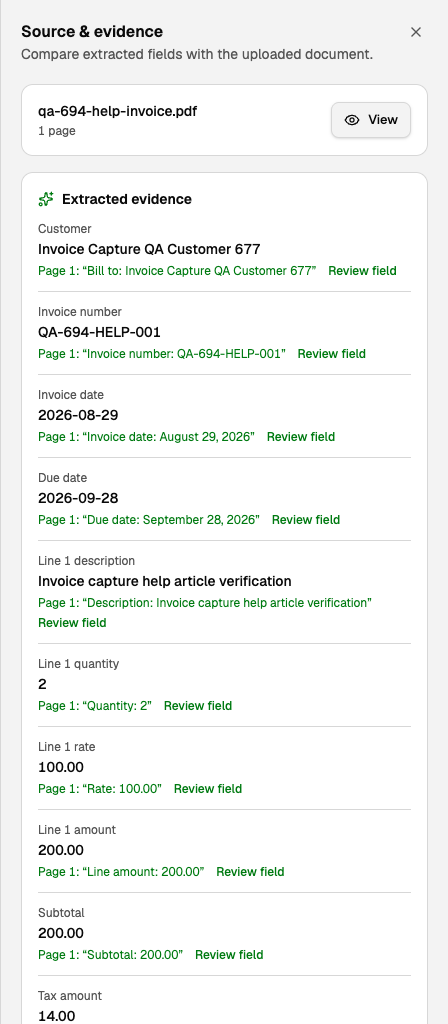
Warnings, printed total, and printed tax that disagree with the draft each need a checkbox. A likely existing invoice needs its own check (unique number). Unclear issuer: confirm this is an invoice your business issues to a customer, not a bill you owe.

- This appears to be a bill, receipt, statement, or mixed file, not a customer invoice.
- "This file appears to contain multiple documents. Split it and upload one invoice at a time."
- "The source currency differs from this workspace. Create it manually so amounts are not silently converted."
After Save draft
The invoice is a DRAFT. Save as final and Save & send appear only then. This article stops at Save draft.

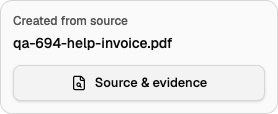
Created from source names the file. Source & evidence reopens the quotes.
Remove source file asks: "Permanently remove the original source file? The invoice, extracted evidence, and audit history will remain." That can sit pending: "Source removal is pending; extracted values, page citations, and audit history remain for traceability."
Uploading the same file again after save opens that draft. It does not extract a second copy.
Vendor Bills you owe belong in Bill Inbox, not here. See "Vendor Bill Inbox and matching bank payments to Bills".
Updated on: 30/09/2026
Thank you!