
Fill missing payment terms from QuickBooks
Imported customers and vendors can land with no payment terms. New invoices and bills then fall back to Net 30.
Fill missing payment terms copies the missing ones from QuickBooks.
- It only fills payment terms.
- It does not re-import anything and does not change your ledger.
- Terms you set by hand are left alone.
Fill them on Customers or Vendors
- Open All pages in the left sidebar, then under Sales click Customers. (For vendors: under Purchases click Vendors.)
- Click Fill missing payment terms.
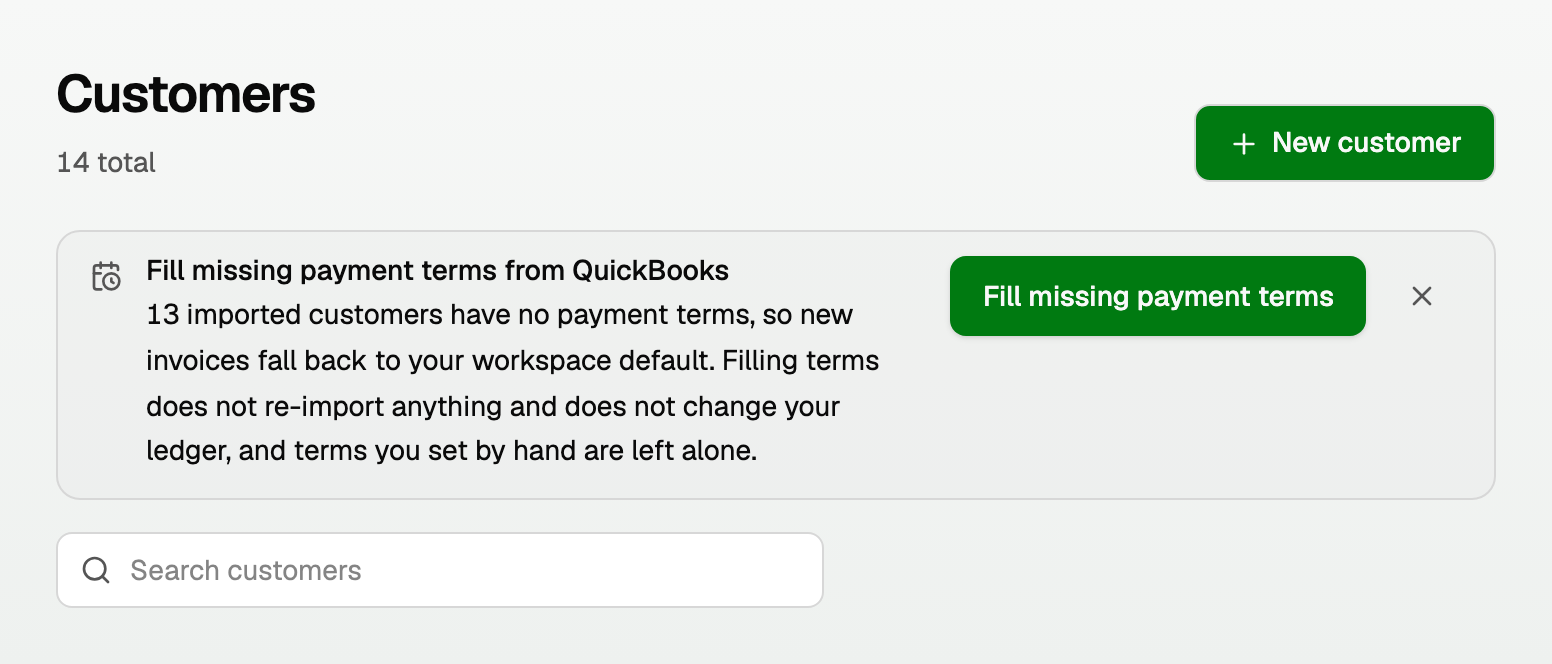
The banner sits above the search box. It is not on Integrations.
While it runs, the title is Filling payment terms from QuickBooks. The line under it is one of:
- "Reading your QuickBooks contacts…"
- A count, like 11 of 13 customers
Those numbers are how far the run has got, not a promise of how many terms will land.
Only an owner or bookkeeper sees it. Other roles see nothing.
If the banner is not there, QuickBooks may need you to sign in again. Open All pages, then under Setup click Integrations, and click Reconnect QuickBooks. See "Integrations: connect QuickBooks Online".
The same fill on a new invoice or bill
When you write a new bill, a line under Due date offers the same fill: Imported contacts have no payment terms yet. Fill them from QuickBooks for all of them in this workspace.
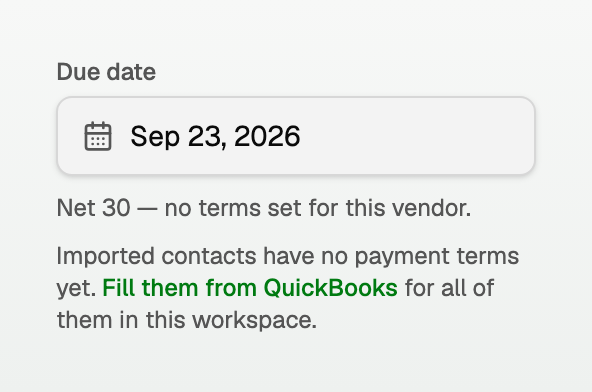
When you write a new invoice, the control sits beside Payment terms. Click Fill from QuickBooks. Point at the ? beside the label to see what it will fill.
What it says when it finishes
The banner lists what happened, in the app's own words.
A run that filled terms:
- "Filled payment terms on 46 customers from QuickBooks."
A run that asked QuickBooks and found none. This is common, and it is not an error:
- "QuickBooks has no payment terms on these contacts. New invoices and bills keep using Net 30."
A QuickBooks term we cannot store as a number of days (for example "due on the 15th of the month"):
- "1 contact runs on a QuickBooks term we cannot express as a number of days (Net 15th of month). Their contact page now names the term QuickBooks uses, and no default is applied to them."
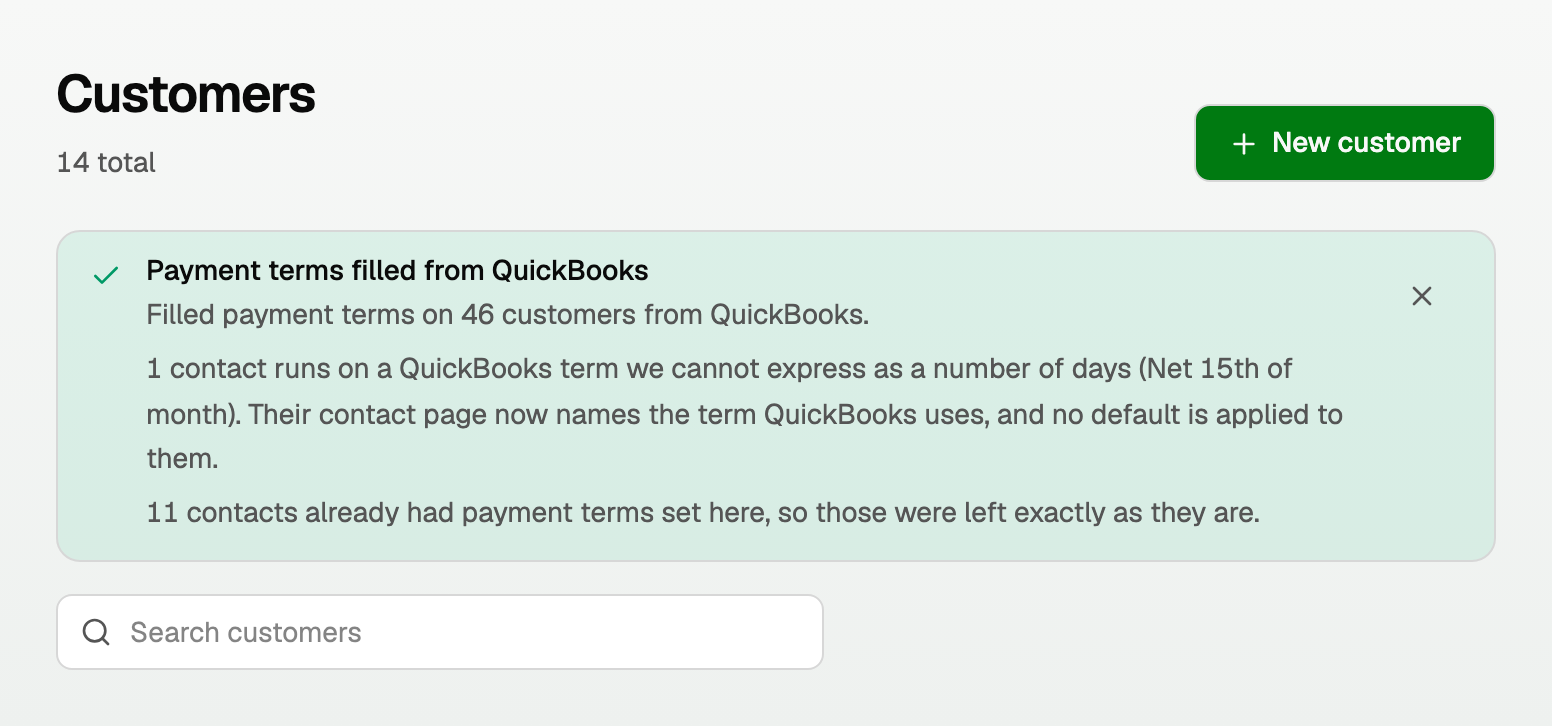
Terms you had already set stay as they are:
- "11 contacts already had payment terms set here, so those were left exactly as they are."
Archived contacts can receive a term. They stay archived:
- "1 of those contacts is archived here. Archiving was left exactly as it is."
Contacts QuickBooks did not return (usually deleted or inactive there) keep no terms. The run says so.
Open the Terms column on Customers or Vendors to see what is saved. Terms you set by hand stay as they are.
The Terms column
Customers and Vendors now have a Terms column, so you can see what landed.
- A day count reads Net 7, Net 15, and so on.
- Still empty: a dash.
- A date-driven QuickBooks term: QuickBooks: Net 15th of month (whatever QuickBooks calls it).
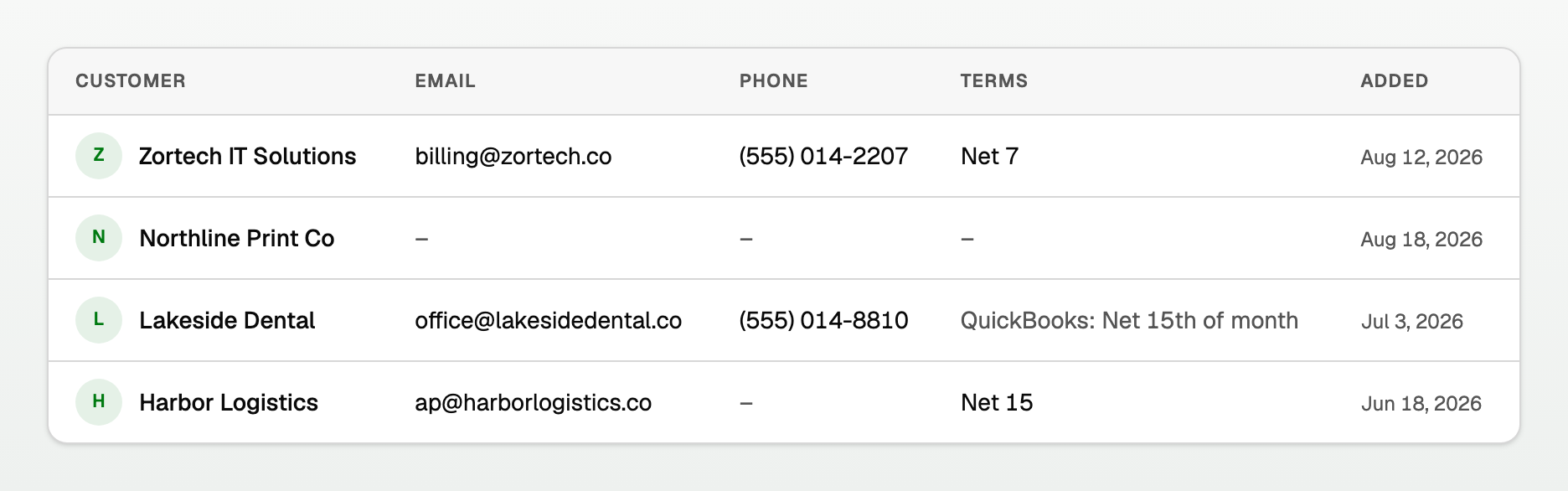
For those date-driven terms, set a day count yourself or keep picking the due date by hand. See "Payment terms: set them once per customer or vendor".
Set a term by hand instead
Open the customer or vendor, click Edit, and choose Payment terms (vendors label this Terms). See "Payment terms: set them once per customer or vendor".
Updated on: 14/09/2026
Thank you!