
Return inventory with a credit memo
When a customer sends goods back, two things happen in your books. The customer owes you less, and the goods are back on your shelf. A credit memo records both at once.
The credit takes the sale back out of revenue and out of what the customer owes. Returning the goods to stock puts the units back on your stock count. With inventory costing on, it also puts them back into Inventory at what they cost you, and takes that cost back out of cost of goods sold. No cash moves: if you also give the customer money back, record that separately.
Return the goods
- Open All pages in the left sidebar, then click Sales and Invoices.
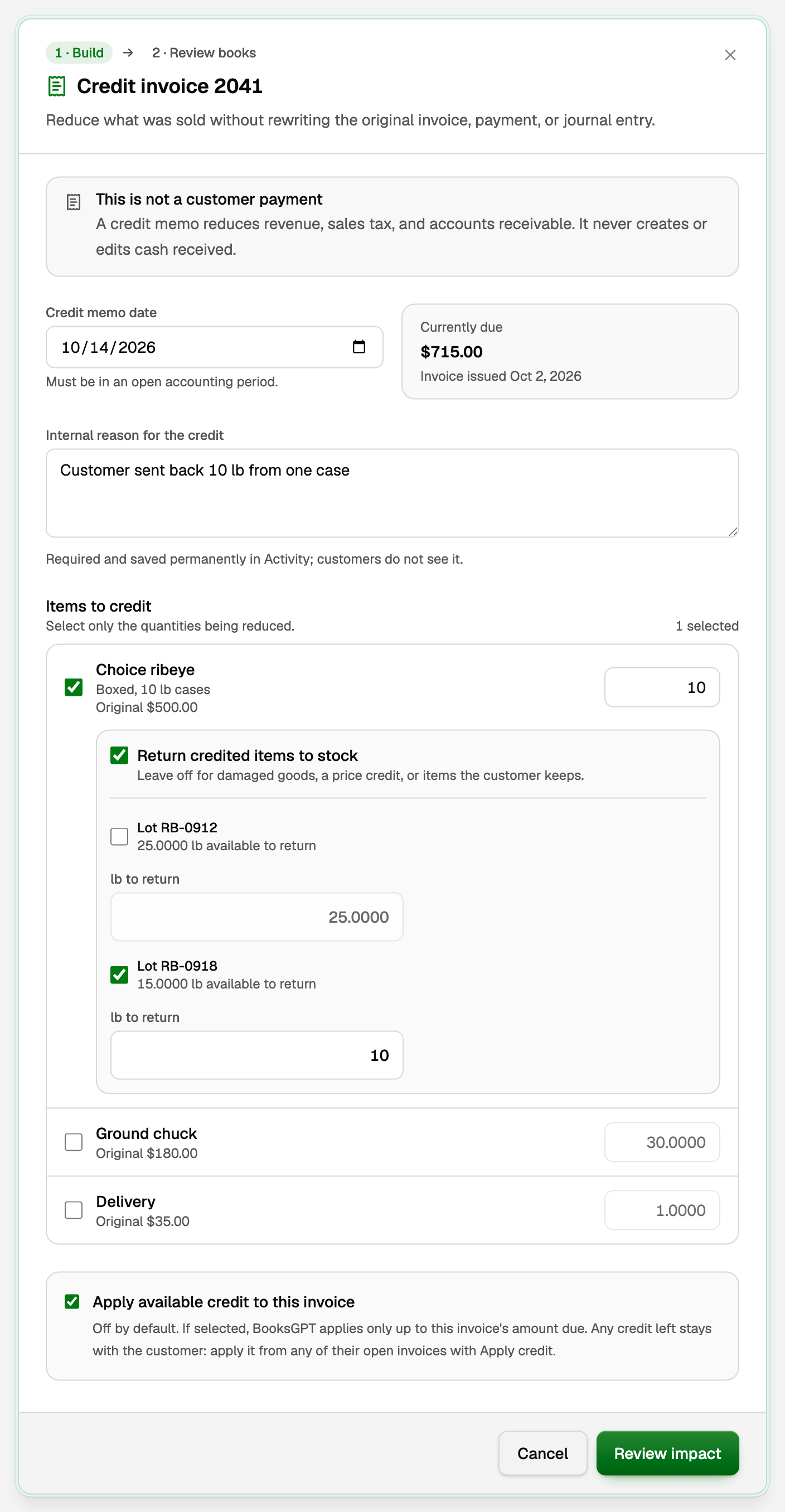
- Open the posted invoice, click More invoice actions, then Issue credit memo.
- Set the Credit memo date: the day the goods came back. It must be in an open period, and not before the invoice date.
- Type an Internal reason for the credit. Customers never see it.
- Under Items to credit, tick the line and type the quantity coming back.
- Tick Return credited items to stock.
- Tick each lot the goods came from, and type how much goes back to each (in the product's stock unit, such as lb to return). The amounts must add up to the quantity you are crediting.
- If the invoice is still unpaid, tick Apply available credit to this invoice. Credit from an unpaid invoice can only be applied to that invoice until it is paid. If it is already paid, leave it off and the credit stays with the customer.
- Click Review impact.
Review, then issue
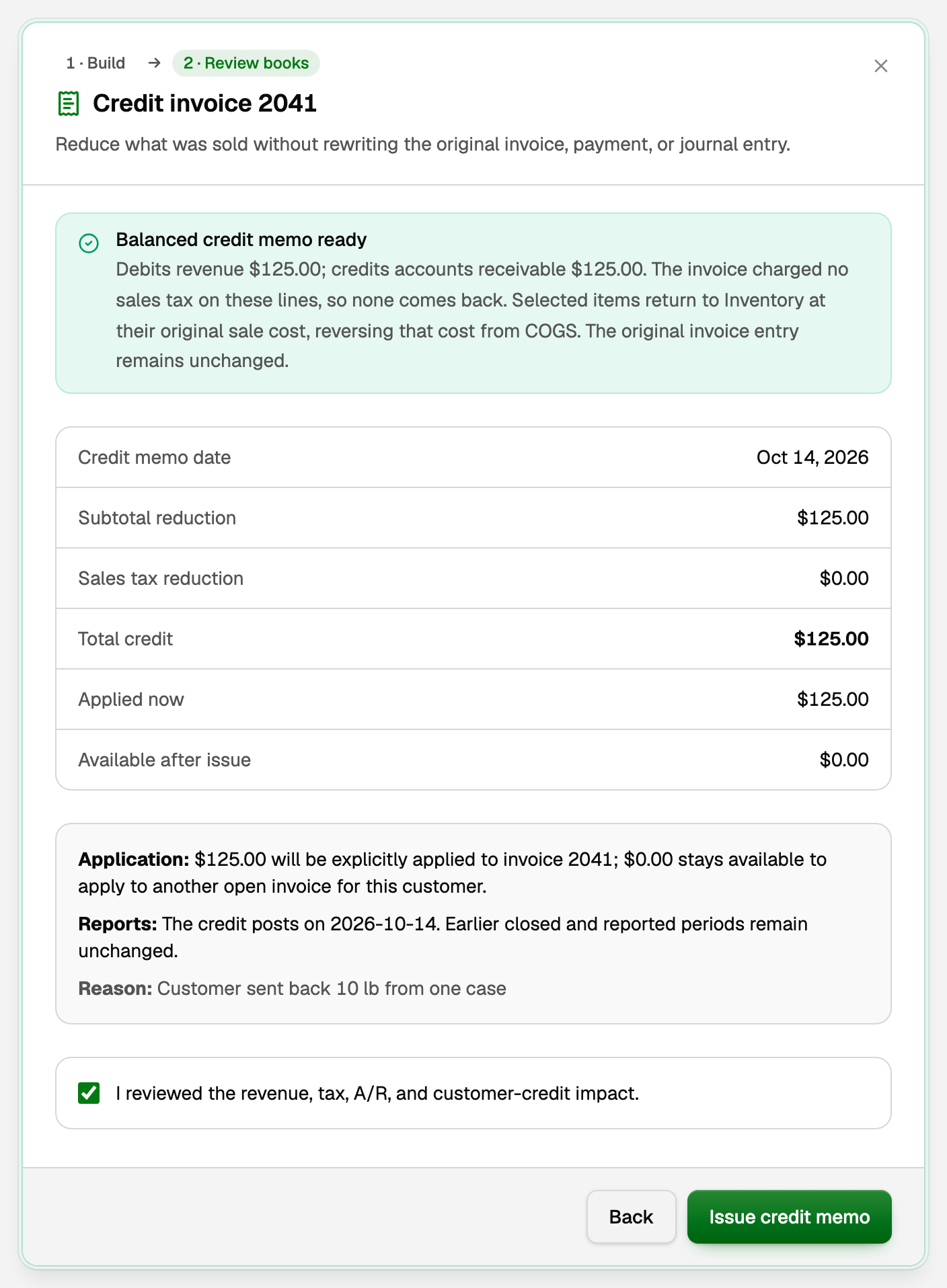
The second step, Review books, says exactly what will post before anything does.
- Read the summary at the top and the figures under it: the credit, the sales tax that comes back, and how much is applied to this invoice now.
- Tick I reviewed the revenue, tax, A/R, and customer-credit impact.
- Click Issue credit memo.
What your books now say
In the example, 10 lb of ribeye sold at $12.50 a pound comes back:
- Revenue goes down $125.00, and so does what the customer owes: invoice 2041 now owes $590.00. Sales tax charged on those lines comes back too.
- Inventory goes up by those 10 lb at what they originally cost you, and cost of goods sold goes down by the same amount.
- Had the invoice already been paid, the $125.00 would stay with the customer as a credit for another of their open invoices. See Issue a credit memo.
The memo appears on the invoice under Credit memos. On Products & stock (under Inventory), click the product: the units show under Stock movements as Credit memo.
If the sale happened before you turned on inventory costing, the units come back at their opening stock cost instead, against the Activation offset account you chose when you set up costing.
Goods you gave away at no charge
Use the same steps with Return credited items to stock ticked. There is no money to credit, so the review says Physical stock return ready and asks you to confirm no customer credit is created. The units still come back at their original cost, and the amount due, revenue and sales tax stay the same.
Void a return
Under Credit memos on the invoice, click Void. If the credit was applied to an invoice, click Un-apply there first.
- Set the Reversal date, on or after the credit memo date.
- Type a Reason for void, then click Review impact.
- Click Void credit memo. A return of free goods says Void stock return instead.
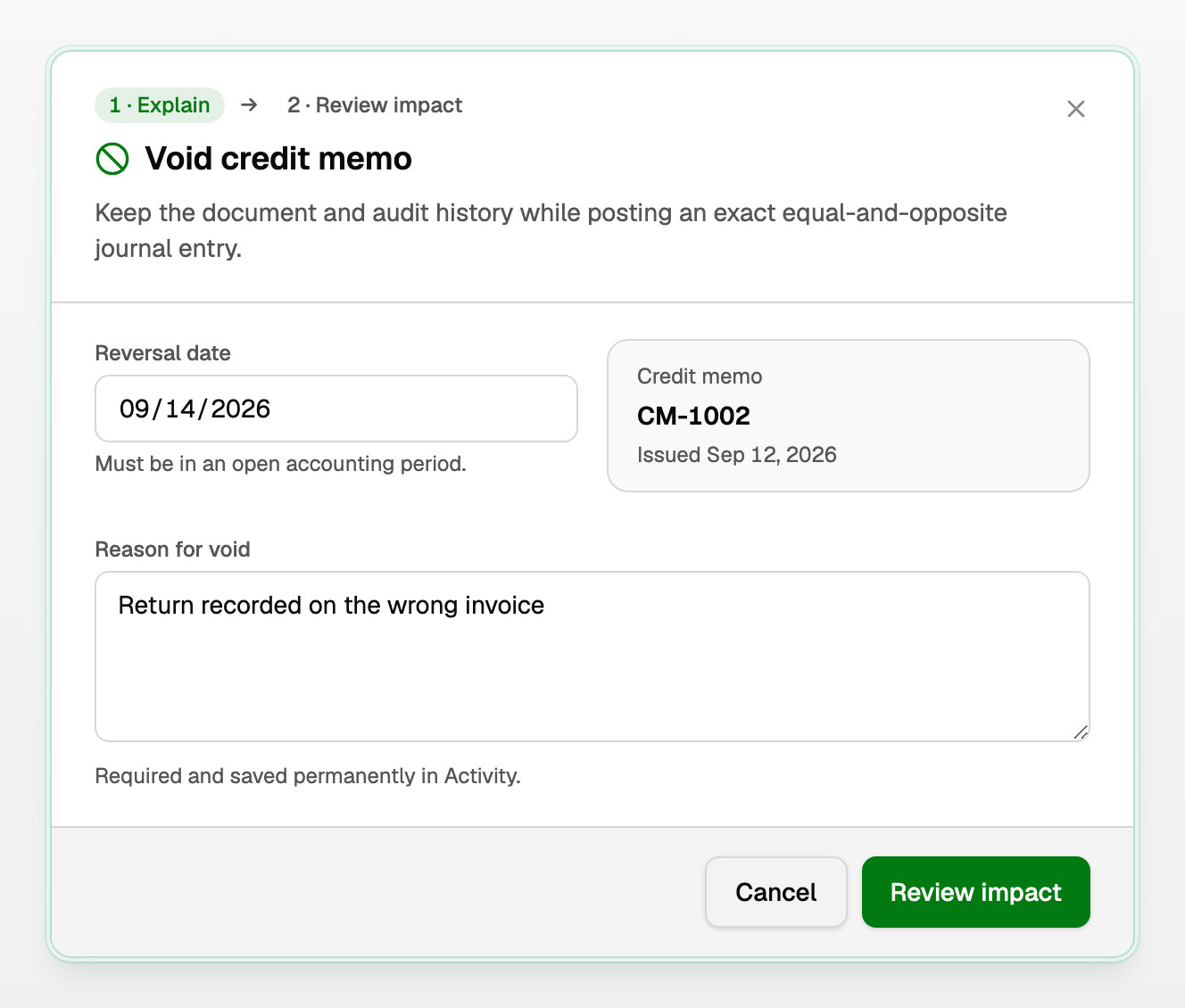
The memo stays on the invoice, marked Void, so the history is kept.
If something goes wrong
- The date is refused. The period is closed: pick a later date or reopen the period. With inventory costing on, BooksGPT can also refuse a date that would take stock out of order; the message offers a date that works. See Sell inventory and post cost of goods sold.
- The invoice cannot be voided, deleted or corrected. A credit memo still stands against it. Void the credit memo first.
- BooksGPT says the original cost is not available. Contact support, and do not type a cost of your own.
Updated on: 16/10/2026
Thank you!