
Run your financial reports
Your financial reports turn every transaction into a few pages that answer the big questions about your business. Three matter most:
- Profit and loss: did we make money? What you earned over a period, minus what it cost.
- Balance sheet: what do we own and what do we owe, on one day?
- Cash flow: where did the cash go? Profit and cash are not the same thing, and this report explains the difference.
Your accountant, your lender and your tax return all start from these three. Reports are in business workspaces.
Open a report
- Open All pages in the left sidebar, then click Reports and Profit & loss.
- Pick the dates in Report period: a preset such as This month or Year to date, a year under Fiscal year, or two dates on the calendar.
- Pick Accrual or Cash under Accounting basis. See "Cash or accrual" below.
- Click any account name to see the transactions behind its figure.
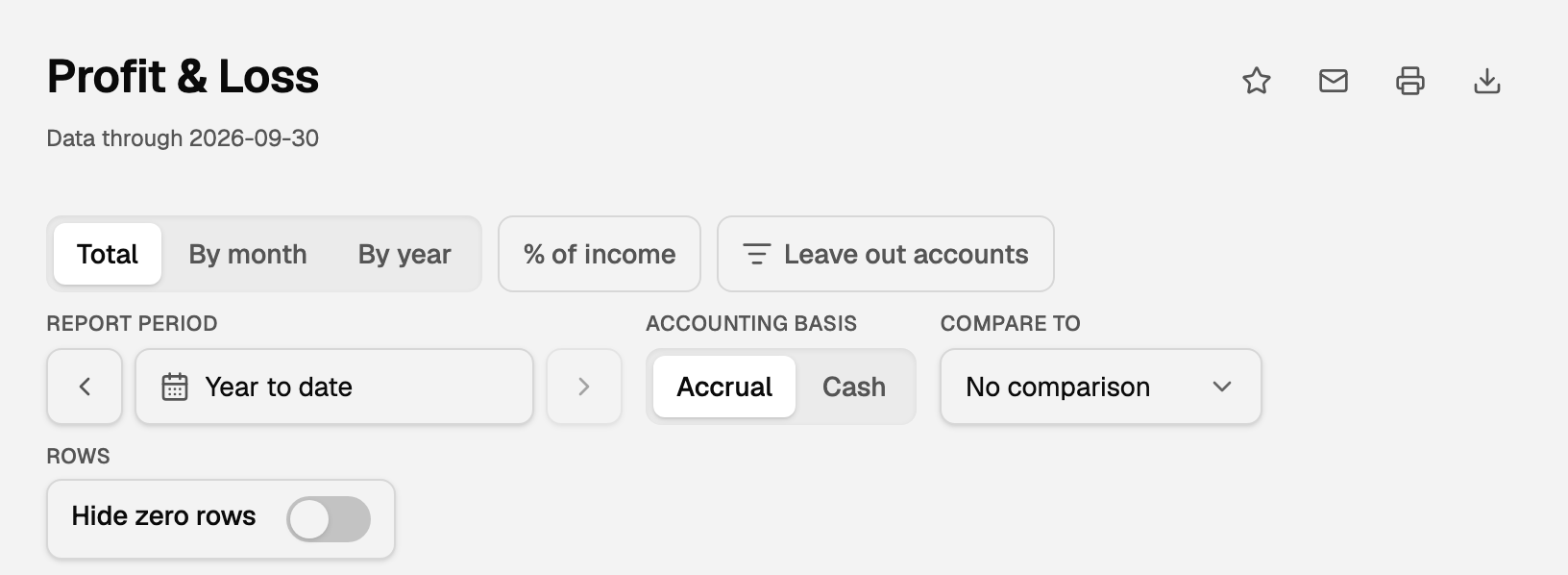
Most reports under Reports work the same way. For a plain list of account balances, see Account balances and other list reports.
Read the profit and loss
- Income: what you earned from sales and services.
- Cost of Goods Sold, if you sell products: what those goods cost you. Income minus this is Gross Profit.
- Operating Expenses: the cost of running the business, such as rent, fuel and wages.
- Net Income: income minus every cost. Positive is a profit, negative is a loss.
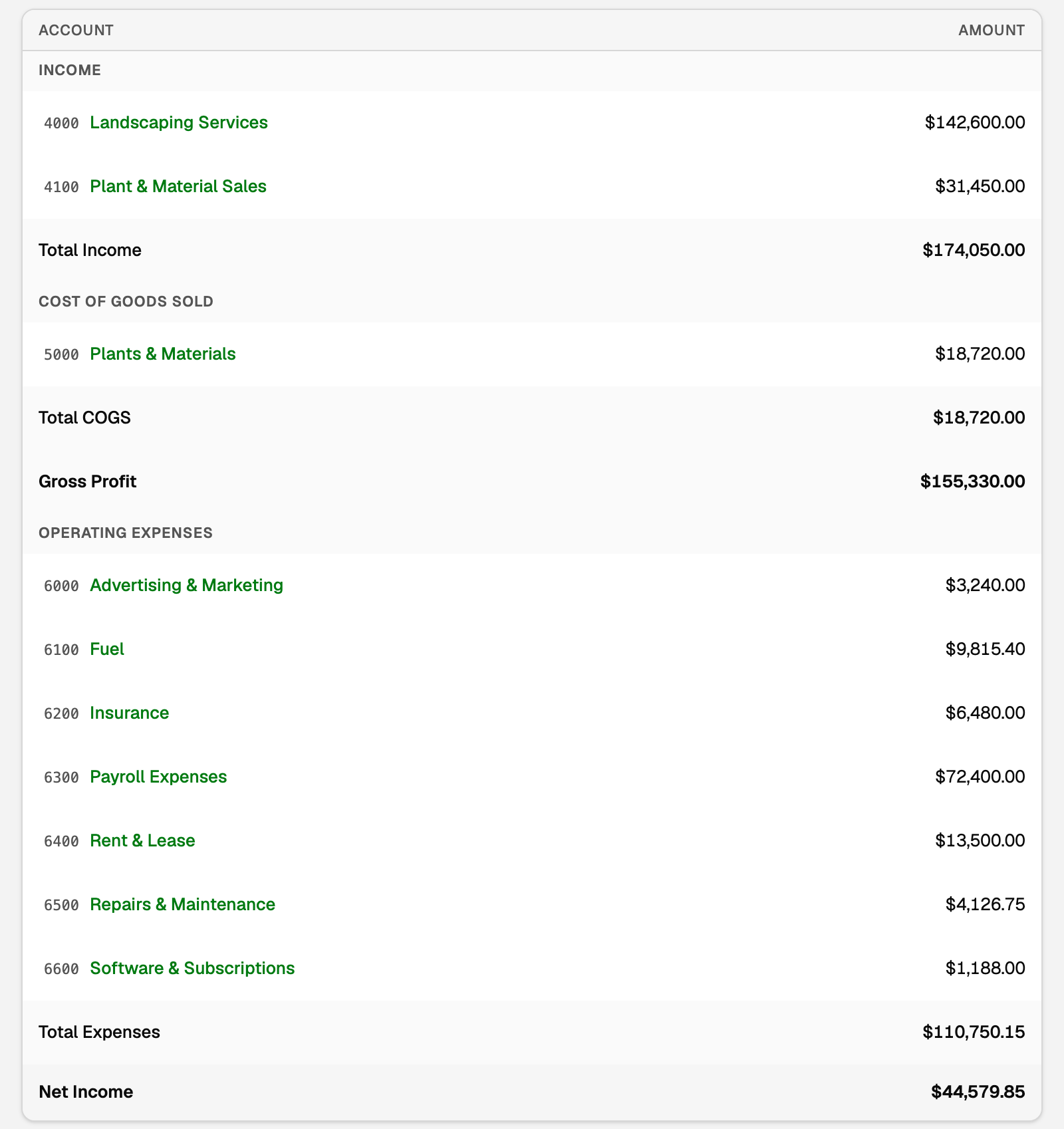
By month or By year gives each period its own column, and % of income shows each line as a share of income. Sub-accounts sit under their parent (how sub-accounts show). To put last year beside this year, or save a view, see Compare periods and save a report.
Read the balance sheet
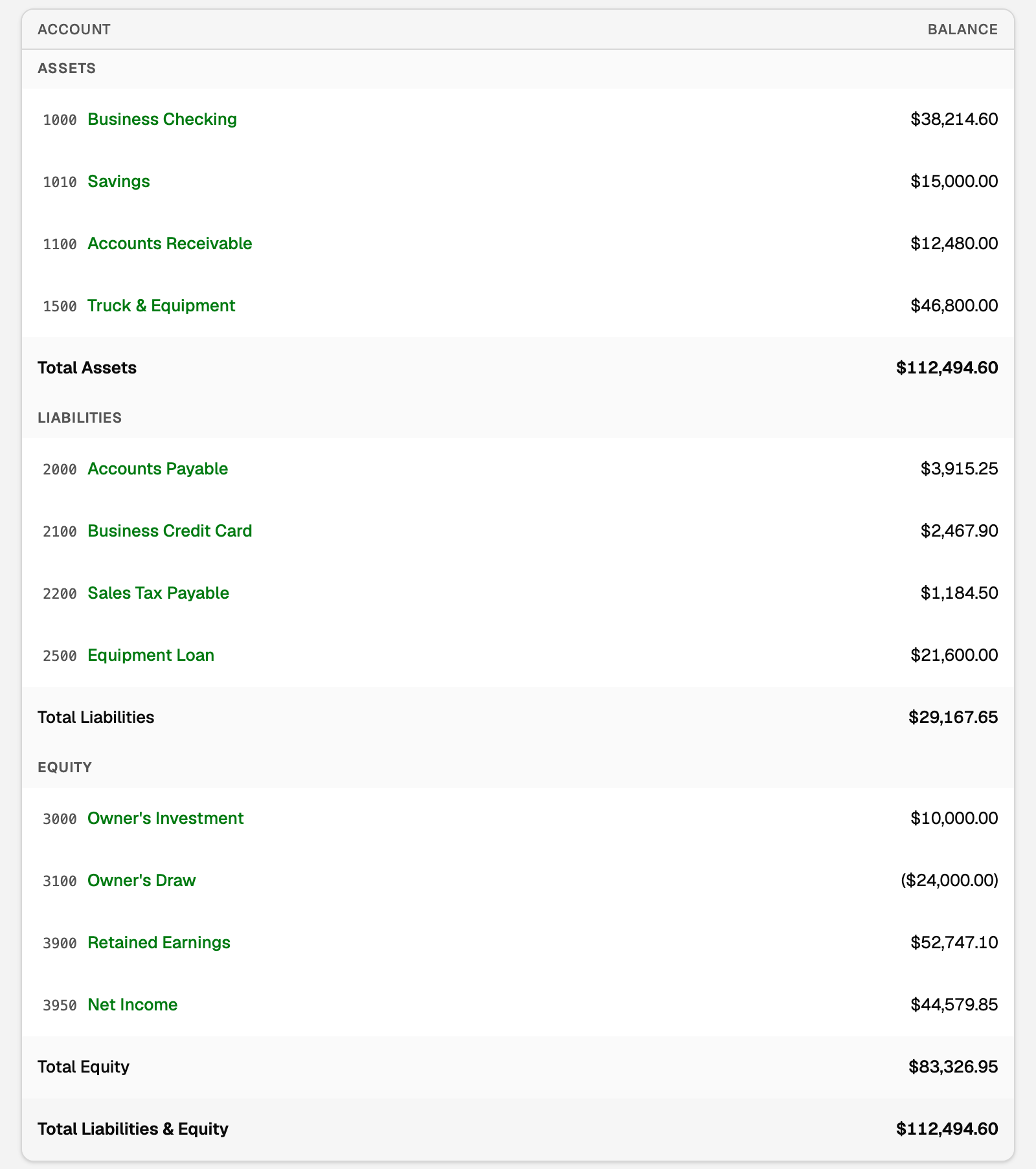
Open Balance sheet under Reports. It is a snapshot of one day, the last day of Report period.
- Assets: what the business owns. Bank accounts, money customers owe you (Accounts Receivable), equipment and vehicles.
- Liabilities: what it owes. Credit cards, bills not paid yet (Accounts Payable), sales tax you collected, and loans.
- Equity: what belongs to the owners. Money they put in or took out, profit kept from earlier years (Retained Earnings), and Net Income for this fiscal year so far, which matches a Year to date profit and loss run to the same day.
Total Assets always equals Total Liabilities & Equity, because everything the business owns came from money it still owes someone or from the owners.
Read the cash flow
Open Cash flow under Reports. The page is titled Statement of Cash Flows.
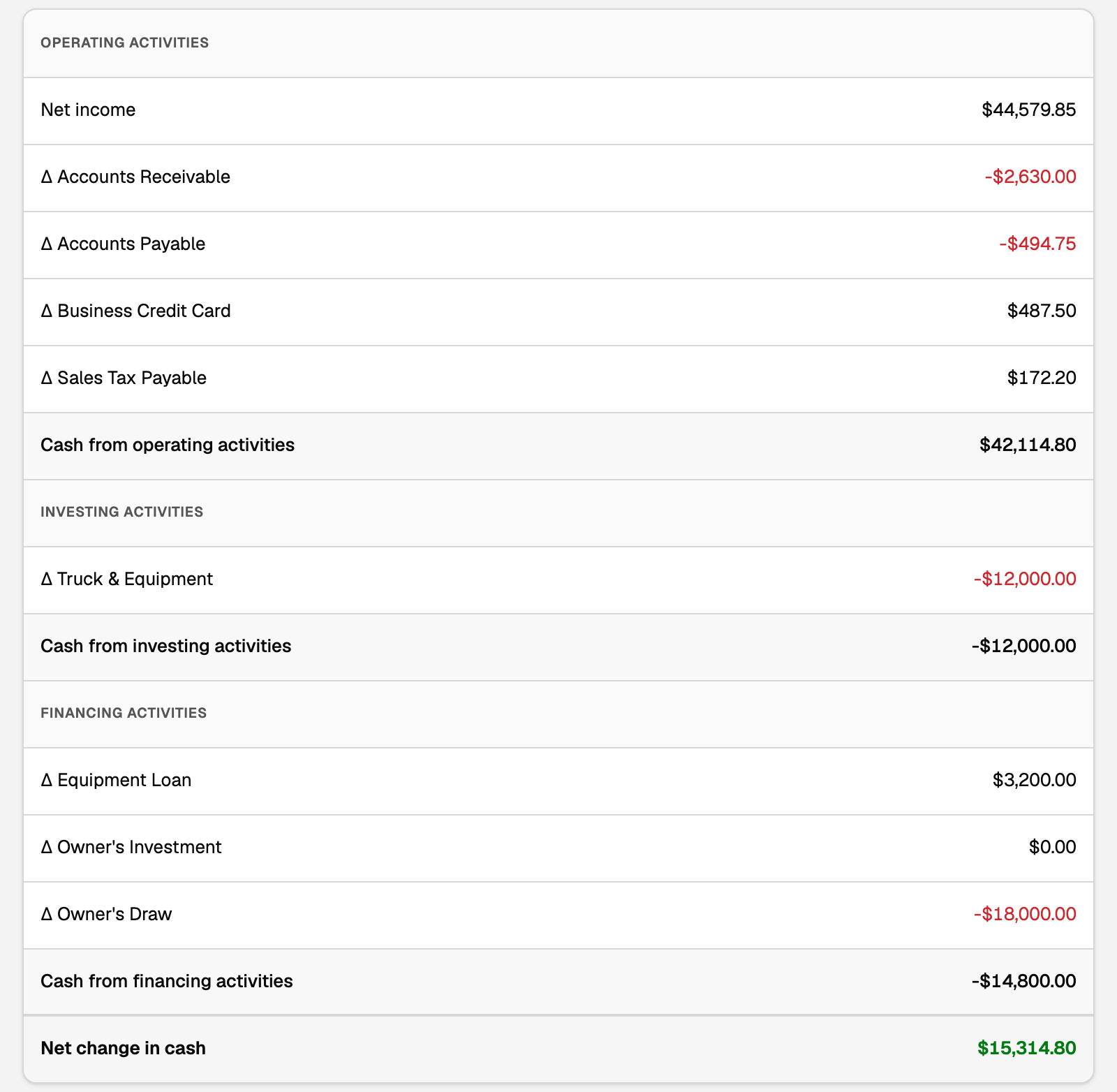
- Operating activities start from Accrual Net income (this report has no Cash choice), then adjust for how much unpaid invoices and bills changed over the period.
- Investing activities: equipment, vehicles and other long-term things you bought or sold.
- Financing activities: loans taken out or paid down, and money the owners put in or took out.
- Net change in cash adds the three. The tiles show Beginning cash and Ending cash in your bank accounts.
Each line is what one account's change did to your cash. Δ Accounts Receivable, for example, is negative when customers owe you more than at the start.
Cash or accrual
Accrual and Cash decide which month income and expenses belong to:
- Accrual counts income when you invoice and expenses when a bill arrives.
- Cash counts them when the money actually comes in or goes out.
An invoice dated March 28 and paid April 5 is March income on Accrual and April income on Cash. Your accountant can tell you which one your tax return uses.
- Switching Accounting basis changes the view only, never your books.
- To choose the basis reports open with, open Settings, click Accounting, then Books & tax, and set Default accounting basis.
- If you track inventory costs, Cash reads Cash (hybrid for inventory): buying and selling stock stays on Accrual, and everything else is on Cash.
The trial balance
Trial balance lists every account as a debit or a credit, and the two totals must match. Your accountant uses it to check the books. Income and expenses cover only the period you chose; earlier profit sits in Retained Earnings.
Print, email or export
On the Profit & loss and Balance sheet, four icons sit next to the title:
- Saved reports (the star) keeps a view you run often.
- Email this report (the envelope) sends a PDF to your accountant or another contact. Workspace admins see it.
- Print or save as PDF (the printer).
- Export this report (the download arrow) saves Excel (.xlsx), which keeps sub-accounts and subtotals, or plain CSV (.csv).
On Cash flow and the simpler lists, Print and Export are buttons next to the title. To send reports every month, see Report packs.
If something goes wrong
- Cash isn't available for imported books. Cash needs to know when each payment happened, and imported history often does not say. Choose Cash and the page says what it needs, such as Verify payment history for QuickBooks Online, Switch on Cash reports for a Wave data export, or Prepare a support draft to ask us. For QuickBooks Desktop, see Cash reports for QuickBooks Desktop books. View Accrual report works in the meantime.
- A big Uncategorized line, marked not reviewed. Those bank transactions still need a category. See Why a line on my P&L says "not reviewed".
- The printout shows a web address. Untick Headers and footers under More settings in the print window.
Updated on: 16/10/2026
Thank you!