
Send a customer statement
A statement lists every invoice one customer still owes, and how late each one is. Send it when a customer has several open invoices.
Open All pages in the left sidebar, then under Sales click Customer statements.
Send one statement
- Pick a customer from Customer balances.
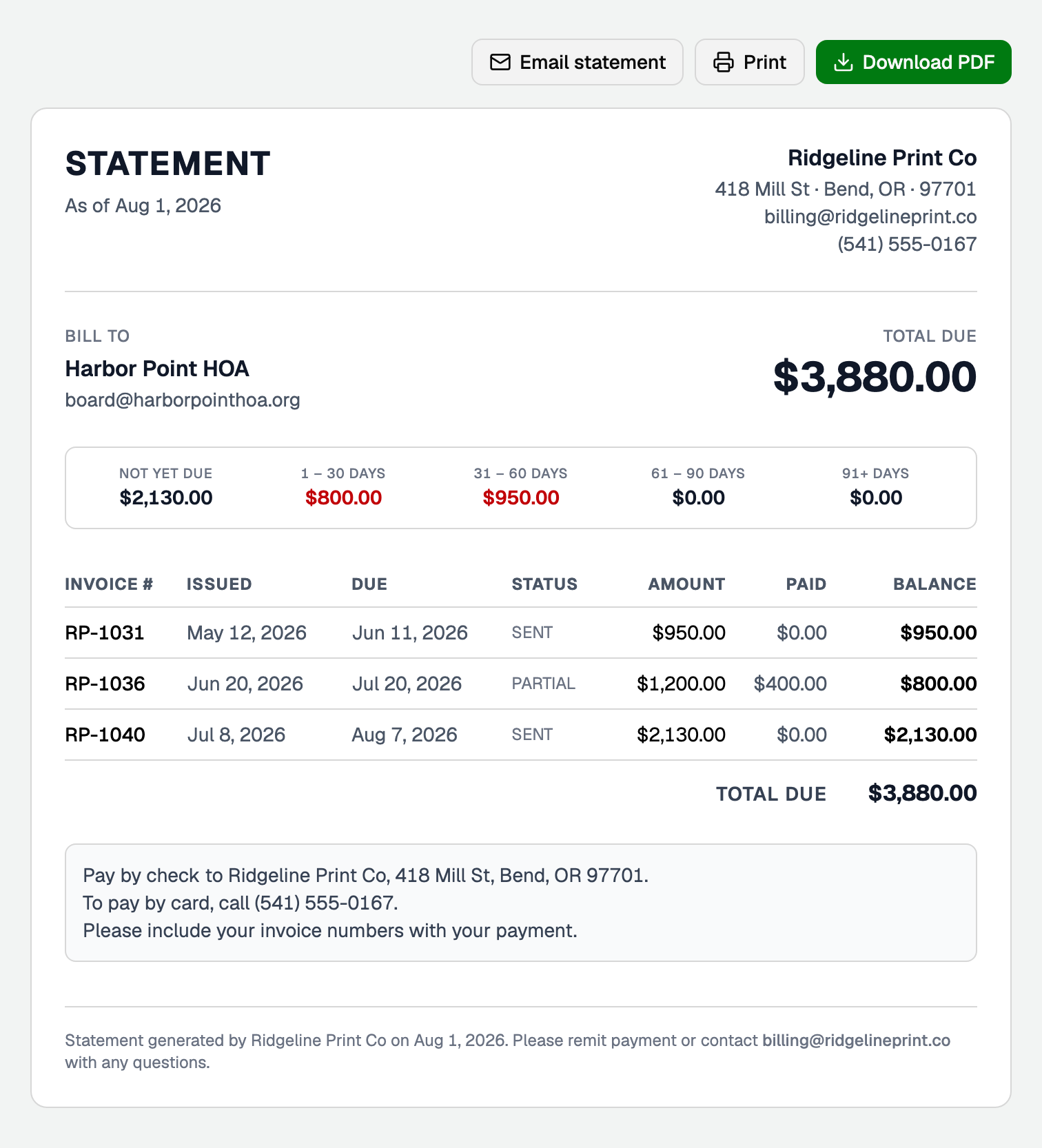
- Check their statement.
- Click Email statement, Download PDF or Print.
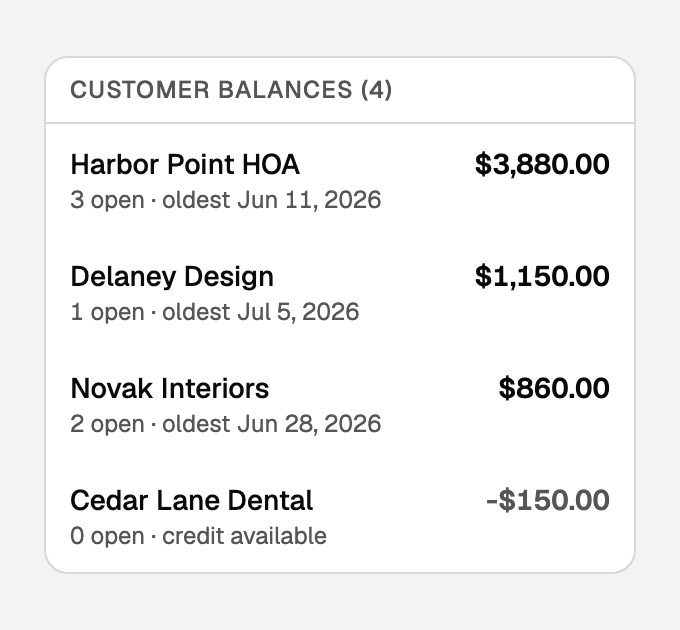
Customers with more unused credit than they owe also appear, marked credit available.
Download PDF saves the same file the email attaches. BooksGPT builds it, so it looks the same in every browser.
Email statement goes to the email on the customer record. It is off when there is no email, or when the customer has a credit instead of a balance.
The subject names your business and the amount due, for example Your statement from Ridgeline Print Co: $3,880.00 due. You cannot edit it.
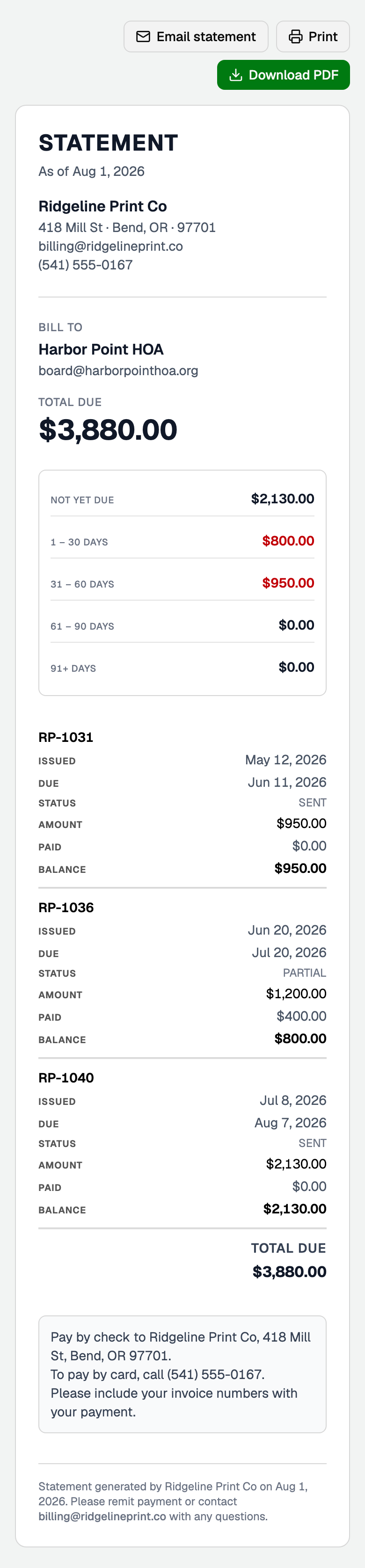
On a phone:
- The aging buckets stack into a list, $0.00 buckets included.
- Each invoice becomes a labelled record. Nothing scrolls sideways.
- A printed statement and the PDF stay a table.
Add your payment options
- Click Invoice template settings at the top of the page. Or open All pages, then under Setup click Invoice settings.
- Under Customer statements, fill in Statement message: where to mail a check, who to call to pay by card, or your ACH details.
- Click Save changes.
The message prints in a box under the invoices, on screen, in the PDF and in the email. It never appears on an invoice. Leave it blank to print nothing.
Send them all at once
Email all at the top of the page sends a statement to every customer who owes you and has an email on file. The number in the button is how many.
You confirm first. Afterwards it shows how many were queued and how many were skipped for having no email.
Reading the aging
- Not yet due: still inside its terms.
- 1 - 30 days: recently late. A statement is usually enough.
- 31 - 60 days and 61 - 90 days: worth a phone call.
- 91+ days: time to decide about collections.
A late bucket with money in it shows in red.
Good to know
- An unused credit memo gets its own line and comes off the total.
- For every customer at once, run the A/R aging report under Reports.
Updated on: 12/09/2026
Thank you!