
Upload a bank statement
A bank statement is your bank's own record of one account for one period, usually a month: every deposit and payment, with the balance at the start and at the end. Uploading statements brings in the months before your bank connection started, or keeps an account up to date when its bank will not connect.
BooksGPT reads each statement and checks that its transactions add up from the beginning balance to the ending balance, so you know it was read correctly. Nothing goes into your books until you pick the account and click Import.
Upload your statements
- Open All pages in the left sidebar, then click Setup and Import.
- Under Other ways in, click Upload a statement.
- Drop your files on the box, or click it to choose them. A PDF, a scan or photo, or a statement saved as a spreadsheet all work.
- Up to 25 files at a time, 25 MB each.
- A PDF can have up to 40 pages. Split a longer one into one statement per file.
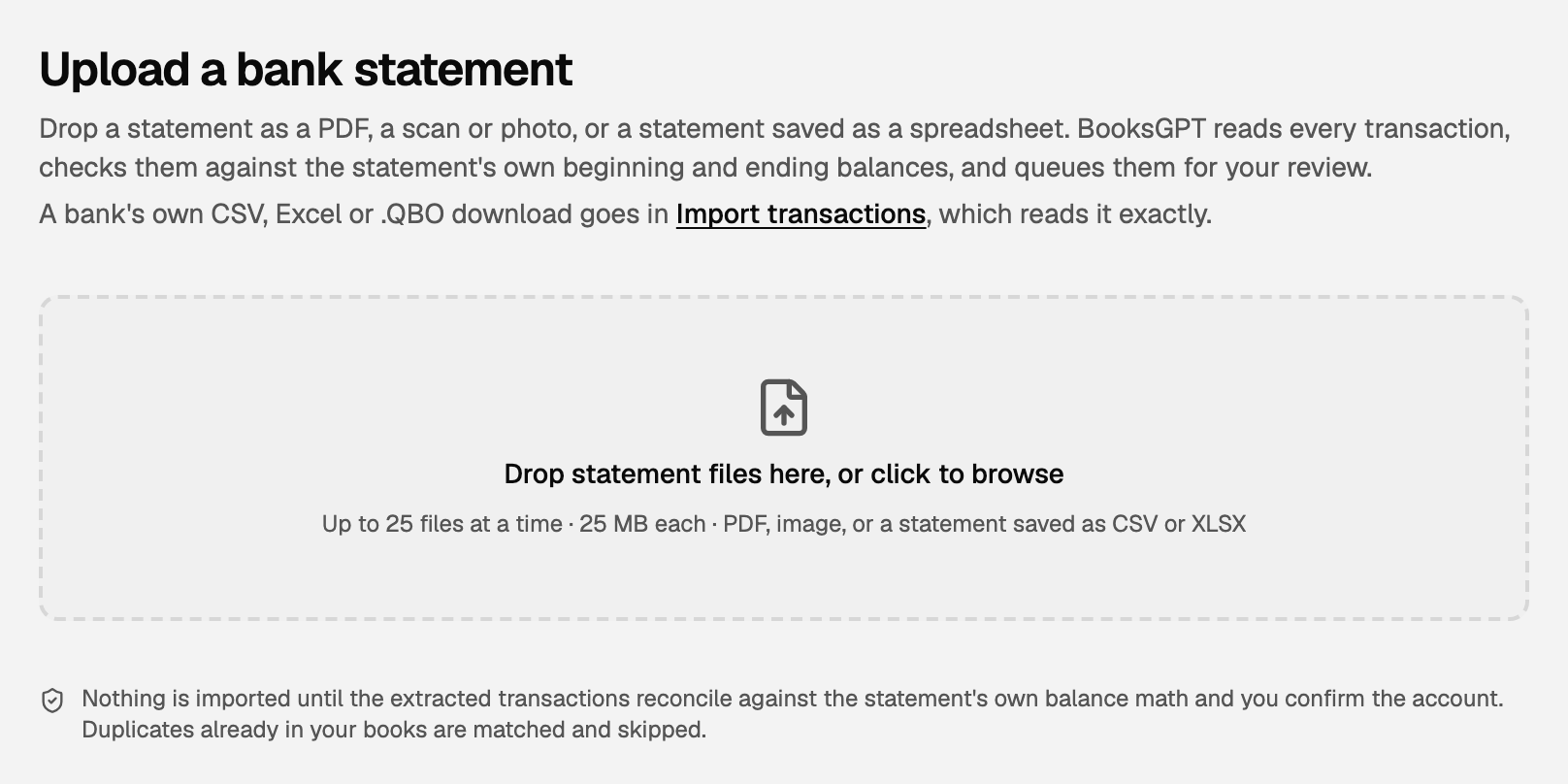
Each account in a file gets its own card. Reading takes a few minutes, and you can leave the page while it runs.
Check the card, then import
When the read finishes, the card is tagged Ready to import. Check it against your paper or PDF statement:
- The dates, the number of transactions, and the ending balance, under the account name.
- Money in, Money out, Beginning balance and Ending balance. A credit card shows Charges and Payments / credits instead.
- Statement balances checked means the transactions add up to the balances the statement prints.
- The Transaction preview shows the first few rows.
Then:
- Under Confirm the account, make sure the right bank or credit card account is picked. No account for it yet? Pick + Create and the suggested name.
- Click Import (the button counts the transactions, for example Import 47 transactions).
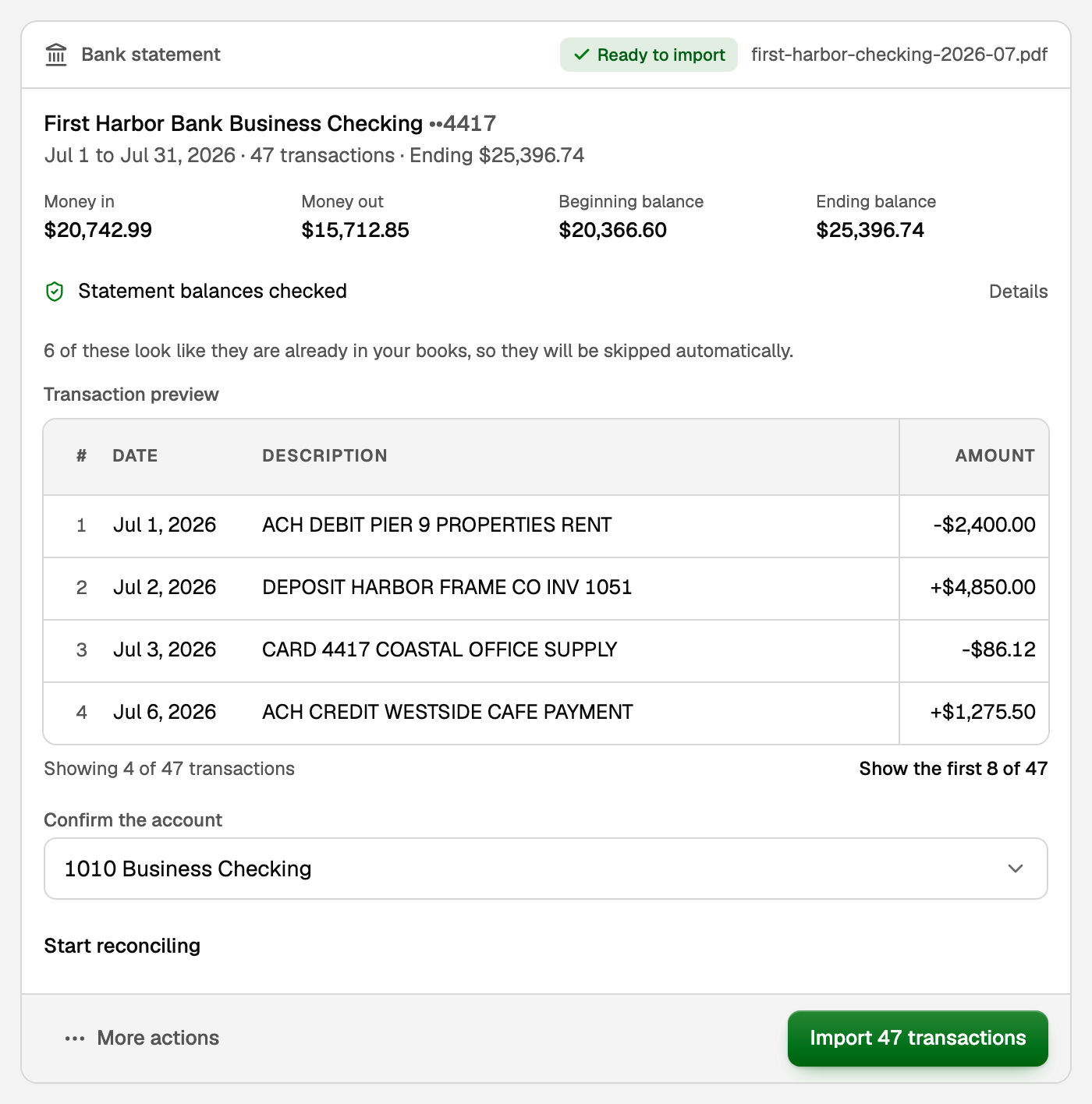
Transactions BooksGPT recognises as already in your books (same amount, a close date, a similar description), for example from your bank connection, are skipped, and the card says how many. Reconcile the statement afterwards to catch any copy that slipped through.
What your books say now
Every new transaction is in the account you picked, on the date the statement prints. Each deposit raises that account's balance in your books and each payment lowers it, right away. Two exceptions: rows waiting On hold (see below) count only once you post them, and a payment to a credit card counts once you file it as a transfer.
Each transaction still needs a category: the account that says what the money was for, such as Rent or Sales. BooksGPT suggests one, and until you approve it under To review, the row sits in Uncategorized Income or Uncategorized Expense. Click Open To Review on the card to go straight there.
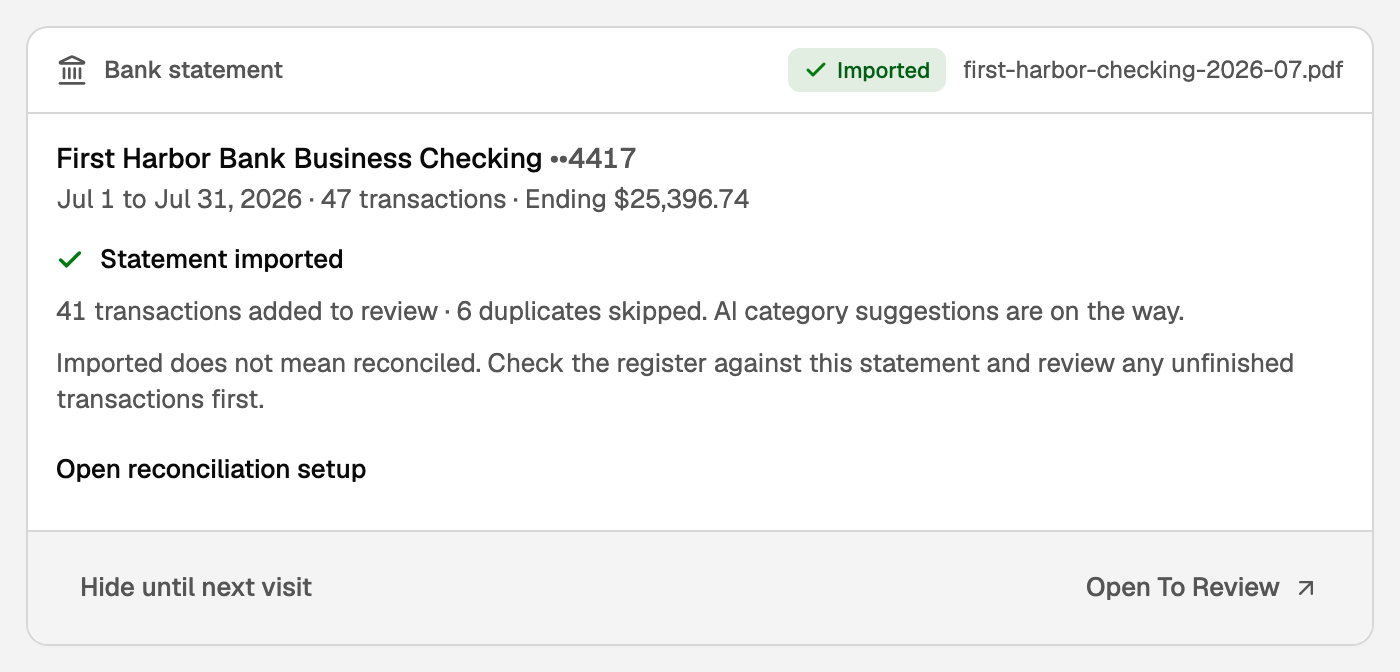
Importing is not the same as reconciling. Once the new rows are approved, click Open reconciliation setup on the card. It opens Reconcile with this statement's ending date and balance ready to use, so you can tick each line off against it. See Reconcile your books.
Keep a statement without importing it
When an account is already reconciled through a statement's dates, its transactions are already in your books, and importing would add copies. That card is tagged Already reconciled, and its button is File with reconciliation. It keeps the file in Drive with that reconciliation and takes the card off the list. Nothing is imported.
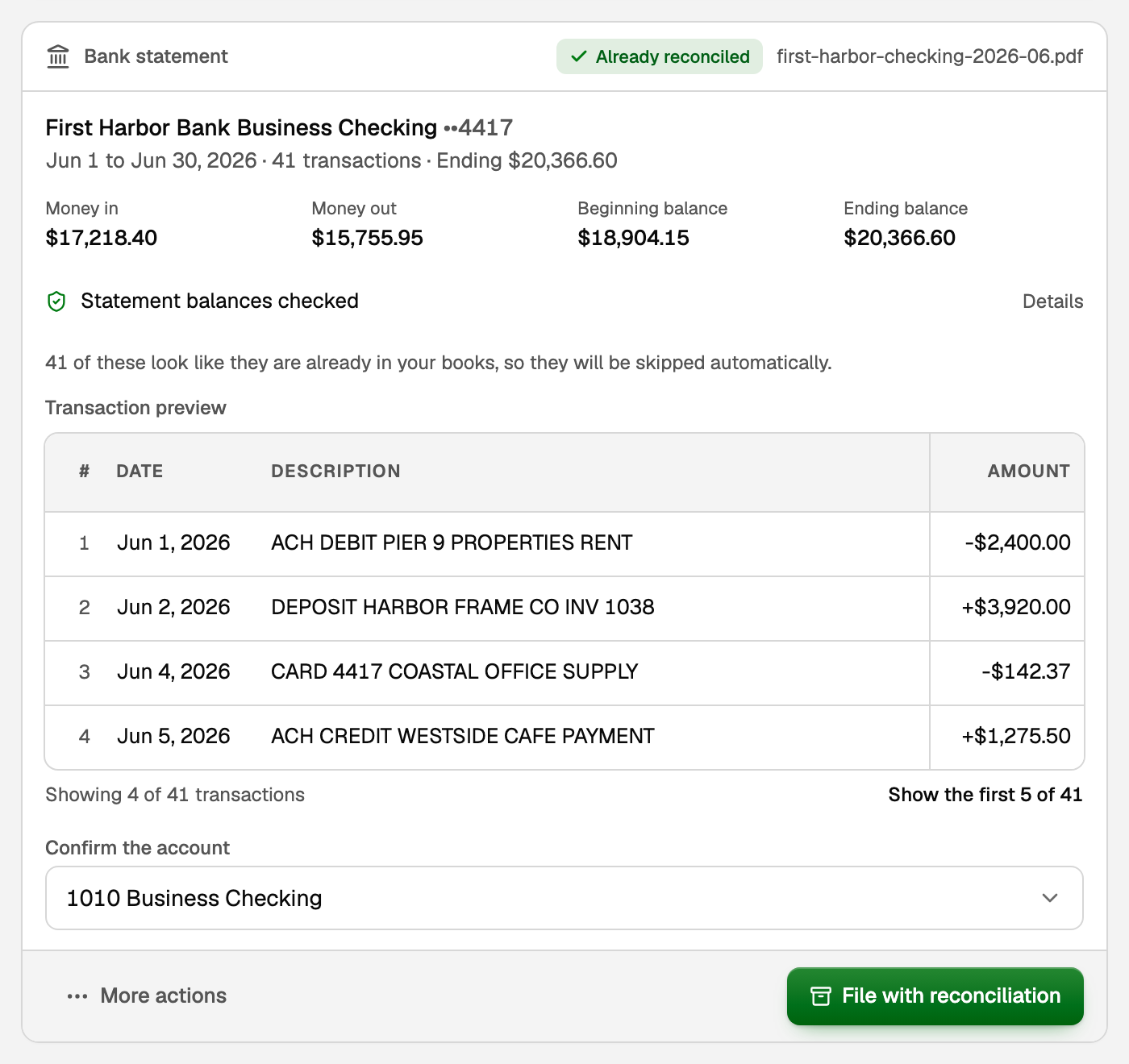
To keep any other statement without importing it, open More actions on its card and click File without importing.
Statements that reconcile themselves
When every transaction on a statement is already in your books and its balances tie to them, BooksGPT reconciles it for you, as you would on Reconcile. Nothing new is posted. It shows on Reconcile under History by account, marked Auto, with Undo on the same row.
For statements already waiting on this page, click Reconcile what ties above the cards.
A loan or line of credit statement
A loan statement is not imported: its payments are already in your books, from the account that paid them. What only the lender knows is the interest it charged, so the card offers Record interest instead. See How to record a loan in BooksGPT.
Finish later
Cards you have not finished stay on this page under Statement cards still waiting on you. After six hours, a line at the top of your other pages reminds you, and it goes away when they are done. You can also ask Copilot to finish your statements, and the same cards appear in the chat.
- Hide until next visit, under More actions, clears a card only for now.
- Remove statement deletes the upload for good, so you would have to upload it again. Your books do not change.
If something goes wrong
- The transactions do not add up to the statement's balances. The card says so and has no Import button. Click Re-run extraction to read it again. If it still does not add up, download the same period from your bank as a CSV, Excel or .QBO file and import that file, which reads the amounts exactly.
- The read never finishes, or runs out of time. Click Re-run extraction. Split a long PDF into one statement per file, or import the same period as a CSV, Excel or .QBO download.
- BooksGPT could not check the balances, for example because the statement prints none. Compare the preview with your statement. If it matches, tick the box that says you reviewed it, then import.
- Some rows wait On hold after the import. Your imported books or the account's opening balance may already include those dates. Open All pages, then click Daily work and Review inbox. Under On hold, exclude a row your imported books or opening balance already include, and post it only if it is missing. Until you choose, it is not counted.
Updated on: 16/10/2026
Thank you!