
Add headings, subtotals, and a shipping address to an invoice
Add a heading, your payment details, a subtotal, or a shipping address to an invoice. None of them changes the invoice total.
All of it is on the invoice form. Open All pages in the left sidebar, then click Sales and Invoices, then New invoice, or open a draft.
Headings, payment details, and subtotals
An invoice can carry two kinds of lines that are not charges:
- A text line is words only. Use it for a heading such as "Travel Expenses", or for your wire-transfer bank details. Line breaks are kept.
- A subtotal line adds up the priced lines since the previous subtotal, or since the top. Leave its label blank and it prints Subtotal, or type your own.
Neither one changes the invoice total, the tax, or your books.
To add one:
- Under the lines, click Add text or Add subtotal. It goes at the end.
- Or click the three dots at the end of a line and choose Insert text above, Insert text below, or Insert subtotal below.
- For a text line, type the words. An empty text line cannot be saved: type the text or remove the line.
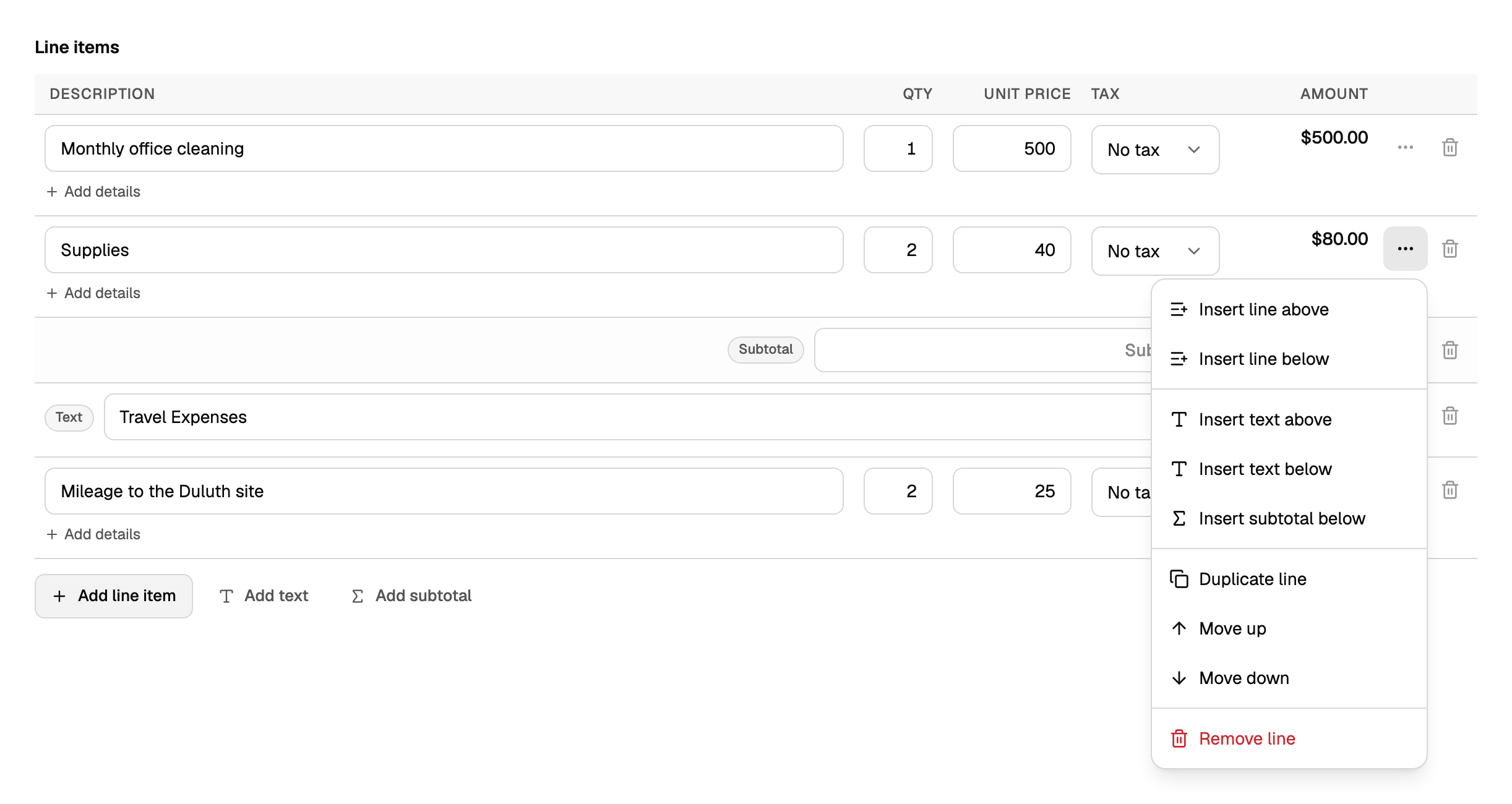
The same menu moves a line up or down, duplicates it, or removes it. Text and subtotal lines have their own menu and trash button.
Text and subtotal lines print on the PDF and on the invoice page your customer opens. Duplicate invoice and recurring invoices copy them. Attachments are not copied. Estimates do not have text or subtotal lines.
Add a shipping address
Optional. Under the lines, open Ship to and click Add shipping address.
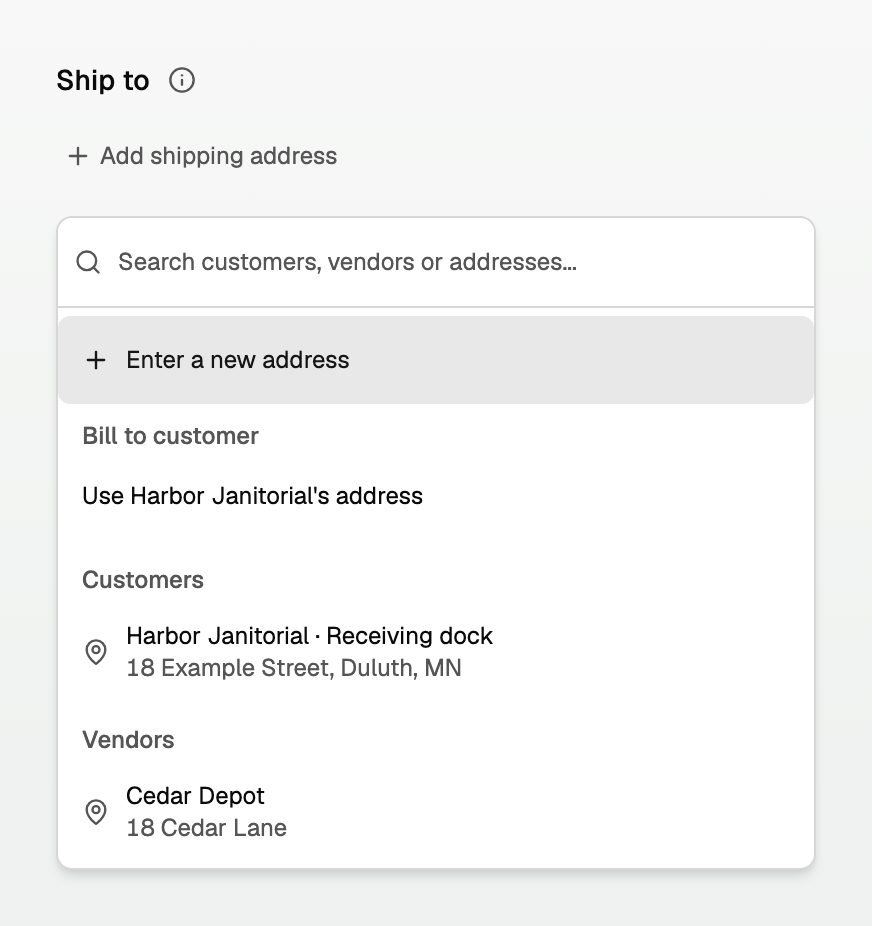
- Enter a new address types on this invoice. Done keeps it. Cancel goes back.
- Under Bill to customer, the row that starts with Use and the customer's name copies their billing address.
- Search Customers or Vendors to copy a saved address. A vendor address does not change Bill to.
- Remove clears Ship to. Change picks another address.
- Save address... stores a named address on the Bill to customer. It does not save the invoice.
- If Ship to already has text, picking another address asks Keep current address or Replace address.
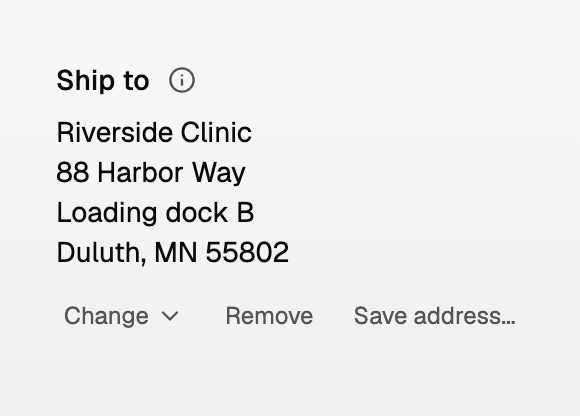
The address prints on the invoice the customer opens, and on the PDF attached to the email. Copying an address does not change who is billed, who the email goes to, the totals, or the tax.
- BooksGPT does not fill Ship to from a PDF, a photo, or an imported invoice.
- Change the customer while an address is already there and BooksGPT keeps it. The line says Ship to has been kept. Check it for this customer.
- On a posted invoice, change the address with Edit invoice, then Revise details. Totals stay as posted.
Good to know
- On a posted invoice, text and subtotal lines change with Revise details too, unless QuickBooks still refreshes that invoice. See Change, void, or delete an invoice.
- To create and send the invoice itself, see Create, send, and get paid on an invoice.
- To send receipts or other files with the invoice, see Attach receipts and files to an invoice.
Updated on: 13/10/2026
Thank you!