
See whether an invoice was delivered or opened
See whether an invoice email was sent, delivered, delayed, or bounced, and whether the invoice link was opened.
Open the delivery timeline
- Open All pages in the left sidebar, then click Sales and Invoices, and open the invoice.
- The timeline is the invoice's Activity section. On a wide screen it is beside the invoice. On a narrower one, click the Activity tab under the invoice.
Or, on the Invoices list, point at a row and click View activity to open the same timeline.
The timeline is newest first. Filter it with All, Document, Books, or Delivery.
Email delivery and link opens
Choose Delivery. Each send keeps one line, and the title is the latest news about that send. The status on the invoice is a different fact: Sent means it was emailed, and Link opened means the link was opened. Neither one means the mail server accepted it.
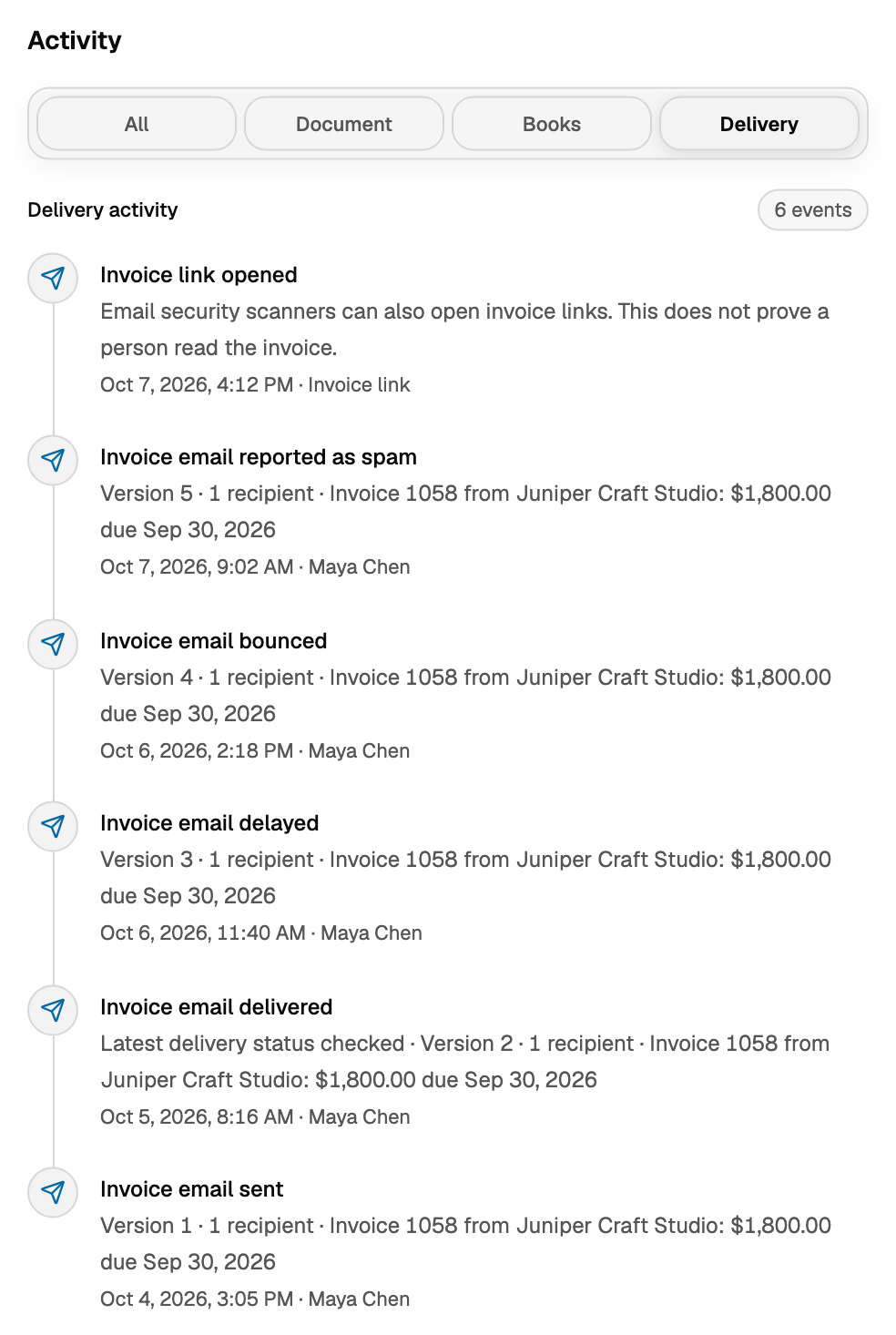
- Invoice sent records that you sent it.
- Invoice email sent means it was accepted to go out. Delivery is not confirmed yet.
- Invoice email delivered means the recipient's mail server accepted it. It can still land in spam.
- Invoice email delayed means delivery is taking longer.
- Invoice email bounced means it came back. Check the address, then open More invoice actions on the invoice and choose Send again. On the Invoices list, the row's Send invoice shortcut opens the same send window.
- Invoice email reported as spam means it was marked as spam.
- Payment reminder sent is a reminder. It is not another copy of the invoice email.
The line under a delivery event names the version, how many recipients, and the subject. If the send carried files, it also names how many attachments. If it starts with Latest delivery status checked, that status was filled in by a later check. The time on that line is when the check ran. The Invoices list does not say delivered, delayed, bounced, or spam.
Link opened
Link opened does not prove a person read the invoice. Email security scanners can open the link.
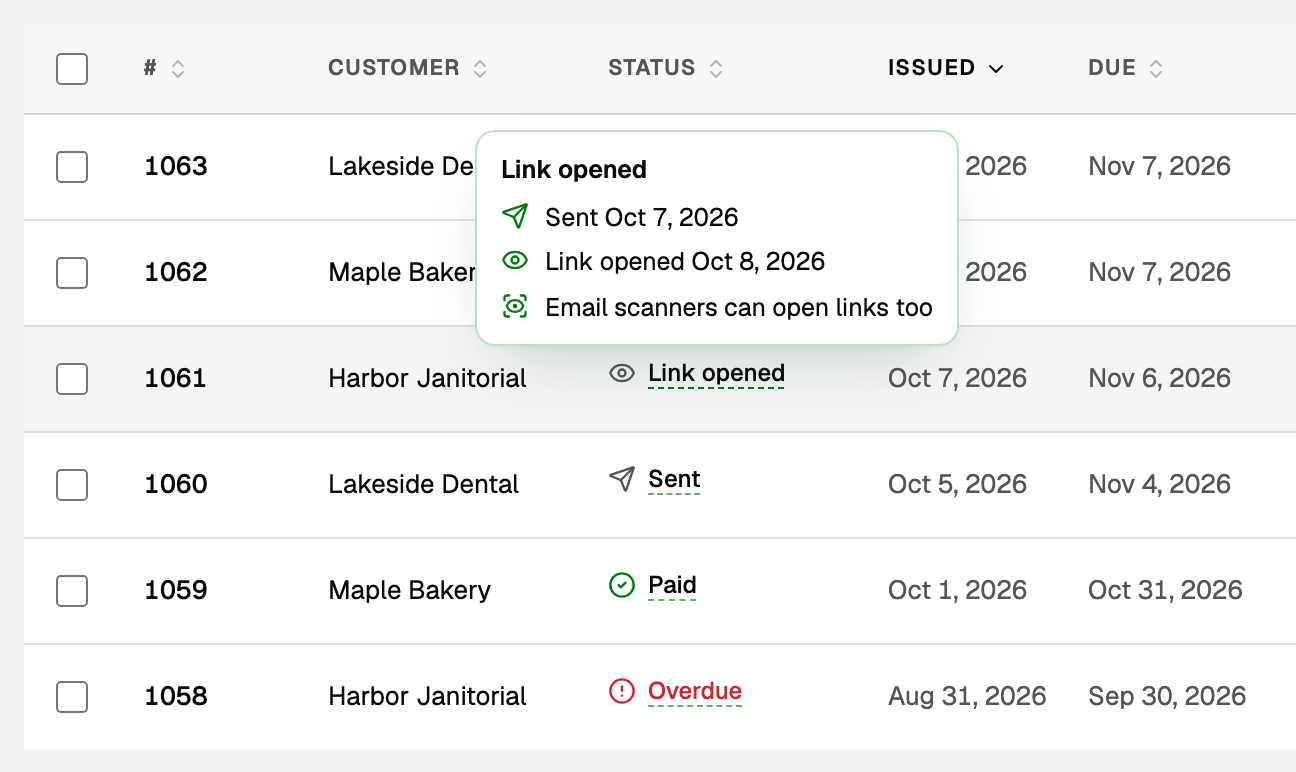
- On the Invoices list, the status reads Link opened. Point at it to see when the invoice was sent and when the link was opened.
- In Activity the event is Invoice link opened, and the name beside the time is Invoice link.
- To list only these invoices, click the funnel at the right end of the tabs (Filter invoices), then under Status choose Link opened. It appears only when an invoice in the open tab has that status.
If a send failed
If a send failed and the invoice is still Final · not sent (posted, not emailed yet), the line under the header says Posted to A/R. Delivery failed and tells you to see Activity. That event is Invoice delivery failed.
Good to know
- To create and send the invoice itself, see Create, send, and get paid on an invoice.
- To send files with the invoice email, see Attach receipts and files to an invoice.
- To fix an invoice after it went out, see Change, void, or delete an invoice.
- For payment reminders, see Recurring invoices and payment reminders.
Updated on: 18/10/2026
Thank you!